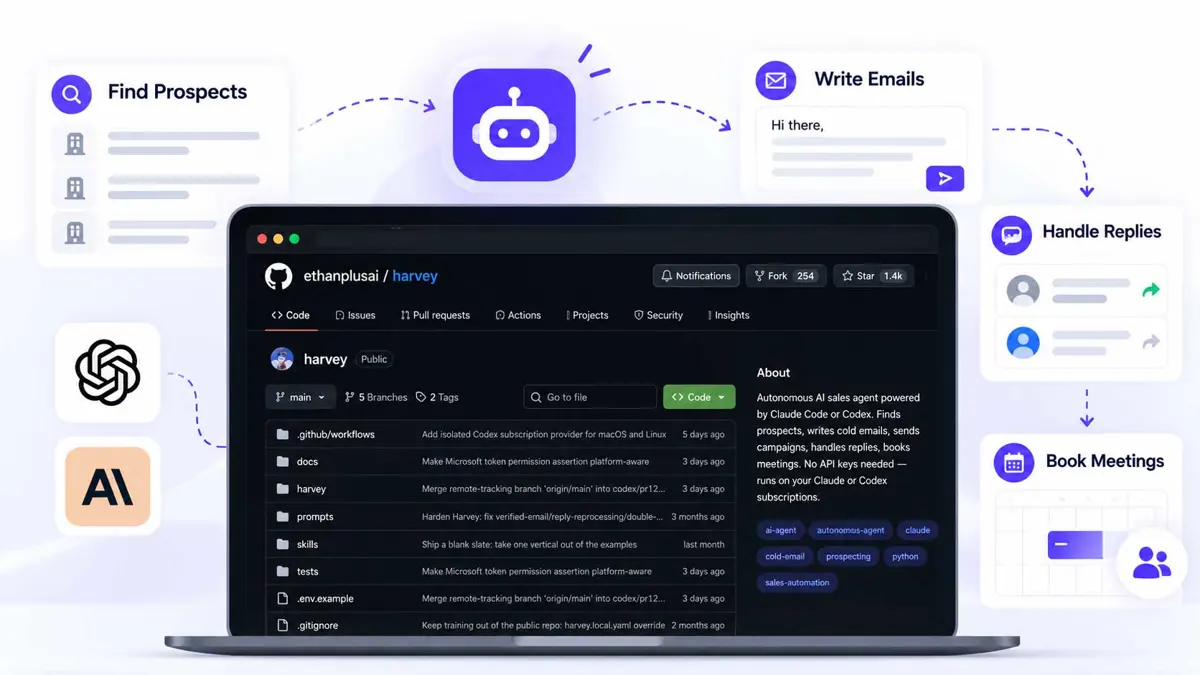
An AI sales agent can do more than draft an email. It can identify potential customers, research their businesses, compare them with an ideal customer profile, prepare personalized outreach, and organize replies. Harvey is an open-source project that brings these steps together in a local workflow, using a coding-agent subscription for language-model decisions.
This practical guide walks through using Harvey with Codex, from cloning the repository and configuring the model provider to training the agent on a product, discovering prospects, reviewing messages, and testing reply handling. Start with a small supervised test rather than giving an agent permission to contact a large list immediately.
Commands and features can change. Check the official Harvey repository before running them. The steps here reflect the repository documentation reviewed for this guide.
How an AI sales agent works with Harvey
Harvey is a locally run sales agent built around a repeating workflow. It discovers businesses, profiles their websites, scores prospects against criteria you confirm, drafts email sequences, stages messages in an outbox, and processes replies. Python handles much of the predictable pipeline work, while the configured coding-agent CLI handles tasks that need language understanding.
- Discovery finds businesses from configured sources.
- Profiling reads public company websites and collects observations.
- Qualification compares observations with your ideal customer profile.
- Writing prepares personalized email drafts.
- The outbox holds outgoing messages for review.
- Reply handling classifies incoming messages and queues suggested responses.
- Usage limits and a pause mechanism help control activity.
Harvey runs a heartbeat loop: it wakes up, checks its constraints, chooses the next task, records the result, and sleeps until the next cycle. The priority order is designed to handle replies and pending campaign work before starting more prospecting. That is useful because a sales agent should not keep collecting leads while an existing conversation needs attention.
What you need before starting
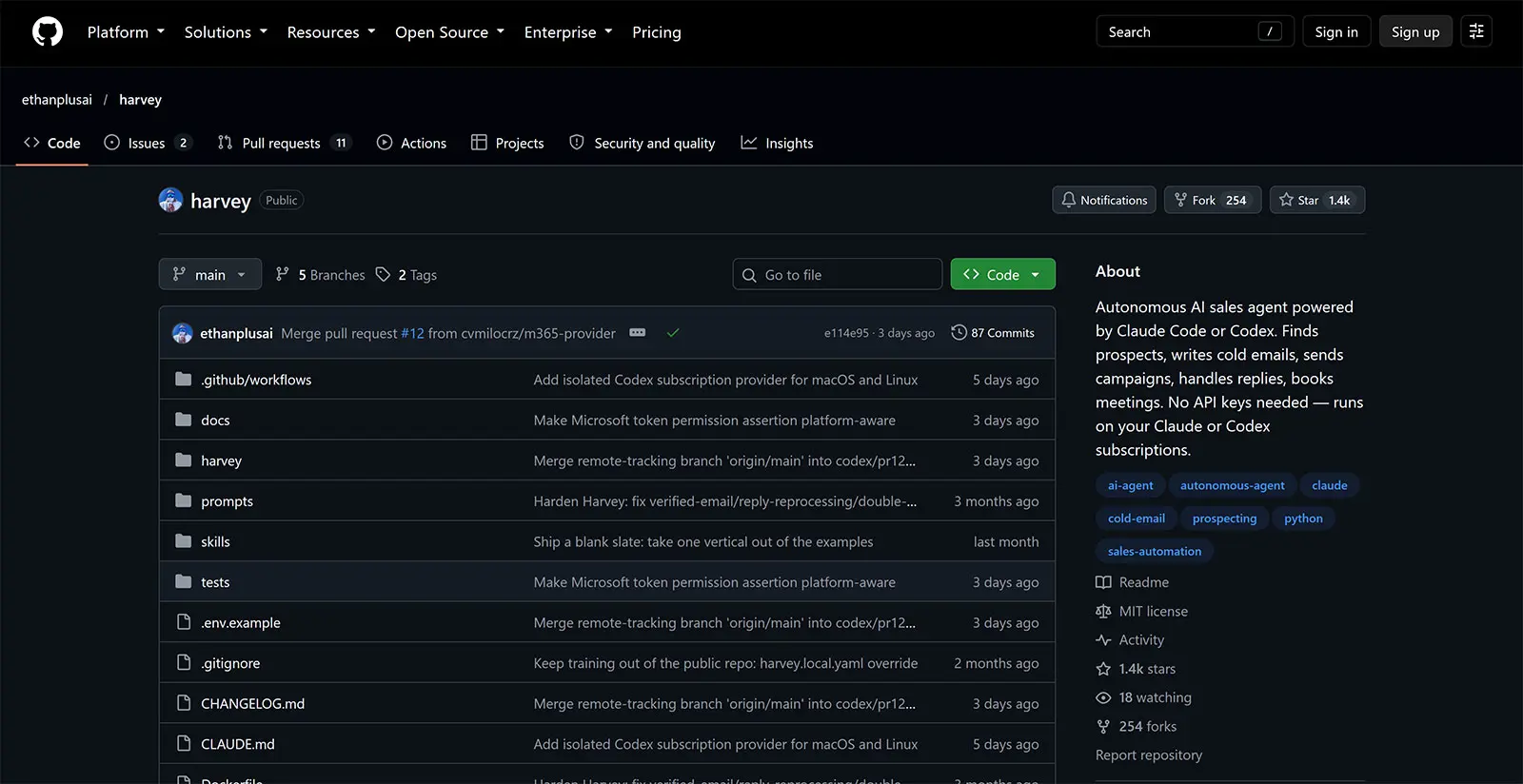
Check the current README for the supported Python version and provider requirements. The repository documents using Codex as an optional model provider, along with a supported email provider for sending messages and reading replies.
- Git and a terminal.
- A supported Python version and a virtual environment.
- Codex installed and authenticated. See the official Codex documentation.
- An email provider supported by your installed Harvey version.
- A clear description of your product, target customers, geography, and exclusions.
- Preferably, a dedicated sending domain or mailbox rather than your everyday personal inbox.
Start with human approval for every outgoing email. Use a small test cohort, verify recipients and drafts, and do not enable unattended sending until you understand the workflow, deliverability risks, and applicable laws.
Step 1: Clone the repository and open Codex
Clone the official repository, enter its directory, and start Codex from there so it can inspect the project's files.
git clone https://github.com/ethanplusai/harvey.git
cd harvey
codex
Before making changes, ask Codex to read the README and project instructions. Have it explain the current setup rather than guessing from a generic tutorial.
Read the README and project instructions first. Explain how this version of Harvey supports Codex, list the prerequisites, and identify the configuration files I need to review. Do not send email, access a mailbox, or change settings yet. If the README and implementation disagree, show me the relevant files.This prompt makes Codex inspect the actual checkout before acting. You can then ask it to check whether Python, dependencies, and the Codex CLI are available. Review proposed shell commands before approving them.
Step 2: Install Harvey in a virtual environment
Use the Python version required by the current README. A virtual environment keeps Harvey's dependencies separate from other projects. The following is a typical setup pattern; if the repository specifies a version such as Python 3.13, use that interpreter instead of the system default.
python3 --version
python3 -m venv .venv
source .venv/bin/activate
python -m pip install --upgrade pip
pip install -e .
If installation fails, give Codex the error and ask for the smallest safe fix. Do not let it upgrade or downgrade dependencies without explaining why.
The install failed with this error:
[paste the complete error message]

Inspect the project configuration and explain the likely cause. Propose the smallest safe fix, but do not delete the virtual environment or change dependency versions without explaining why. After I approve, apply the fix and rerun the relevant check.
If the harvey command is not found, confirm that the virtual environment is active and that the editable install completed successfully.
Step 3: Select Codex as the provider
Launching Codex in the terminal does not necessarily configure Harvey to use it. The project has its own provider selection and runtime checks. Ask Codex to locate the exact supported setting in the checked-out version, then review the change before applying it.
Inspect the current provider configuration and show me how this version of Harvey selects Codex as its model provider. Identify the exact file and setting. Do not edit anything until I approve the proposed change. Preserve the default safety checks that disable model tools during Harvey's prompts.The repository describes an isolated Codex runtime that disables tool-providing features and verifies its effective settings before sending a prompt. Do not weaken those checks just to make setup easier. The model should provide a text decision or draft; Harvey's application code should control workflow actions.
Step 4: Configure email access safely
Harvey needs a supported email provider to send messages and read replies. The repository documents provider-specific options, including Gmail OAuth and SMTP/IMAP in supported versions. Choose one provider and follow the current instructions.
cp .env.example .envEdit .env locally and fill only the variables required for your provider. Never paste passwords, OAuth secrets, access tokens, or app passwords into Codex prompts or source files. Keep .env out of Git. For Gmail OAuth, complete the browser authorization flow yourself and then verify the provider setting in Harvey's configuration.
Step 5: Teach Harvey about your product
Harvey needs accurate product context to write useful outreach. Its documented training command reads a company website and generates local product knowledge files. Run it against your own public website, then inspect the generated files before using them.
harvey train https://your-company.exampleReplace the example URL with your company's website. Check the generated description, benefits, pricing, use cases, objections, and competitor claims. Remove inaccuracies and confidential details. Do not let an agent invent product capabilities, customer results, or offers.
Next, review harvey.yaml or the local override supported by your version. The README describes settings for the sender persona, product, ideal customer profile, email provider, approval requirement, send limits, usage budget, heartbeat interval, and quiet hours.
# Illustrative configuration shape only.
# Check exact field names and accepted values in your installed version.
persona:
  name: "Sender name"
  company: "Your company"
  role: "Your role"
product:
  name: "Product name"
  description: "What it does and who it helps"
icp:
  industries: ["Target industry"]
  geography: ["Target region"]
channels:
  email:
    require_approval: true
    max_daily_sends: 10
This snippet illustrates the settings to think about; it is not a complete drop-in configuration. Preserve the existing schema and keep approval enabled with a low send ceiling while testing.
Step 6: Define the ideal customer profile
An ideal customer profile (ICP) describes the companies most likely to benefit from your product. “Any small business” is too broad. Define the industry, geography, company size, business model, and observable signals that make a company relevant. Add exclusions too, such as industries you do not serve or companies that are too small to use the product.
Harvey includes a signal catalog and asks users to review which signals it may collect. Start with free signals where possible, and inspect each signal's description, coverage, and cost before enabling paid sources.
harvey signals
harvey signals --confirm free
harvey discover --estimate
harvey discover
Check the installed version's help and README before running these commands. Discovery providers have different coverage and prices. A free map-based source can be useful for testing local businesses but may miss companies without a mapped storefront. Review the estimate and provider before starting any paid discovery run.
After discovery, profile the businesses and inspect the results. Begin with a small cohort. Reject irrelevant companies and refine the ICP rather than trying to fix poor targeting with generic email copy.
Step 7: Generate and review email drafts
Once prospects are qualified, Harvey can prepare a short sequence based on product knowledge and its email-writing skills. Useful personalization points to a specific, verifiable observation about the business. It should not rely on a guessed pain point or a generic compliment.
Review each draft for accuracy, relevance, tone, recipient identity, merge fields, and a clear but modest next step. A first email should open a conversation rather than imply that the recipient has already expressed interest.
harvey outboxUse the outbox or dashboard to review queued messages. Approve only drafts that pass your checks; reject or edit the rest. Harvey documents a deterministic pre-send gate for problems such as unrendered merge fields, banned phrases, excessive length or links, invalid addresses, and recipient-record mismatches. These checks help, but they do not replace human review.
Step 8: Run the agent and inspect the dashboard
Use the documented dashboard and status commands after configuration. The dashboard is designed to show activity, prospects, campaigns, conversations, outbox decisions, and usage information. Understand how to stop the process before starting a loop.
harvey dashboard
harvey status
harvey usage
harvey run
The repository describes a local dashboard commonly available at http://localhost:5555. Use the address reported by your installed version if it differs. Keep the terminal open while the process runs, and learn the pause command before starting a campaign.
harvey sending pausePause sending if the wrong audience is selected, an unexpected message appears, replies are mishandled, or activity exceeds the intended limits. Verify the command syntax in your installed version before relying on it during an incident.
Step 9: Test reply handling
Harvey's documented reply handler checks incoming messages, deduplicates them, classifies intent, advances conversation stages, and queues suggested responses through the approval process. It also describes bounce handling and cancellation of queued follow-ups.
Test the flow with controlled messages before relying on it. Confirm that Harvey distinguishes a positive response, an objection, a stop request, an out-of-office message, and a bounce. An opt-out must stop further sales follow-ups. Check that a bounce invalidates the address and cancels queued messages where the implementation says it should.
For a meeting request, confirm the details yourself. The repository version reviewed lists calendar integration and automatic booking as roadmap work, so do not assume the agent can book meetings automatically without checking the current project status.
Useful Codex prompts for setup and review
Codex is most useful as a repository-aware assistant. Ask it to explain the implementation, diagnose a failure, or review a configuration. Make one change at a time and request the exact checks it ran.
Explain the Harvey setup flow from the current README. Separate required steps from optional integrations, and identify the relevant repository files.Review my Harvey configuration for an initial test run. Check the ICP, provider selection, usage budget, quiet hours, and email approval setting. Do not print secrets or modify files. List unsafe or incomplete settings.Review the proposed campaign drafts in the local outbox. Flag unsupported claims, unverifiable personalization, incorrect merge fields, duplicate recipients, and messages that should not be sent. Do not approve or send anything.Run relevant non-sending tests for the changes I made. Do not access the mailbox, send email, approve the outbox, or disable safety checks. Summarize the commands run and their results.If Codex suggests weakening runtime isolation, enabling model tools, disabling approval, or increasing the send limit, ask it to explain the risk and show the exact code path before accepting the change. A successful installation is not proof that the agent is safe to run unattended.
Email safety and deliverability
Cold-email rules vary by jurisdiction and recipient type. Check the laws that apply to the sender and recipient, identify the sender honestly, provide a working opt-out method, and honor opt-outs promptly. This guide is not legal advice; seek qualified counsel before sending at scale or contacting regulated industries.
- Use a dedicated sending domain and configure SPF, DKIM, and DMARC.
- Warm up a new mailbox gradually and begin with low volume.
- Verify addresses rather than sending to guesses.
- Monitor bounces, complaints, and replies.
- Maintain a suppression list and stop follow-ups after an opt-out.
- Keep human approval enabled while testing.
- Store credentials in local secret files or supported OAuth flows, never in Git.
- Treat scraped websites and incoming email as untrusted content, not instructions for the model.
- Do not automate LinkedIn browser actions without checking its terms and account risks. Harvey's repository warns that this can violate LinkedIn's terms and lead to restrictions.
Sending limits and a pause mechanism reduce risk, but they cannot guarantee inbox placement or legal compliance. The safest first campaign is small enough for a person to inspect every recipient, draft, and reply.
Troubleshooting common problems
| Problem | What to check |
|---|---|
| `harvey: command not found` | Activate the virtual environment and confirm the editable install succeeded. |
| Python or dependency error | Compare the active interpreter with the version required by the current README. |
| Codex provider fails | Confirm Codex is installed and authenticated, then inspect Harvey's provider setting and runtime error. |
| No prospects found | Review geography, ICP, confirmed signals, discovery provider, and provider coverage. |
| Email stays in the outbox | Check whether approval is required, whether the address is verified, and whether a pre-send check rejected the message. |
| Replies are not processed | Check mailbox authentication, provider configuration, polling status, and logs without exposing message contents. |
Frequently asked questions
Does Harvey require a separate model API key?
Can Harvey use Codex without Claude installed?
Does Harvey send email automatically after installation?
Can Harvey book meetings automatically?
Is Harvey safe to run unattended?
A safer way to start
Make Harvey prove each stage independently: install it, configure Codex, train it on your product, define a narrow ICP, inspect a small discovery run, review drafts, and test reply handling with controlled messages. Expand only after each stage produces results you can verify.
Codex can help interpret the repository and troubleshoot setup, but it should not make business decisions invisible. Keep prospect criteria explicit, personalization traceable to real observations, the outbox reviewable, and the stop mechanism easy to use. Those controls matter more than maximizing the number of emails an agent can send.