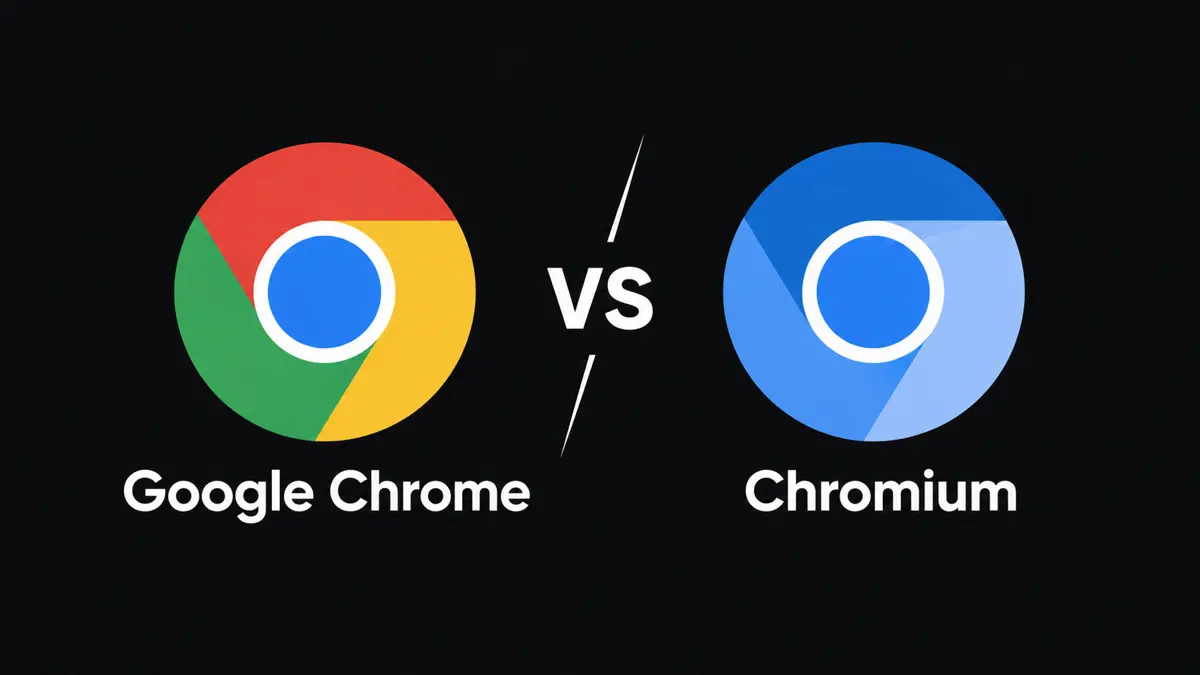
Google Chrome vs. Chromium can look like a choice between two versions of the same browser because they share much of the same code. The key difference is that Chromium is the open-source project and browser codebase, while Google Chrome is Google's finished browser product built on that foundation. Google adds its own branding, distribution, update mechanisms, and integrations to Chrome.
For most people who want a browser that installs easily and keeps itself updated, Chrome is the straightforward option. Chromium is worth considering when open-source code, browser development, or testing matters more than a turnkey setup. It is not automatically faster, safer, or more private simply because its source code is available.
What Is Google Chrome?
Google Chrome is a web browser developed and distributed by Google. It uses Chromium as its technical foundation and adds product features and services that make it ready for everyday use. Users can install Chrome, sign in with a Google Account if they choose, and sync supported browser data across devices.
Chrome's Google integrations can include syncing bookmarks, passwords, settings, history, and open tabs when the relevant options are enabled. It also uses Google's update system to deliver browser updates and security fixes. These services are convenient, but they are part of the product experience that users should understand when considering privacy and data settings.
Chrome is available for major desktop and mobile platforms, although the way it is installed and updated depends on the operating system. On Windows and macOS, Google's updater helps keep the browser current. Mobile updates are managed through the relevant app store.
Official references: Google Chrome Help: how Chrome updates work and Google Chrome Help: sign-in and sync.
What Is Chromium?
Chromium is an open-source browser project that provides the code behind Google Chrome and other Chromium-based browsers. The project publishes source code, technical documentation, and ways for developers to build, test, and contribute to the browser.
Because the code is available, developers can compile Chromium, inspect its implementation, modify it, or use it as a starting point for another browser. That flexibility is useful for software development and testing. It also means that the experience depends on which Chromium build a person downloads and who maintains it.
There is no single consumer experience that applies to every Chromium download. A distribution may package updates differently, include or omit certain services, or make its own choices about features and supported media. Before installing a build, check its publisher, update process, and documentation.
The official Chromium project site describes Chromium as the open-source project behind Google Chrome.
Google Chrome vs. Chromium: The Main Differences
| Feature | Google Chrome | Chromium |
|---|---|---|
| What it is | Google's finished browser product | Open-source browser project and codebase |
| Source code | Built on Chromium, with additional Google components | Open-source code available for inspection and building |
| Installation | Official installer and supported distribution channels | Depends on the operating system and package distributor |
| Updates | Google-managed update mechanisms on supported platforms | Depends on the specific build and its maintainer |
| Google Account sync | Supported through Chrome sign-in and sync settings | Google's Chrome sync experience is not something to assume is included in every build |
| Media support | Includes Google's supported browser components and codecs where applicable | Can vary by build, operating system, and packaging choices |
| Best fit | Most people who want a ready-to-use browser | Developers, testers, and users who want a build they can inspect or customize |
Updates and Security: Which Is Safer?
A browser's security depends on more than its name or whether its source code is open. It also depends on how quickly security fixes reach the installed version, whether updates are applied reliably, and how the browser is configured.
Chrome uses Google's update system on supported desktop platforms to check for and install updates, including security fixes. Chromium builds may also receive frequent updates, but the process depends on the package or distributor. A build that is not maintained or updated promptly can leave users exposed to bugs that have already been fixed elsewhere.
For everyday use, Chrome is the simpler default if the alternative is an unfamiliar Chromium download with unclear maintenance. A Chromium build from a reputable operating-system repository or a known project can also be a reasonable choice, but users should verify how it receives security updates.
Do not assume every Chromium download is maintained by Google or receives updates on Google's schedule. Confirm the source, version, and update mechanism before using it as your main browser.
Is Chromium More Private Than Chrome?
Not automatically. Chromium's open-source code can be inspected, but the privacy behavior of an installed browser also depends on the build, its defaults, included components, and the services a user enables. Source availability alone does not prove that a particular build collects less data or has safer settings.
Chrome includes Google services and lets users choose whether to sign in and which supported information to sync. Google's documentation explains that Chrome Sync can store selected browser information in a Google Account so it can be used on other devices. Users can review sync controls and account activity settings to understand what is enabled.
Chromium builds may omit some Google-specific services, but the details vary. A third-party build could add its own services or change settings, so the word “Chromium” is not a complete privacy policy. Read the distributor's documentation and inspect the settings of the exact build you plan to use.
If privacy is the priority, start with practical questions: Who maintains the browser? How quickly are security updates released? Which telemetry or background services are enabled? Can those settings be disabled? What data is synced, and to which account or provider?
Extensions, Websites, and Media Compatibility
Chrome and Chromium share the same broad browser foundation, so many websites and Chromium-compatible extensions behave similarly in both. However, compatibility is not guaranteed to be identical across every build. Extension availability can depend on the browser's support and distribution, while media playback can depend on bundled codecs, digital rights management components, and operating-system support.
If a website or streaming service does not work in a Chromium build, the cause may be a missing component or a difference in packaging rather than the Chromium engine itself. Chrome is generally less work for users who want the standard Google-supported experience. Developers may prefer Chromium when they need to test how a site behaves in a browser build close to the upstream project.
For a broader look at Google's current browser features, see Saganote's guide to Chrome's vertical tabs, PDF annotations, split view, and Google Wallet autofill.
Performance: Is Chromium Faster Than Chrome?
There is no universal rule that Chromium is faster. Both share much of the same browser engine, and real-world speed depends on the build, operating system, hardware, extensions, open tabs, website code, and background activity.
A stripped-down Chromium build may omit some services, but that does not guarantee a noticeable speed improvement. Another build may use different defaults or lag behind current optimizations. A meaningful comparison should use current versions on the same computer, with the same websites, extensions, settings, and workload.
If Chrome already runs well on a device, switching to Chromium solely for a presumed speed boost is unlikely to be a reliable strategy. Disabling unnecessary extensions, keeping the browser updated, and reducing resource-heavy tabs are more practical first steps.
Which Browser Should You Use?
Choose Google Chrome if...
- You want a straightforward installation and an established update process.
- You use Google Account sync for bookmarks, passwords, settings, or tabs across devices.
- You want Google's standard browser experience with minimal setup.
- You rely on websites or media services that expect Chrome's included components.
Consider Chromium if...
- You develop websites or browser software and need access to the upstream project.
- You want to inspect, compile, or modify open-source browser code.
- You use a trusted Linux distribution or project that maintains a Chromium package.
- You are comfortable checking update schedules, included components, and configuration differences.
If your main goal is privacy rather than development, compare the actual privacy settings and policies of the specific browsers available to you. Chromium is a codebase, not a guarantee that every build has the same privacy properties.
Chromium also sits behind a wider group of browsers with their own features and policies. For example, AI features are becoming part of the browser experience: Saganote has covered Google's Gemini Spark integration in Chrome and Claude in Chrome's browser agent. Those products illustrate why choosing a browser can involve more than the underlying rendering engine.
Frequently Asked Questions
Is Chromium the same as Google Chrome?
Can I use Chromium as my main browser?
Is Chromium more secure than Chrome?
Does Chromium support Chrome extensions?
Does Chromium sync bookmarks and passwords with a Google Account?
The Bottom Line
Google Chrome is the practical choice for most people who want a ready-to-use browser with Google-managed updates and optional account sync. Chromium is more useful when access to the open-source project, development, or a trusted distribution's build matters. Neither browser is automatically faster or more private in every situation, so the best choice depends on the build, update process, services, and settings that matter to you.