Google Brings Gemini Spark to Chrome for AI-Powered Browser Tasks
The latest Gemini Spark update lets Chrome handle AI-assisted browsing tasks using your existing accounts, saved logins, and built-in security protections.

Google's Gemini Spark Chrome integration lets the AI assistant interact directly with websites, complete browsing tasks, and use existing Chrome sessions with user permission.
The new capability lets Spark access websites, use saved logins when needed, and automate parts of everyday browsing with your permission. According to Google, sensitive actions such as payments still require user confirmation, helping keep users in control while the AI handles routine steps.
What Is Gemini Spark?
Gemini Spark is Google's AI agent designed to do more than answer prompts. It can carry out multi-step tasks, monitor information, and interact with connected apps on a user's behalf, making it closer to a personal AI assistant than a traditional chatbot.
The latest update extends those capabilities to Chrome, allowing Spark to browse websites, work with your existing browser sessions, and complete online tasks more efficiently. If you've been following Google's recent AI announcements, this builds on the company's broader push to make Gemini more useful across everyday workflows rather than limiting it to conversations.
What's New With Gemini Spark's Chrome Integration?
The biggest change is that Gemini Spark can now work directly inside Chrome instead of relying solely on web-based responses. With access to your browser session, the AI agent can navigate websites, complete routine tasks, and use existing sign-ins when you've granted permission.
This builds on Google's recent efforts to turn Gemini into a more capable AI agent across its ecosystem. Earlier updates introduced connected apps and deeper integrations with Google services, while Chrome now becomes another place where Gemini can actively help users get things done instead of simply providing information.
How Gemini Spark Works Inside Chrome
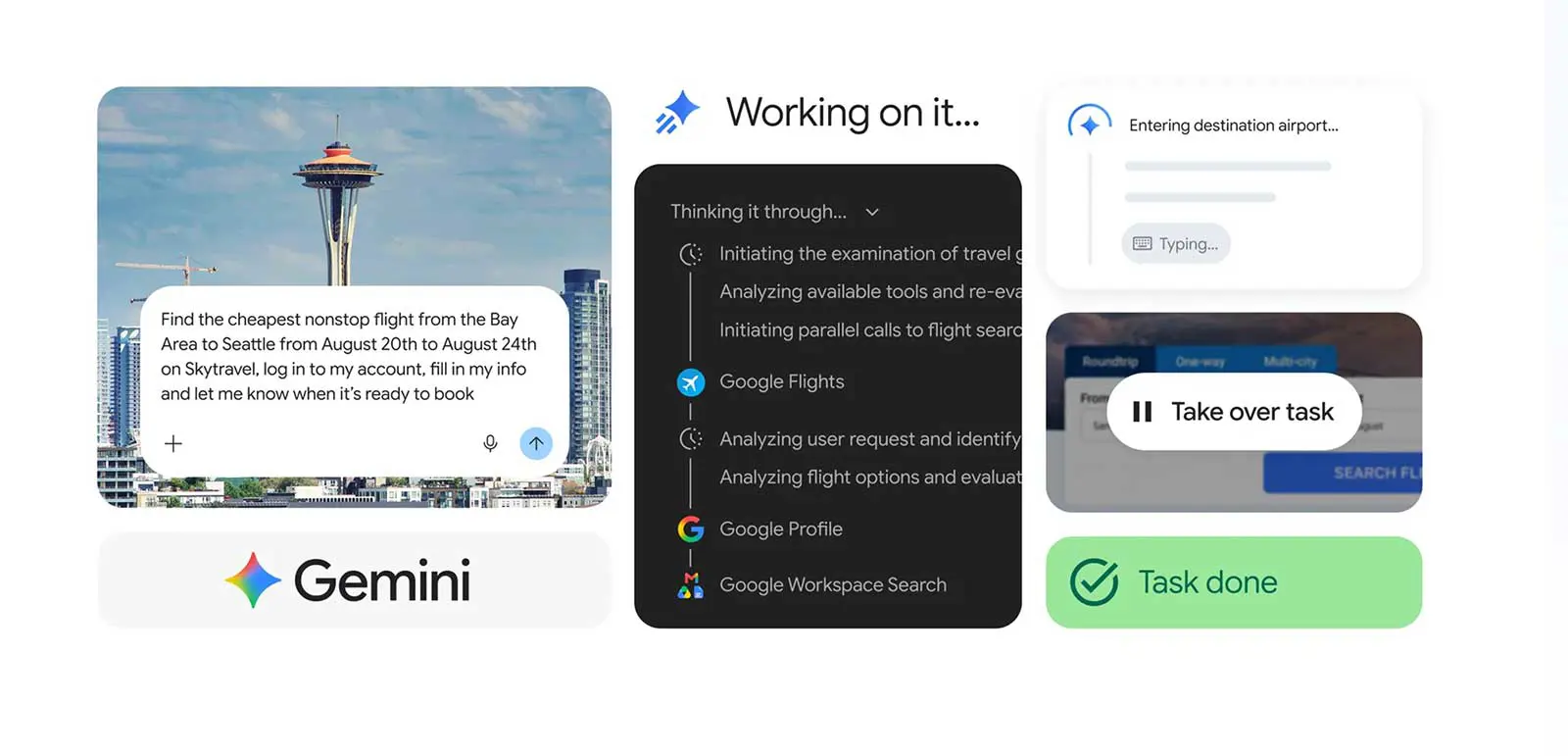
Rather than asking users to copy information between tabs, Gemini Spark can interact with websites directly through Chrome. Google says the feature is designed to reduce repetitive browsing tasks while keeping users in control of important decisions.
- Opens websites in Chrome when needed.
- Uses your existing browser sessions after you grant permission.
- Reads information from webpages to complete the requested task.
- Automates routine steps such as navigating pages or filling in information.
- Asks for confirmation before completing sensitive actions like payments or purchases.
Privacy and Security Remain Part of the Design
Because Spark can work with your browser, Google has built in safeguards to limit what the AI can do on its own. Sensitive actions-including purchases and payments-still require user approval, reducing the risk of the assistant completing important actions without permission.
Google also says Spark can use your existing Chrome sessions and saved logins only when access is granted. The company positions these controls as a way to balance convenience with privacy as Gemini takes on more complex browsing tasks.
Why This Matters
Chrome is where most people search, shop, book travel, and manage work every day. By bringing Gemini Spark into the browser, Google is moving beyond AI that simply answers questions and toward an assistant that can actually complete tasks across the web.
The update also reflects Google's broader AI strategy, with Gemini expanding across products, devices, and developer tools. Recent announcements, including new Gemini models, show the company is building an ecosystem where AI can assist users across more parts of their daily workflow instead of remaining a standalone chatbot.
Availability
Google is rolling out Chrome integration as part of Gemini Spark, with availability depending on your Gemini plan and region. The company says some capabilities may require access to supported features or eligible subscriptions, and additional functionality is expected to expand over time.
Final Thoughts
Gemini Spark's Chrome integration marks another step toward AI that can actively assist with everyday browsing instead of simply responding to prompts. As Google continues expanding Gemini across its products, the company is laying the foundation for a more capable digital assistant that can help users complete tasks while keeping important decisions under human control.
Sources:
- Google Gemini Help
- Google Blog announcement
Frequently Asked Questions
What is Gemini Spark?
Can Gemini Spark use my Chrome logins?
Can Gemini Spark make purchases automatically?
Who can use Gemini Spark with Chrome?