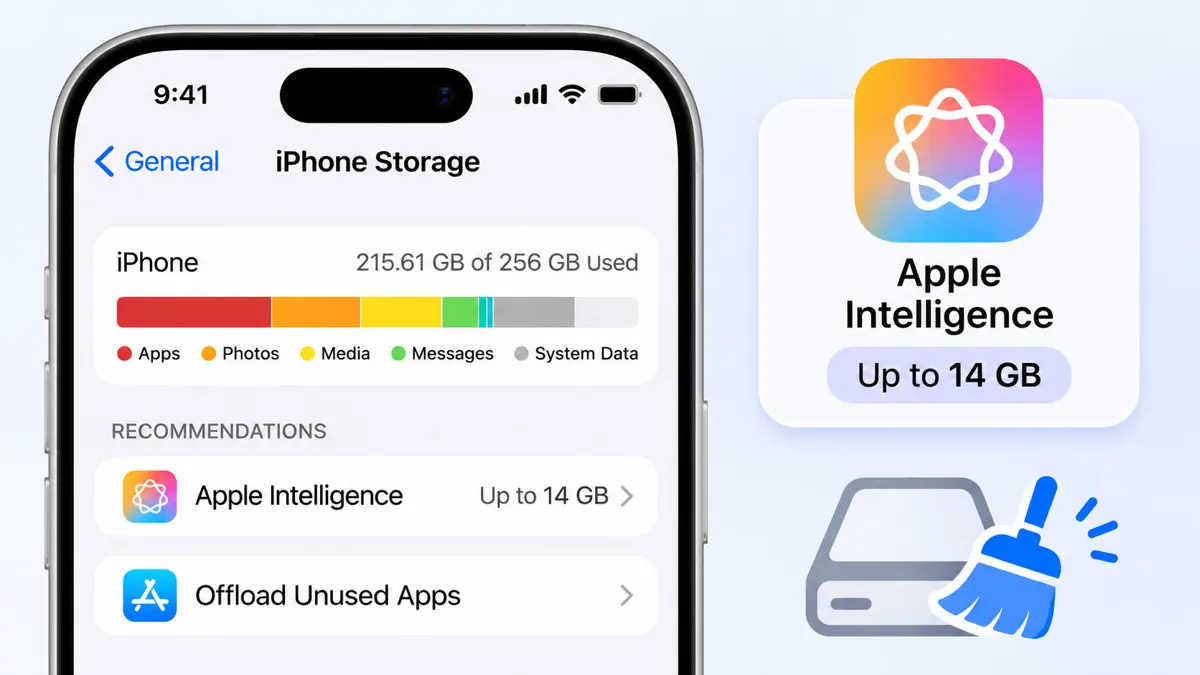
An iPhone storage full warning after updating to iOS 27 has a clear new cause on some phones, because Apple now lists up to 14GB of on-device storage for Apple Intelligence. Apple's page is dated November 5, 2026. Phones that were already close to full may hit the limit sooner than before, though how Apple counts that space is not fully clear from the text.
Apple Intelligence Now Needs Up to 14GB
Apple's support page lists up to 14GB of storage on device for iPhone Duo, iPhone 17 Pro models and later, and iPhone Air. Other Apple Intelligence iPhones need up to 8GB. 9to5Mac reported on September 18 that the larger figure covers the iPhone 18 Pro and Pro Max, iPhone Duo, iPhone 17 Pro and Pro Max, and iPhone Air, and that Siri AI voice customization and improved dictation accuracy need the more powerful on-device model.
| iPhone group | Apple Intelligence storage on Apple's page | Models named |
|---|---|---|
| iPhone Duo, iPhone 17 Pro models and later, iPhone Air | Up to 14GB | iPhone Duo, iPhone 17 Pro and Pro Max, iPhone 18 Pro and Pro Max (per 9to5Mac), iPhone Air |
| Other Apple Intelligence iPhones | Up to 8GB | iPhone 16 models or later, iPhone 15 Pro and Pro Max |
Wording differs between sources. Apple says "storage on device," while 9to5Mac and iPhone in Canada describe up to 14GB of free storage, so the text read does not settle whether the space must be free or ends up used. Apple adds that Apple Intelligence storage may temporarily exceed the listed amounts during and shortly after a software update, so a phone can look fuller right after installing iOS 27.
Cybernews cites a bigger figure. Its headline says Apple Intelligence "gobbles 15GB" of iPhone storage with "no easy way to reclaim it," but that page could not be read for this article, so the figure is unverified here. Saganote's iOS 27 hub covers the full feature list, and anyone planning the update can read the iOS 27 upgrade guide before installing.
Check What Is Using iPhone Storage
Start with the Storage screen. Apple's support page says Settings > General > iPhone Storage shows usage by category: Apps, Photos, Media, Mail, Apple Books, Messages, iCloud Drive, Other, and System. A new iPhone storage full warning is worth checking against that screen first, since the largest category differs from phone to phone.
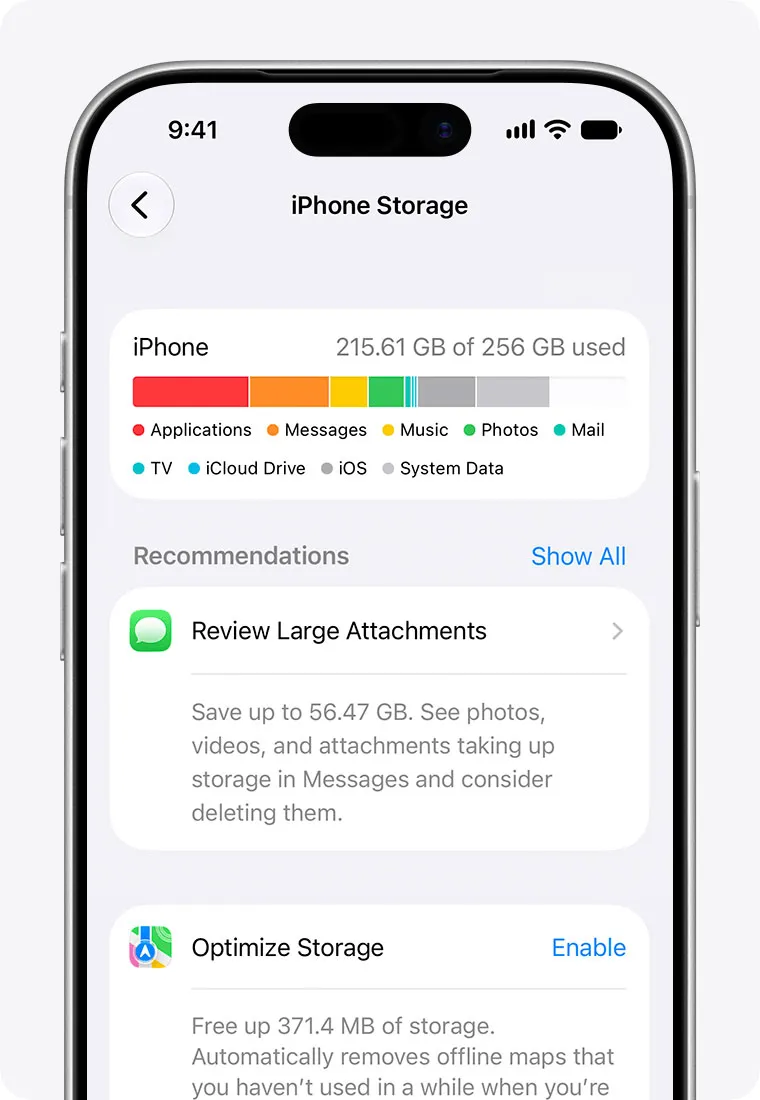
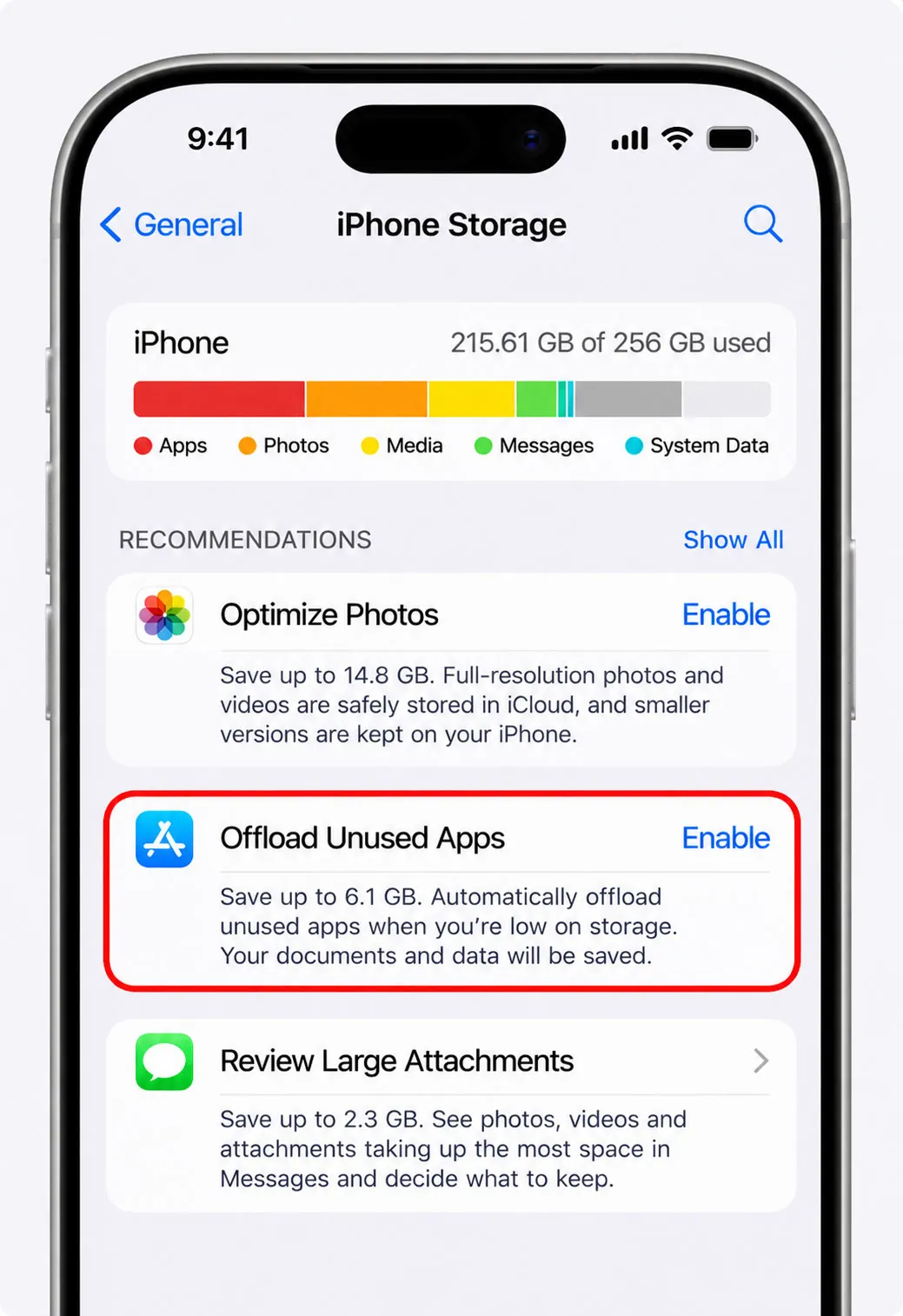
Recommendations come next. Tapping Show All lists them for the device, according to Apple, and each one can be turned on or opened to review what can be deleted. Apple also notes that cached and temporary data might not count as usage, and that the system removes cached files when it needs space.
Biggest Wins: Photos, Messages, and Offloaded Apps
Results vary by phone. No source read here measured typical savings, so the steps below follow the categories that most often grow large, and menu names can differ slightly by iOS version.
- Open Settings > General > iPhone Storage and tap Show All to see the recommendations for the phone.
- Turn on Offload Unused Apps or offload single apps, which Apple says frees the app's storage but keeps its documents and data, while deleting an app removes the app and its related data.
- Delete large videos in Photos, then empty Recently Deleted, since deleted photos can keep taking space there until they are removed, and the retention period was not confirmed on the Apple pages read.
- Review large attachments in Messages through the storage recommendations where the phone offers them.
- Remove downloaded media, such as offline playlists, which iPhone in Canada also names as a place to find space.
Photos are worth reviewing before anything else. Saganote's iOS 27 iCloud guide covers what changed in Photos, and iCloud Photos can keep full-size originals in iCloud while the phone keeps smaller versions when the Optimize iPhone Storage option is on. Large email attachments sit in the Mail category, and the guide to freeing Gmail storage covers clearing them on the Gmail side.
System Data and How to Shrink It
System Data is a vague label. Apple's page defines two categories in its Storage list, and neither has a delete button in the Storage screen, which leaves little to tap directly.
| Category | What Apple says it holds |
|---|---|
| System | Space taken by the operating system, which varies by device and model |
| Other | Non-removable mobile assets such as Siri voices, fonts, dictionaries, non-removable logs and caches, the Spotlight index, and system data such as Keychain and the CloudKit database |
Freeing room elsewhere is the practical lever. Apple says the system removes cached files when it needs more space, and waiting a little after an update also makes sense, given Apple's note that Apple Intelligence storage can temporarily exceed its listed amounts. Other post-update problems are tracked in Saganote's iOS 27 problems and fixes and battery drain guide.
Turning Off Apple Intelligence to Reclaim Space
Apple's page is silent on this. Nothing on the support page read for this article says how to turn Apple Intelligence off or whether doing so frees the storage. Settings > Apple Intelligence & Siri is the expected location, though Apple's pages did not confirm that path.
No source read here confirmed that switching Apple Intelligence off frees the listed gigabytes. Turn it off, wait, then recheck Settings > General > iPhone Storage before deleting anything else.
iCloud Plans vs Deleting Files
Cloud storage is a separate pool from the phone. Photos, backups, and files live in iCloud storage, but Apple's wording for Apple Intelligence is storage on the device, so a larger iCloud plan cannot hold the on-device model, though it can let photos and files move off the phone to make room. If an iPhone storage full message returns after the steps above, moving more photos to iCloud is the next lever, and Apple's iCloud page lists plan prices that were not part of the sources read.
Requirements may move again. Apple's page ties Apple Intelligence to a matching device language and Siri language, and Saganote's iOS 27.2 public beta report covers new Siri AI languages arriving in that release.
Frequently Asked Questions
How much storage does Apple Intelligence need in iOS 27?
Must the space be free, or does Apple Intelligence reserve it?
What is in System Data?
Does turning off Apple Intelligence free the space?
Does offloading an app delete its data?