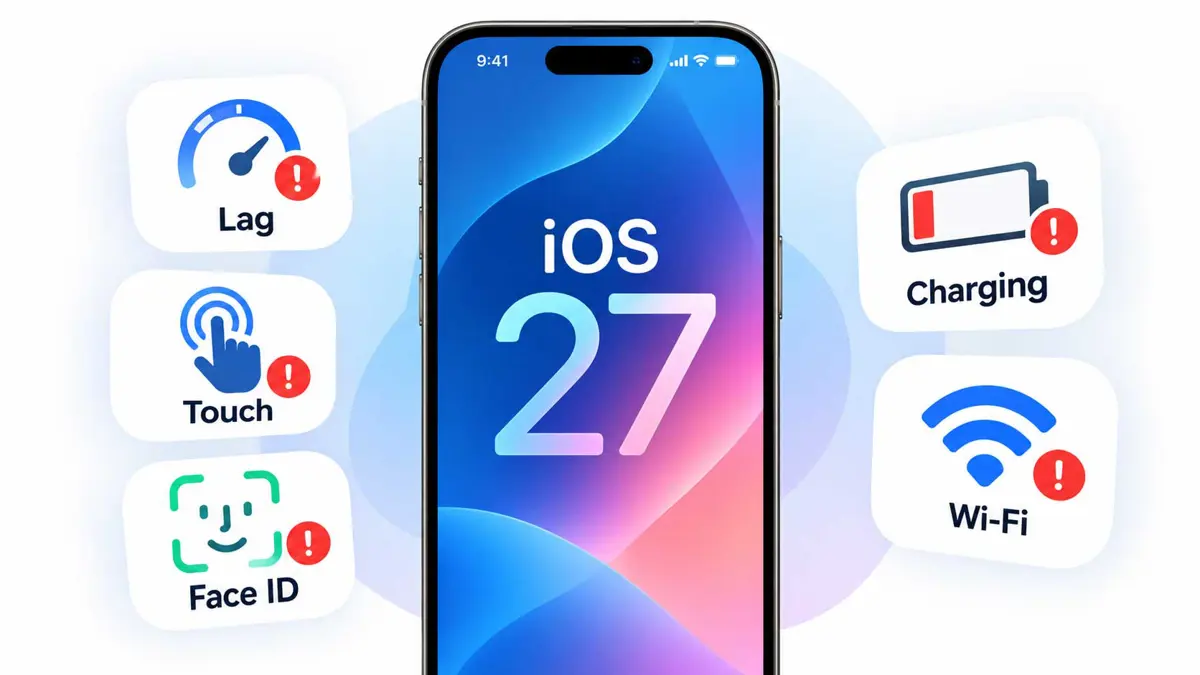
iOS 27 problems fall into three groups: bugs Apple has fixed, bugs still open, and behavior that looks broken but is expected after an update. Apple's security releases page lists iOS 27 on September 14, iOS 27.0.1 on September 28, and iOS 27.2 on October 26. Apple lists iOS 27.1 for the iPhone Duo only.
Entries are grouped by symptom. Saganote's iOS 27 guide to everything new covers the features, and how to upgrade to iOS 27 covers the install itself for anyone not yet on the latest release.
Problem Status at a Glance
| Problem | Models reported | Status | Source |
|---|---|---|---|
| iPhone restarts when Face ID fails | iPhone 18 Pro, 18 Pro Max | Fixed in 27.0.1 | Apple release notes |
| Touchscreen freezes after opening Notification Center and Control Center together | All iPhones | Fixed in 27.0.1 | Apple release notes |
| Color artifact in 2x photos at f/1.48 | iPhone 18 Pro, 18 Pro Max | Fixed in 27.0.1 | Apple release notes |
| Earpiece crackling and popping | iPhone 18 Pro | Open; no fix named | Tech Between the Lines |
| Inner display cracks along the hinge | iPhone Duo | Open; Apple aware | Apple statement, October 26 |
| Touchscreen sometimes unresponsive, jittery scrolling | Various | Reported; no Apple acknowledgment | TechRadar |
| Apps fail to connect on Wi-Fi or 5G | iPhone 15, iPhone 16, older models | Reported; no fix named | Tech Between the Lines |
| Heat and faster battery loss right after updating | All iPhones | Expected, temporary | Apple support page |
| SOS-only mode on AT&T | iPhone 18 Pro Max | Prevented by 27.0.1 and carrier settings | Tech Between the Lines |
Statuses come from Apple's iOS 27.0.1 release notes, as quoted by MacRumors and 9to5Mac, and from the Tech Between the Lines tracker, which updated its list on October 28. No source read confirms what iOS 27.2 fixed. Apple's iOS 27.2 security page carries no bug-fix notes.
Touch Freezes and Scroll Lag Have One Fix and Several Open Reports
Apple's iOS 27.0.1 notes list one touch fix. Opening Notification Center and Control Center at the same time could leave the touchscreen unresponsive, and 9to5Mac notes it is the only listed fix that applies to every iPhone model. Reports of broader trouble predate it: iOS 27 shipped with a pitch of 30% faster apps, and owners reported stutter within two weeks.
TechRadar reported on September 28 that some screens are sometimes unresponsive and that slowness appears most often when swiping or switching screens. Reddit threads supplied the reports without naming models. Users said a restart fixed the freeze, at least temporarily.
Tech Between the Lines lists an unresponsive touchscreen on an older iPhone and on the iPhone 16 under both iOS 27.0.1 and iOS 27.2 as a case to watch. Its workaround is a force restart: press and release volume up, press and release volume down, then hold the side button until the Apple logo appears. Removing the case and confirming that AssistiveTouch is off are the other suggestions. Both take seconds.
Patience may also help. TechRadar notes that things could settle once the system-wide indexing that follows an update finishes, and that too many icons on the home screens can cause stuttery launch animations. No source read confirms a lasting fix for scroll jitter.
Face ID Failures: The Restart Bug Is Fixed and Attention Issues Are Not Named
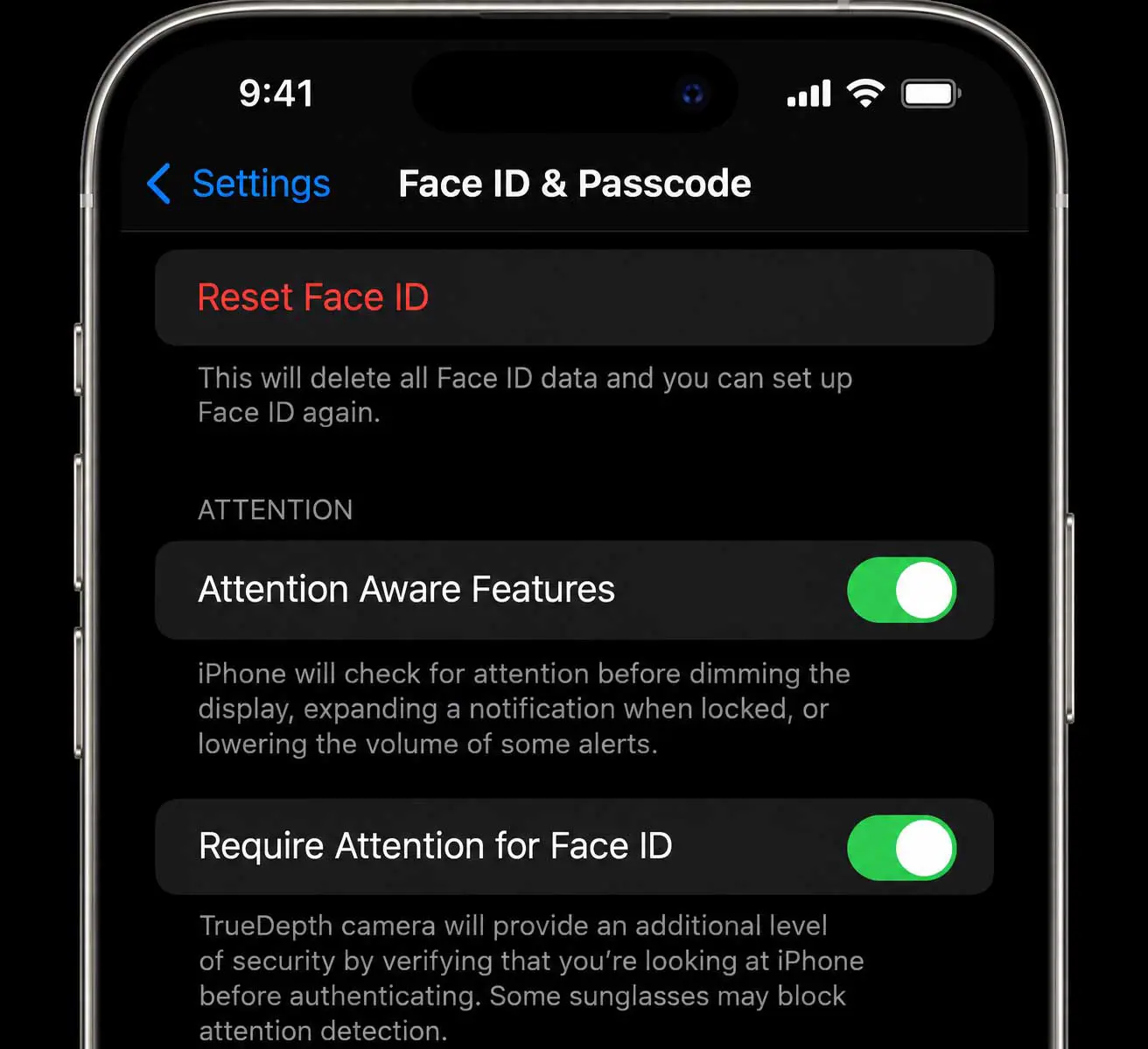
Apple's notes for iOS 27.0.1 say the update fixes iPhone 18 Pro and iPhone 18 Pro Max units that "may unexpectedly restart when Face ID fails to authenticate." Other reports are less clear. MacRumors described a "Face ID is Not Available" message during setup and trouble with the Require Attention setting, and Apple's notes list neither as fixed.
- Install the latest update in Settings > General > Software Update first
- If Face ID still fails, Tech Between the Lines suggests Settings > Face ID & Passcode > Reset Face ID, then setting it up again
- Check Attention Aware Features and Require Attention for Face ID in the same menu, since reports of Attention problems on some iPhone 18 Pro units remain unconfirmed
Heat and Battery Loss After Updating Are Expected, but Charging Reports Are Thin
Apple's support page says to expect "a temporary impact on battery life and thermal performance" after an update, according to Tech Between the Lines. Background indexing explains much of it, and TechRadar says the same process may be behind some sluggishness. No charging fault turned up.
Android owners saw a similar post-update pattern. One UI 9 battery drain reports on Galaxy S24 and S25 arrived without a confirmed cause, and Google's Android 17 QPR2 beta 7 fixed Pixel battery drain. Apple has published no battery fix for the iOS 27 problems reported so far.
Wi-Fi, 5G, and Connectivity Reports Cluster on Older iPhones
Tech Between the Lines lists apps that cannot connect to Wi-Fi, 5G, or Apple TV on iPhone 15, iPhone 16, and older models under iOS 27.0 and 27.0.1. Restarting the phone and toggling Airplane mode are the suggested steps. Apple has not named a fix.
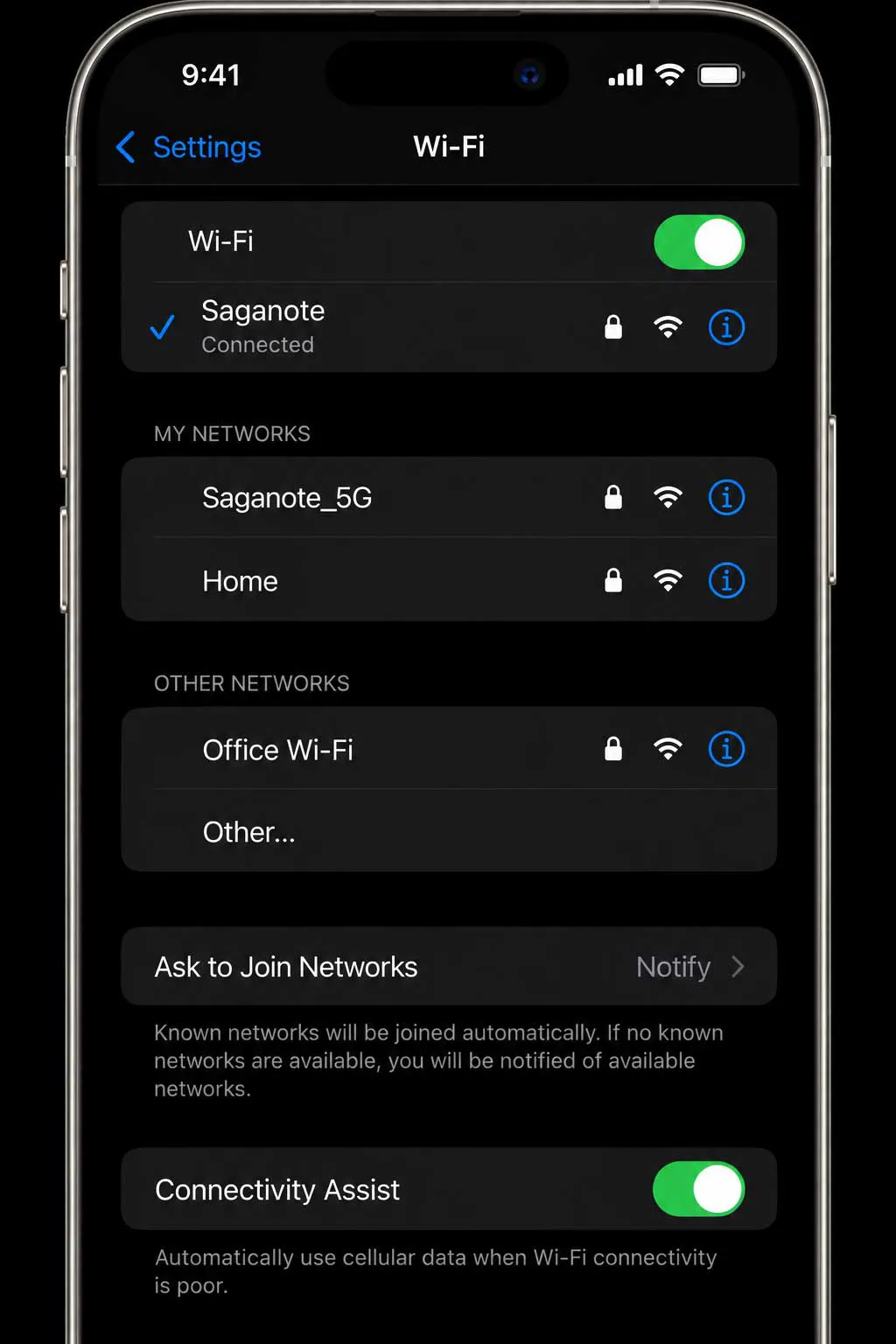
One cellular report is a setting, not a bug. Connectivity Assist replaces Wi-Fi Assist, so phones may use mobile data while a weak Wi-Fi network is connected, which can look like a data bug on a monthly bill. A switch in the Wi-Fi settings controls it, per the same tracker. No source read reports a Bluetooth problem tied to iOS 27.
Messages has its own entries. Tech Between the Lines tracks photos that will not send in Messages on iOS 27.0.1, with Settings > Privacy & Security > Photos and the MMS Messaging toggle in Messages settings as the checks. Apple added AI suggestions, drawing, and better RCS to the app in this release, and none of the listed reports has an Apple fix yet.
iPhone Duo and iPhone 18 Pro Hardware Reports
Hardware reports sit apart from the software list. Apple said on October 26 it is "aware of an issue impacting the inner display on a small number of iPhone Duo units," which Tech Between the Lines ties to cracks along the hinge. Tech Between the Lines advises contacting AppleCare, and no software fix is named.
More entries involve the iPhone 18 Pro. Earpiece crackling and popping persists after 27.0.1 and is absent from the 27.2 notes, per Tech Between the Lines, and one owner's workaround is switching Mic Mode from Voice Isolation to Standard on calls. Pale rings around the rear cameras on burgundy and black units are called cosmetic by owners. Buyers weighing the models can start with iPhone 18 Pro versus iPhone Duo versus 18 Pro Max and what was known about the iPhone Fold before launch.
Carrier trouble affected a smaller group. iPhone 18 Pro Max units on AT&T could stick in SOS mode, and 27.0.1 plus AT&T carrier settings version 72.1 from October 2 prevent it, according to the tracker. Phones already affected need replacement.
A Restart and an Update Come Before Any Reset
- Restart the phone, or force restart it if the screen is unresponsive.
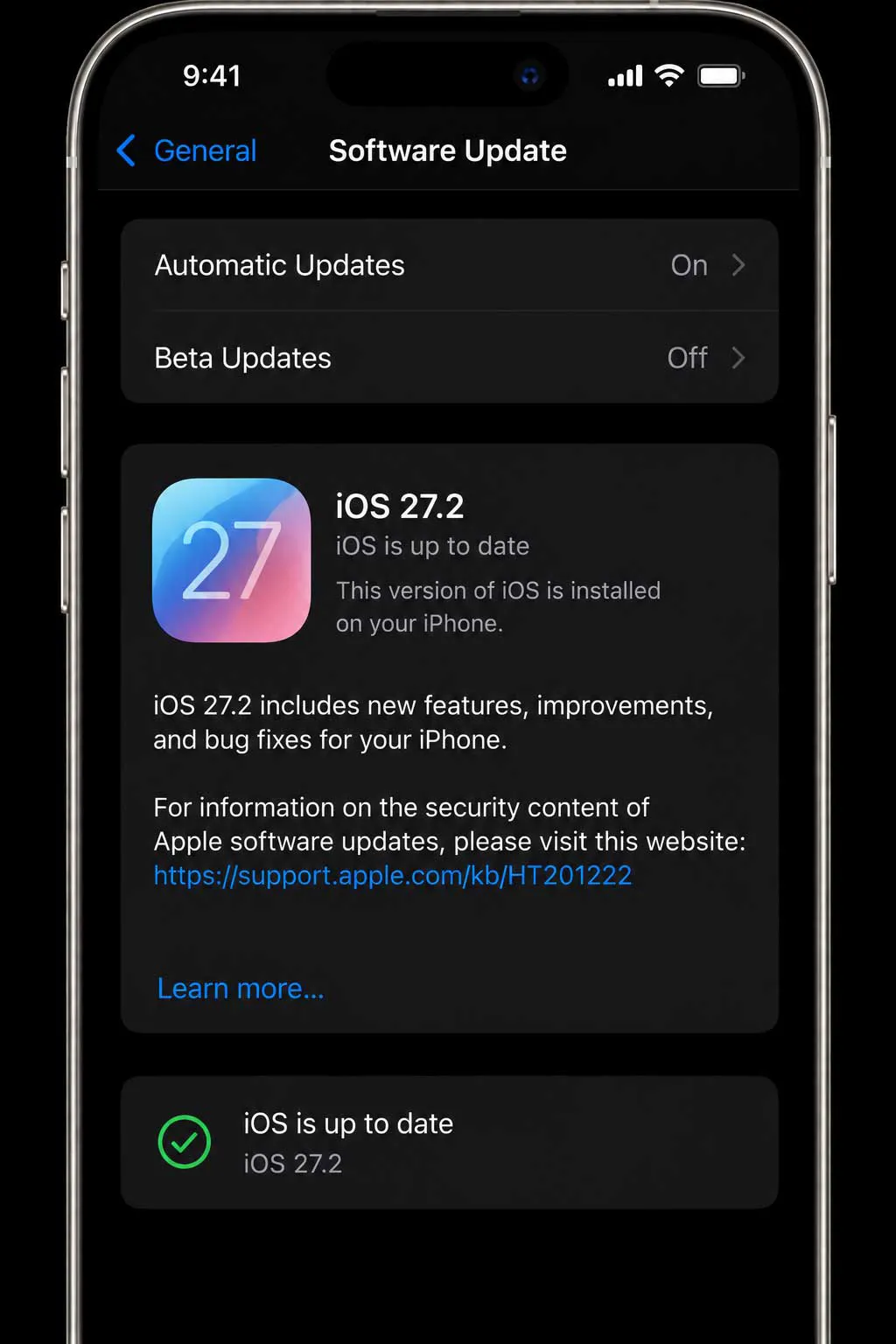
- Open Settings > General > Software Update and install iOS 27.2 or any newer release.
- Remove the case, confirm AssistiveTouch is off, and toggle Airplane mode for connection drops.
- Wait a few days after a major update before judging battery life and heat.
- Contact Apple only if a problem persists across steps one to four.
Tech Between the Lines lists Settings > General > Transfer or Reset iPhone > Reset > Reset Keyboard Dictionary for a slow keyboard in Messages. The reset removes learned words and suggestions. Try a restart and the Keyboard Feedback setting first.
Waiting is an option. Owners who have not updated still receive security patches on iOS 26, as iOS 26.5.2 with 29 patches showed, and Macs face a parallel decision with macOS 27 Golden Gate. Apple previewed iOS 27.2 in a public beta with a new Health app and Siri AI languages, after releasing iOS 27 with Siri AI and faster performance.
Feature Guides for Each App
Few problems here involve individual apps. Saganote has covered what other apps gained in this release: Wallet, Calendar, Maps, Apple Music, and iCloud, plus 12 features to try first. Apple's September 2026 event introduced the hardware that several of the open reports involve.
Update Log
- October 30, 2026: Page checked against iOS 27.2 (released October 26). No source confirms bug fixes in 27.2; Apple's security page lists none.
- October 26, 2026: Apple states it is aware of an inner display issue on a small number of iPhone Duo units.
- October 23, 2026: iOS 27.1 released for iPhone Duo.
- September 28, 2026: iOS 27.0.1 fixes the Face ID restart on iPhone 18 Pro models, a 2x photo color artifact, and the Notification Center and Control Center touch freeze.
- September 14, 2026: iOS 27 released.
No date is known. Entries here change when Apple publishes notes that name a fix or a new known issue among the iOS 27 problems listed above.
Frequently Asked Questions
Which update fixed the Face ID restart bug?
Did iOS 27.2 fix the touchscreen freezes?
Is battery drain after updating a bug?
What is Connectivity Assist?
Which iPhones run iOS 27?
