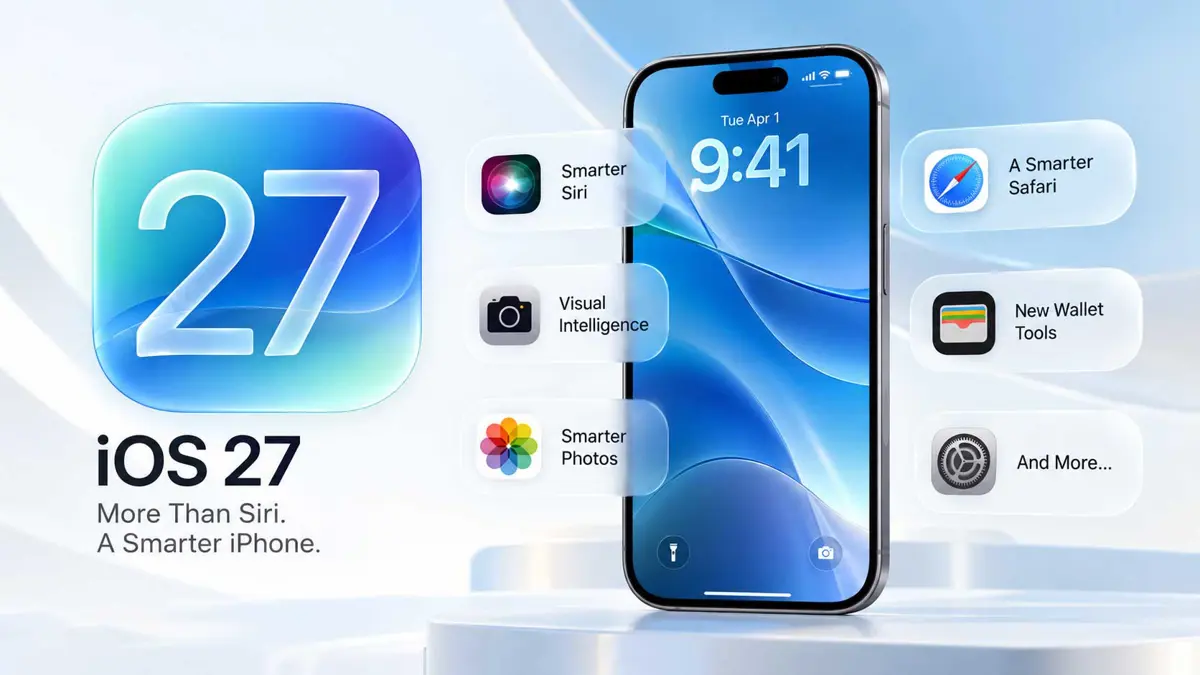
Apple's iOS 27 release is getting most of its attention because of Siri AI, but the update changes much more than Apple's assistant. iOS 27 adds new tools across Photos, Safari, Shortcuts, Wallet, Camera, and the system interface, while Apple says apps can launch up to 30 percent faster, new photos can load up to 70 percent faster, and AirDrop transfers can be up to 80 percent faster.
The list below focuses on 12 features that are either easy to notice, useful in everyday situations, or easy to miss if you only look at Siri. Apple's feature availability can vary by iPhone model, language, region, and carrier, so not every feature will appear on every device.
iOS 27 New Features: The 12 Worth Trying First
1. Siri AI Can Use Personal Context and Take App Actions
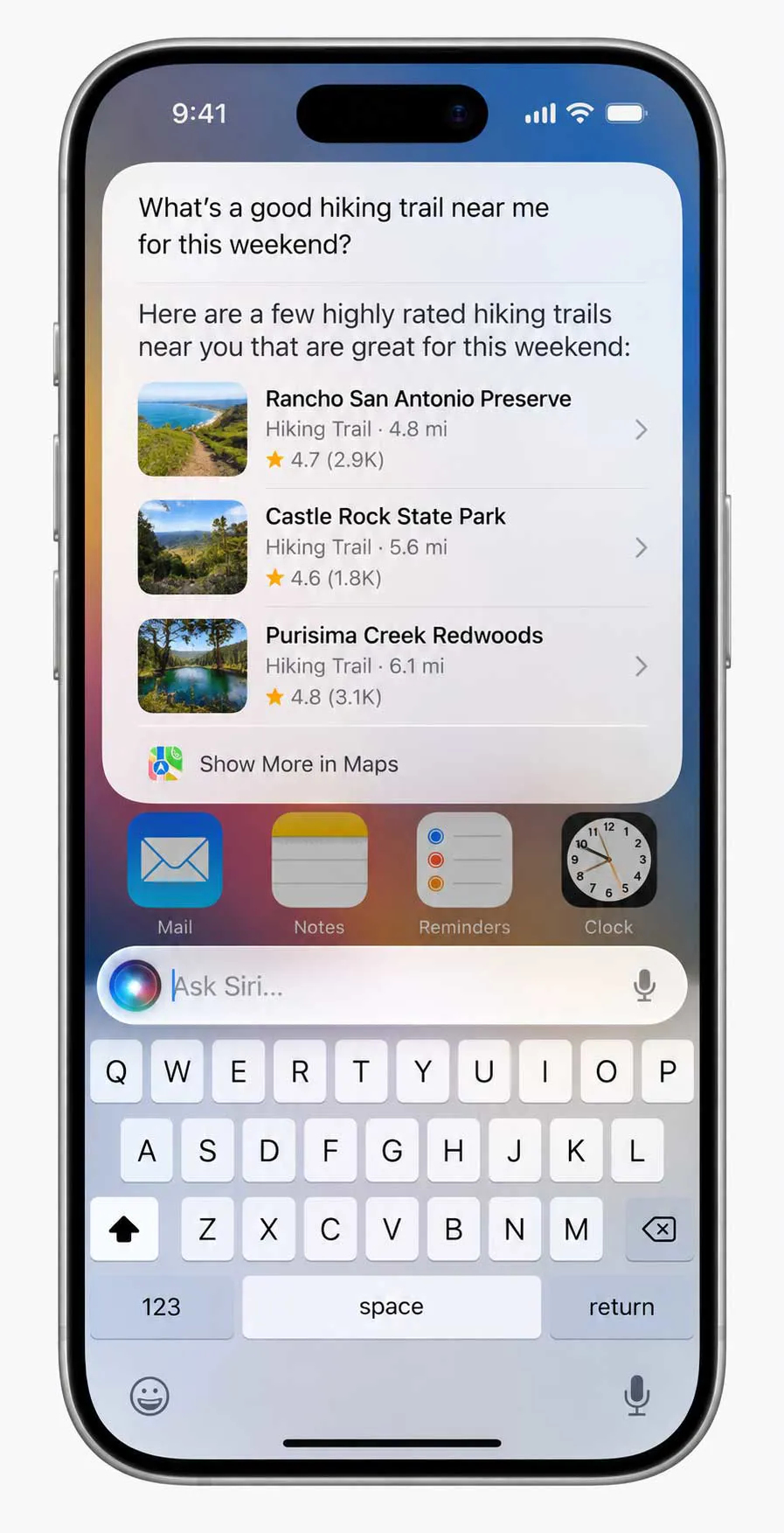
Siri AI is the headline change, but the important difference is how much more context it can use. Apple says Siri AI can draw on personal context to find information such as a photo, email, or saved note, understand what is on screen, and take actions across supported apps.
Siri AI is also conversational and includes access to broader world knowledge. Apple is rolling it out in English first, and the feature is currently marked as beta. It requires an Apple Intelligence-enabled iPhone, including iPhone 15 Pro and Pro Max or iPhone 16 models and later.
2. The New Siri App Keeps Conversations in One Place
iOS 27 also gives Siri its own app. Instead of treating every Siri interaction as a one-off request, the app keeps conversations together so they can be revisited later. Apple says conversation history can sync privately through iCloud across a user's Apple devices.
That makes the dedicated app more useful for longer questions, planning, writing help, or conversations that need to continue later. It is a different experience from simply invoking Siri for a quick command.
3. Siri Mode in Camera Turns the Viewfinder Into a Search Tool
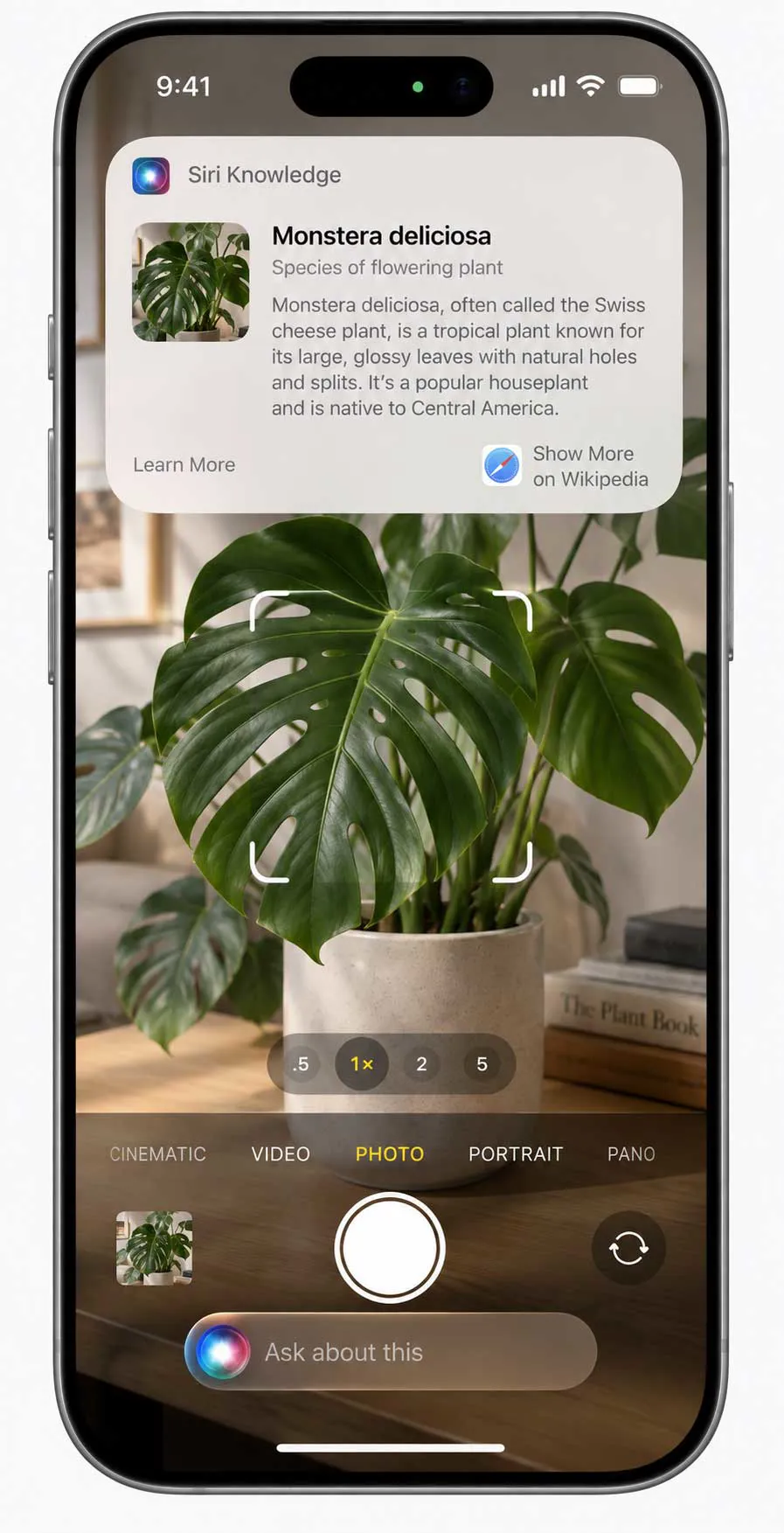
Visual Intelligence now works directly through the Camera experience. With Siri mode in Camera, the iPhone can use what is in the viewfinder as the starting point for a question, search, or action.
This is useful when the object or information is in front of you rather than already saved on the phone. Apple describes examples where the camera can identify what is being viewed and provide information through Siri AI.
4. Photos Can Reframe and Extend Images After You Shoot
The Photos app gains several Apple Intelligence editing tools. Spatial Reframing can change the framing of an existing photo, Extend can expand the borders, and the upgraded Clean Up tool can remove larger or more distracting objects with greater precision.
These tools matter because they work after the photo has already been taken. A photo that was framed too tightly can be adjusted, while unwanted objects can be removed without opening a separate editing app.
5. Safari Can Automatically Organize Tabs by Topic
Safari gets one of the most practical iOS 27 changes for people who keep too many tabs open. Apple Intelligence can automatically group tabs by topic so related pages are easier to find.
Instead of manually sorting a long tab collection, Safari can recognize related pages and organize them into topics. The feature is designed to reduce the work involved in managing a crowded browser.
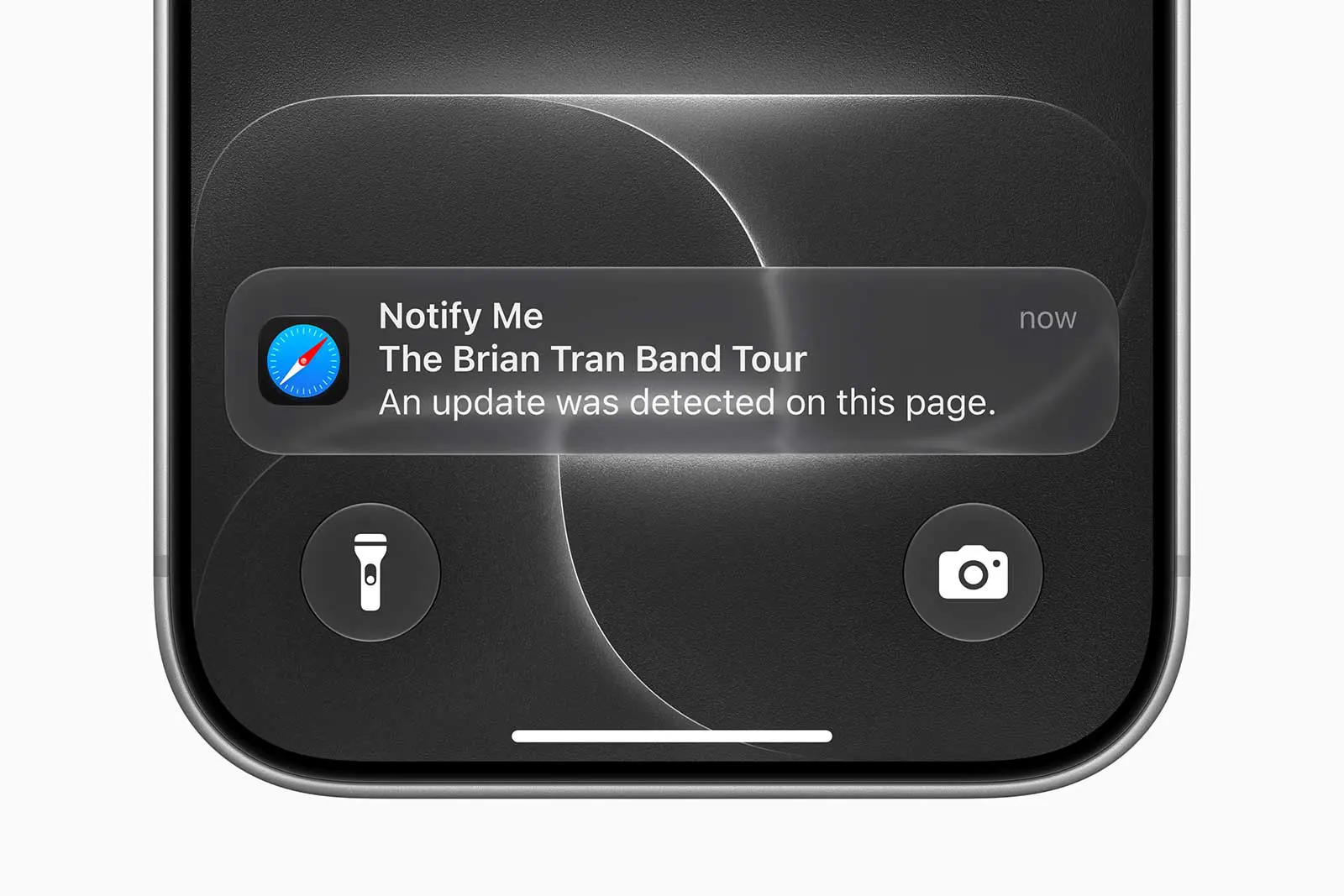
6. Safari Notify Me Can Watch a Page for Changes
Safari Notify Me can monitor supported webpages for changes and alert you when something changes. Apple's examples include a price change or a product coming back in stock.
That turns Safari from a browser you check repeatedly into one that can keep an eye on a page for you. Availability depends on language and other regional requirements, so the option may not appear for every user.
7. Shortcuts Can Be Created From a Natural-Language Description
Shortcuts becomes easier to build because users can describe the automation they want instead of assembling every action manually. Apple gives examples such as creating a shortcut that messages someone with an ETA when you leave work.
The useful part is that the description can connect actions across multiple apps. More complex automations can still require adjustment, but natural-language creation lowers the barrier to building a Shortcut.
8. Call Context Can Surface Information During Business Calls
Call Context is designed for situations where useful information is scattered across your apps while you are on a call. Apple says it can proactively surface relevant information, such as an airline confirmation code stored in Mail while you are calling the airline.
The feature is less flashy than Siri AI, but it addresses a common problem: searching through messages, email, or other apps while trying to keep a conversation going.
9. Wallet Can Create Passes From Photos and Screenshots
Wallet gets a new Create a Pass option for supported cards and passes. With Apple Intelligence, a photo or screenshot containing a barcode or QR code can be turned into a Wallet pass. Apple also supports creating certain passes manually from templates.
This is useful for membership cards, loyalty cards, event passes, and similar items that may not have an official Add to Apple Wallet button. Apple's support documentation notes that Wallet features vary by region and supported pass types.
10. Apple Card Gets a Recurring Transactions View
Apple Card users in supported markets get a new way to see recurring transactions. The Recurring section shows upcoming recurring charges in a calendar view or list, making subscriptions and other regular payments easier to review.
This is a smaller change than Siri AI, but it can be more useful on a weekly basis. It gives Apple Card users a dedicated place to see what recurring charges are scheduled instead of finding them one transaction at a time.
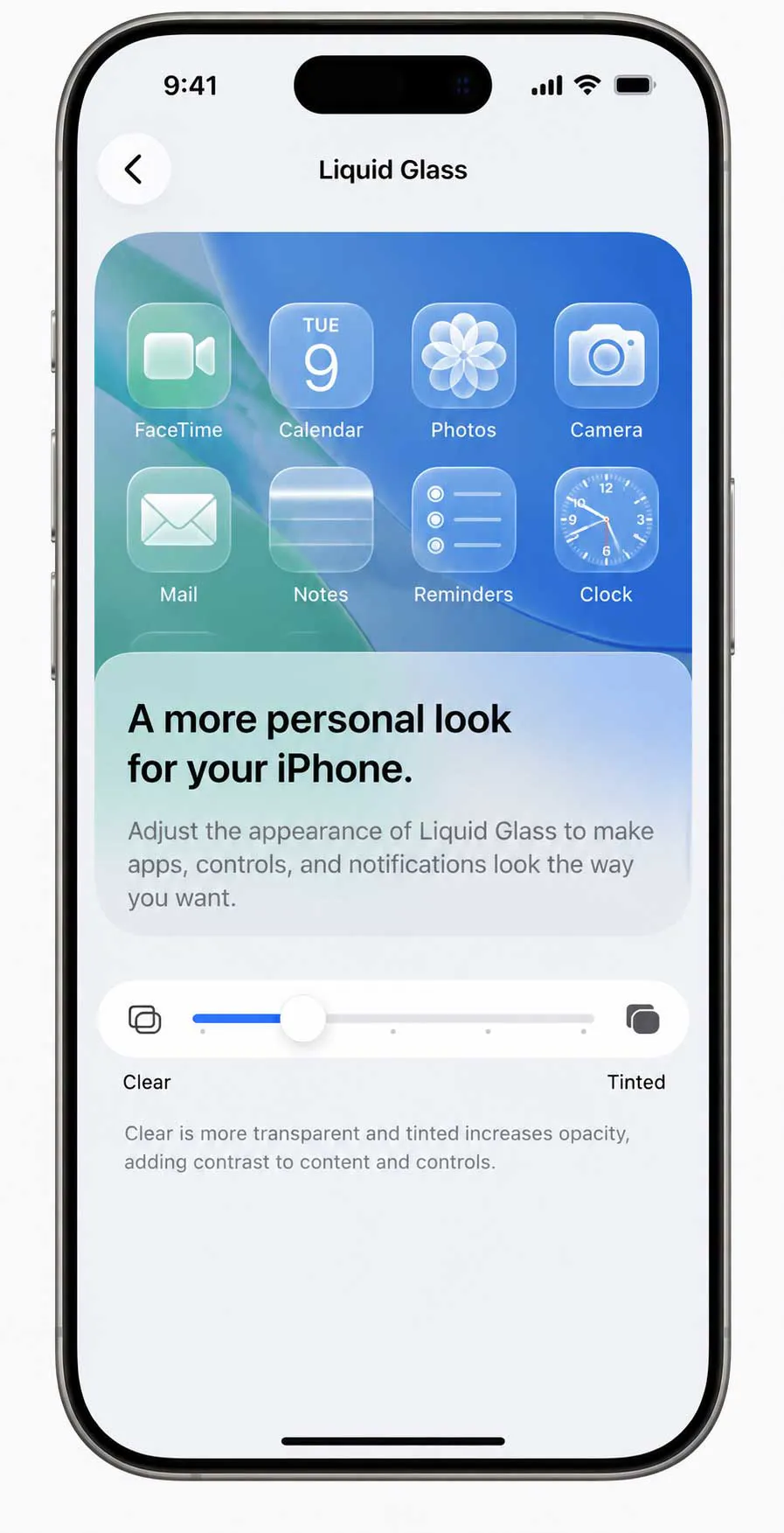
11. Liquid Glass Gets a Transparency Control
iOS 27 does not replace Liquid Glass, but it gives users more control over how the design looks. Apple added a slider that can move the interface from ultraclear to fully tinted, while also refining contrast, refraction, and icon detail.
That makes the visual change more practical than a simple redesign. Users who prefer a stronger separation between controls and backgrounds can adjust the appearance instead of accepting one fixed level of transparency.
12. Everyday Performance Gets Faster
Apple also made performance a major part of iOS 27. The company says apps can launch up to 30 percent faster, new photos can load in the Photos library up to 70 percent faster, and AirDrop transfers can be up to 80 percent faster.
These are Apple's measured improvements rather than a promise that every iPhone will hit those numbers in every situation. Still, they point to a broader goal for iOS 27: making common actions feel quicker rather than adding features only at the app level.
Two iOS 27 Features That Are Not Ready Yet
Some features shown during the iOS 27 beta cycle did not ship with the September 2026 release. Apple now lists Messages contextual suggestions and automatic password changes as coming in a future software update.
That distinction matters when comparing early iOS 27 previews with the software available today. The features may return later, but they should not be treated as launch features in the current iOS 27 release.
Apple says new features can vary by iPhone model, region, language, and carrier. Siri AI is currently in beta and rolling out in English first. Some Apple Intelligence features also have usage limits.
Which iOS 27 Features Should You Try First?
If Siri AI is available on the iPhone, it is the obvious place to start because it touches personal context, app actions, and visual understanding. After that, Safari Notify Me and automatic tab organization are useful for everyday browsing, while Photos editing tools are worth trying on an existing photo.
- Siri AI for personal context and app actions.
- Siri mode in Camera for visual questions.
- Photos Reframe, Extend, and the upgraded Clean Up.
- Safari automatic tab organization.
- Safari Notify Me for monitored webpages.
- Natural-language Shortcuts.
- Wallet Create a Pass.
- Apple Card recurring transactions if supported.
- Liquid Glass transparency controls.
- Faster app launches, Photos loading, and AirDrop.
What iOS 27 Changes Most
The bigger story in iOS 27 is not a single feature. Apple is spreading intelligence into places where people already spend time, including Photos, Safari, Camera, Shortcuts, Wallet, and phone calls. Siri AI is the most visible part of that strategy, but many of the smaller additions may become the features people use without thinking about them.
For a broader look at the release, see Saganote's Apple Releases iOS 27 With Siri AI and Faster iPhone Performance. For the hardware and launch context behind the update, see our Apple September 2026 event coverage.
Apple's official iOS 27 overview and iOS 27 feature guide provide the current feature and availability details.
Frequently Asked Questions
What is the biggest new feature in iOS 27?
Does every iPhone get every iOS 27 feature?
What happened to automatic password changes in iOS 27?
Is Apple Card recurring transactions available everywhere?
Does iOS 27 make iPhones faster?
The Bottom Line
iOS 27 is more than a Siri update. Siri AI gets the most attention, but Safari, Photos, Camera, Shortcuts, Wallet, Apple Card, Liquid Glass, and system performance all receive changes that can affect everyday iPhone use. The best features to try first depend on the iPhone model and the Apple Intelligence features available in the user's region and language.