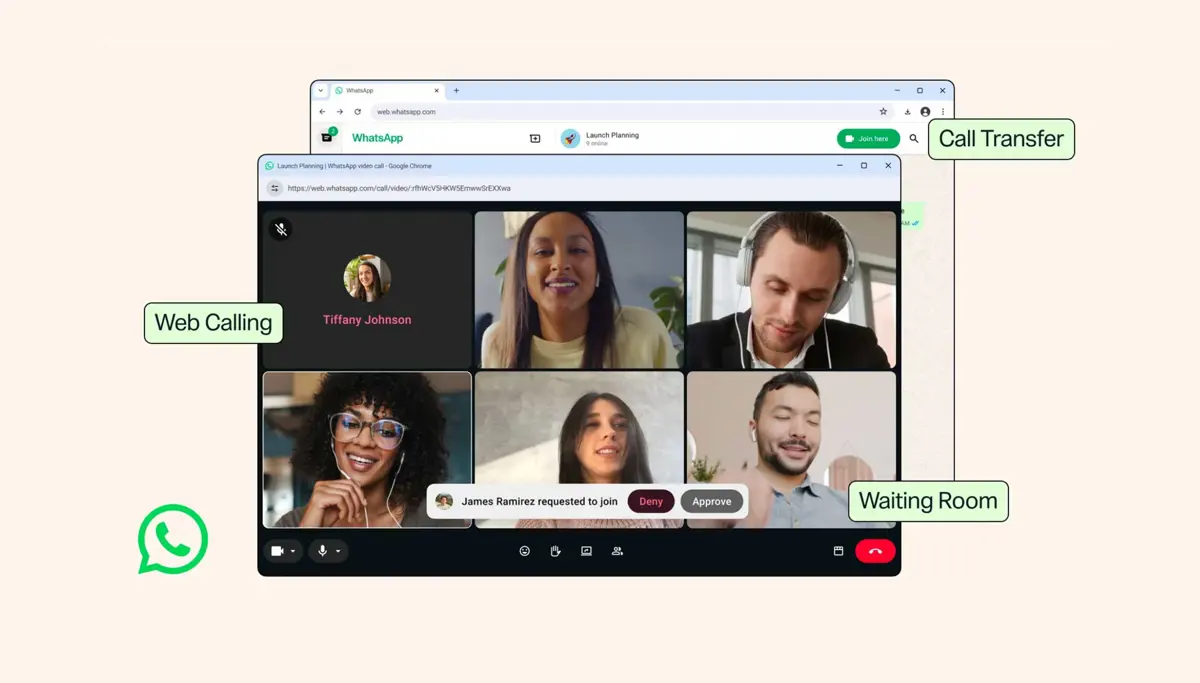
WhatsApp web calls are rolling out now. Starting July 28, anyone on WhatsApp Web can make and receive voice and video calls - one-on-one or in groups - directly from a browser tab, with no app download required. WhatsApp is also shipping four more updates alongside browser calling: call transfer, waiting rooms for group calls, QuickHD video, and noise suppression.
Browser Calls Work on Shared Computers Too
Web calling works in any browser. All WhatsApp web calls are end-to-end encrypted, free, and have no time limits - the same privacy model as the phone app. College students on shared lab computers, remote workers on company laptops that block app installs, and anyone who prefers to stay in a browser tab can now take calls without switching to a separate application. Screen sharing, emoji reactions, and a full call history tab all carry over from the phone and desktop apps.
Switch Devices Without Losing the Call
Call transfer is new. Moving an active call from a phone or tablet to the WhatsApp Web browser - or from the browser back to the phone - keeps the conversation going without anyone needing to hang up and redial. No one drops out during the switch. Zoom and Microsoft Teams have offered device-switching on active calls for years; WhatsApp is adding the same thing and bringing it to a platform with over two billion users that has historically been phone-first.
Waiting Rooms, QuickHD Video, and Noise Suppression Also Arrive Today
WhatsApp also added three other features. Waiting rooms let hosts control who enters a group call - enable "Require approval to join" on a call link and participants wait until the host admits them. QuickHD brings full HD video from the first seconds of a call, instead of the lower-quality picture that normally loads during the first 10 to 15 seconds while the connection stabilizes. Noise suppression filters background sound - construction noise, coffee shop chatter, loud keyboards - and can be toggled from in-call settings at any time.
WhatsApp has shipped several updates this month. A green dot on iPhone now shows when contacts are online, and usernames now let people chat without sharing phone numbers. WhatsApp web calls complete the picture by closing the last major gap between the browser version and the phone app. Whether users who handle remote work calls in Zoom or Google Meet start moving those calls here is the real question Meta cares about.