
Windows 10 ESU now runs until October 12, 2027, a year past the October 2026 cutoff that many enrollment guides still list. Microsoft made the change quietly. Its Extended Security Updates documentation picked up the new date on June 25, 2026, according to BleepingComputer and Pureinfotech, and the original 2026 deadline passed this month without the shutdown those older guides warned about.
Microsoft Moved the Consumer Deadline to October 12, 2027
Microsoft made the change without a formal announcement, BleepingComputer reported, by editing its support documentation and adding an editor's note to a Windows Experience Blog post. PCs already enrolled keep receiving patches through the new date. Nobody needs to re-enroll.
If you're already enrolled, your coverage will automatically continue through that date.
Microsoft, Windows 10 Extended Security Updates page
Windows 10 end of support arrived on October 14, 2025, and the consumer ESU program has filled the gap for home users since then. Microsoft's ESU page now lists October 12, 2027 as both the last day to enroll and the day coverage stops. That gives late movers a full extra year.
Three Ways to Enroll: Settings Backup, Rewards Points, or $30
Windows 10 ESU enrollment has three routes, and two of them cost nothing in cash. Backing up PC settings with Windows Backup is the free default, redeeming 1,000 Microsoft Rewards points is the second option, and a one-time $30 purchase covers anyone who wants neither. One license covers up to 10 devices.
| Route | Cost | What to know |
|---|---|---|
| Back up PC settings with Windows Backup | Free | Needs a Microsoft account; settings sync to that account |
| Redeem Microsoft Rewards | 1,000 points | Rewards orders are final and cannot be refunded |
| One-time purchase | $30 or local equivalent, plus tax | Paid once; covers up to 10 devices on the account |
EEA residents have a simpler path. BleepingComputer reports that signing in to Windows 10 with a Microsoft account is enough for free coverage in the European Economic Area, while Microsoft's own page says only that options and timing may vary by region.
Requirements: Version 22H2, an Administrator Microsoft Account, and Current Updates
- Windows 10, version 22H2, in Home, Pro, Pro Education, or Pro for Workstations edition
- The latest Windows updates, including the ESU Licensing Preparation Package (KB5126256)
- A Microsoft account with administrator rights on the PC; child accounts do not qualify
- A PC that is not in kiosk mode, joined to Active Directory or Microsoft Entra, or enrolled in device management (Entra-registered PCs still qualify)
Local accounts get a prompt to sign in with a Microsoft account during enrollment, and that step stops many privacy-minded users. Families should check one detail first. A child's PC may need a parent added as an administrator before enrollment works, according to Microsoft's FAQ.
Enrollment Takes Five Steps in Windows Update
- Install every pending update in Settings > Update & Security > Windows Update, then restart.
- Open the same Windows Update page and select Enroll now under the Extended Security Updates message.
- Sign in with a Microsoft account if the PC uses a local account.
- Pick a route: back up PC settings, redeem 1,000 Rewards points, or buy the $30 license.
- Return to Windows Update and confirm that the PC shows as enrolled.
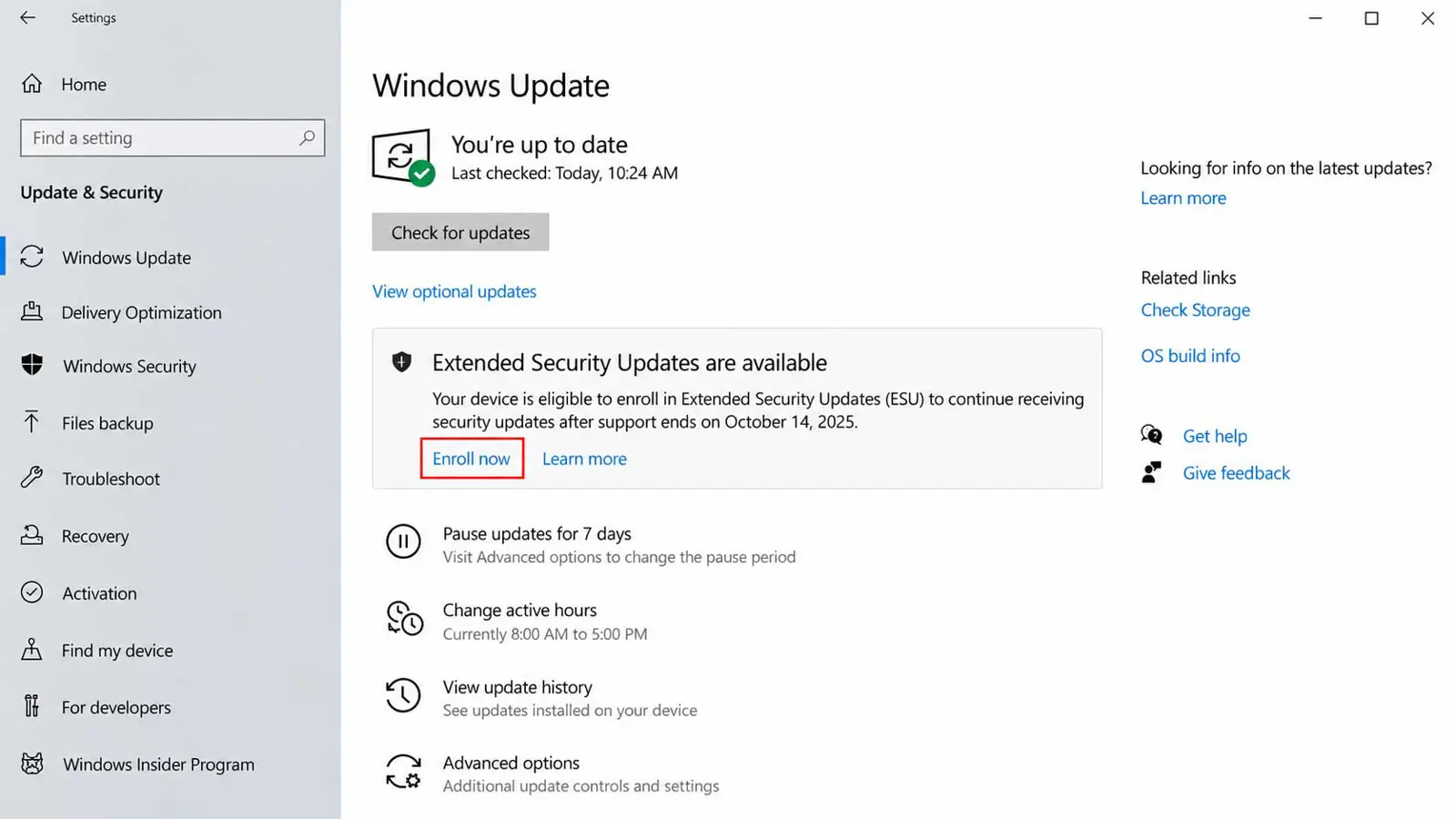
Extra PCs follow the same path. On a PC already signed in to the same Microsoft account, the option reads Add device instead of Enroll now, and every PC on that account draws from the same 10-device license.
Records help later. Saving a screenshot of the enrolled status in Windows Update gives proof of the enrollment date if the status ever looks different after a cumulative update.
Guides written before June 25, 2026 give the old deadline. Microsoft's ESU page lists October 12, 2027 as the end of the program and the last day to enroll.
ESU Delivers Security Patches Only, Not Features or Support
ESU covers critical and important security updates, as Microsoft's Security Response Center classifies them, for Windows 10 version 22H2. No new features arrive. Microsoft also excludes other fixes, product improvements, and technical support, so a bug that is not a security flaw stays unfixed.
Patches cover the operating system, not every app. A Windows 10 PC still needs a supported browser and current antivirus definitions, and a VPN built for Windows adds network protection that operating system patches do not provide.
Windows 11 Remains the Long-Term Path
Enrolling in ESU does not block a Windows 11 upgrade on hardware that meets Microsoft's requirements. That extra year is a buffer, not a destination. Windows 11 has its own deadlines too: Home and Pro version 24H2 stopped receiving updates on October 13, 2026, per Microsoft's lifecycle page, and new protections such as Administrator Protection ship to Windows 11, not Windows 10.
Coverage Stops on October 12, 2027
Business PCs follow a separate track. BleepingComputer reports that enterprise customers can buy up to three years of ESU, bringing the total cost to $427 per device over that period. For consumers, Windows 10 ESU ends on October 12, 2027, and Microsoft has not announced another extension.
Frequently Asked Questions
Is ESU free for home users?
Do PCs already enrolled need to do anything?
Can ESU work with a local account?
How many PCs does one ESU license cover?
Does ESU add new Windows 10 features?
