Gmail AI Inbox can turn action items buried in email threads into a suggested to-do list, and Google is now expanding the feature to more paid Google Workspace customers. Google announced the expansion on its official Workspace Updates blog. The rollout began in October, with availability arriving gradually rather than appearing for every eligible account at once.
The feature is designed to help people find the work that needs attention without manually scanning long conversations. Google says AI Inbox identifies action items, deliverables, and deadlines, then summarizes important updates across related email threads.
What Gmail’s AI Inbox does
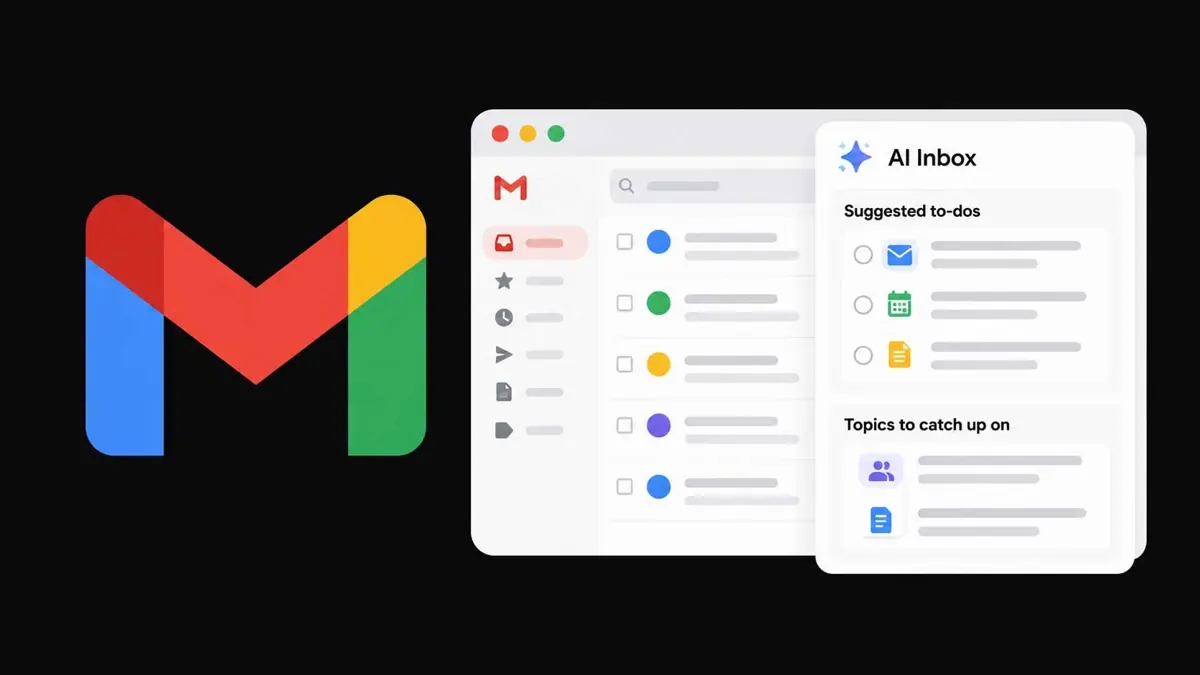
AI Inbox has two main sections. Suggested to-dos surfaces high-priority items found in incoming email, including things that need a reply or a deadline to track. Topics to catch up on summarizes updates across conversations, such as project changes, travel details, or purchase confirmations.
Users can open the related email for context, take an available action, mark a suggested task as done, or remove a suggestion that is not useful. Google’s AI Inbox help guide says the feature currently draws from messages in Gmail’s Primary tab, not tabs such as Promotions or Social. It does not support attachments, delegated inboxes, or encrypted emails.
AI Inbox is not an autonomous assistant that completes every task. It organizes and summarizes information so users can decide what to do next.
Which Google Workspace plans get AI Inbox?
Google’s October 15 announcement lists these eligible editions for the current rollout:
- Google Workspace Business Starter, Business Standard, and Business Plus
- Google Workspace Enterprise Starter, Enterprise Standard, and Enterprise Plus
- AI Pro for Education
- Frontline Plus
Google says the feature is currently available only to users in the United States whose account language is set to English (US). Rapid Release domains began receiving it on October 12, with visibility rolling out over as many as 15 days. Scheduled Release domains are due to begin on October 26, also with a gradual rollout of up to 15 days.
AI Inbox is still described as a beta feature in Google’s Help Center. Personal Google accounts require an eligible Google AI Plus, Pro, or Ultra plan, and the feature is currently limited to the US and English. Smart features must also be enabled in Gmail.
How it fits into Google’s wider AI push
The AI Inbox expansion is part of a broader effort to make AI useful inside everyday work tools. Google has also added voice-based features to Gmail, Docs, and Keep, while its Gemini tools aim to help users organize work and act on information across apps. Saganote has covered Google Workspace voice features in Gmail, Docs, and Keep and Google’s Gemini agents for everyday business workflows.
The idea overlaps with a wider category of AI tools that can turn requests and messages into follow-up work. For background, see Saganote’s guide to using AI to automate everyday tasks. Gmail’s AI Inbox is more limited than a general-purpose agent: it identifies and organizes potential tasks, while the user remains responsible for reviewing the context and completing the work.
What users should know before relying on it
AI-generated summaries and task suggestions can save time, but they should not replace checking the original message when a deadline, commitment, or business decision matters. Google provides controls to mark suggestions as done, remove them, and submit feedback. Users can also open linked messages to verify why an item appeared.
For organizations, Google says there is no separate administrator control for this specific rollout. Eligible users can access AI Inbox from Gmail on desktop or through the mobile app menu, subject to account eligibility and feature availability.
For now, the practical change is a more organized view of work already contained in email, not a promise that Gmail will automatically carry out those tasks. The rollout is gradual, and users outside the supported US-English availability may not see the feature yet.