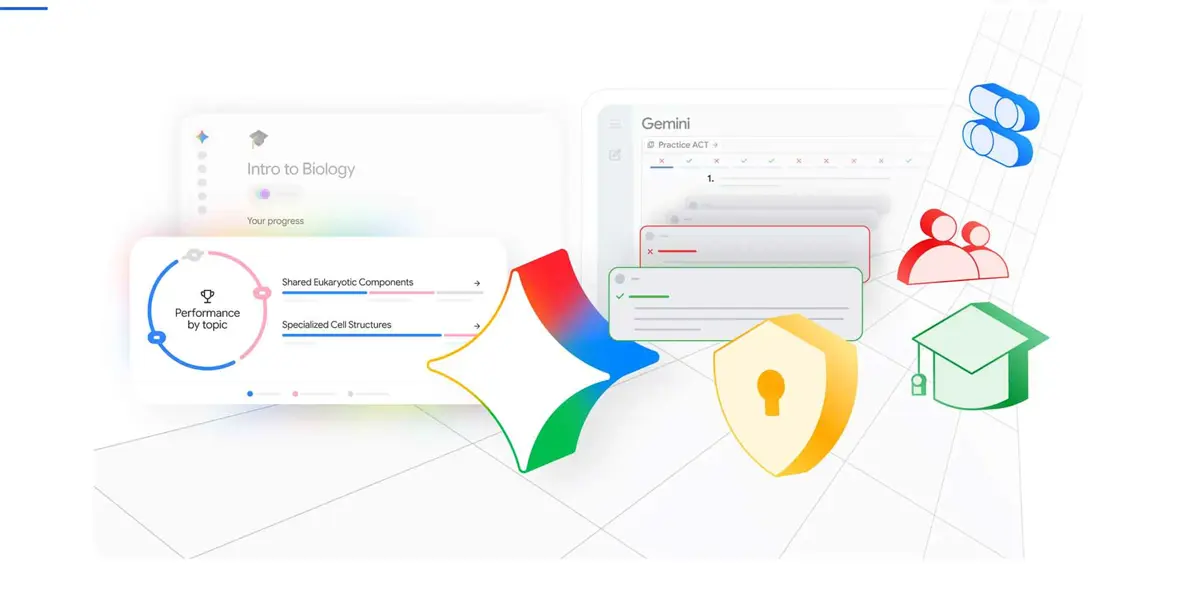
Google AI study tools are expanding across Gemini, Search and Classroom as Google brings more of its student-focused learning features into a connected experience. The rollout includes personalized study notebooks, quizzes, guided learning, study guides and tools for preparing for exams.
The latest push builds on Google's earlier study features rather than replacing them with one new product. Google announced Study notebooks in Gemini in June, describing them as a dedicated learning space that can create personalized lessons from a student's goals and uploaded class materials. Google has since continued expanding Gemini's student features and access.
Google's current student offering also includes personalized study guides, quizzes and flashcards, with Gemini using uploaded course material and Google Search-backed information to help students work through topics. Google's Gemini for Students page describes the tools as a way to turn class notes and other materials into study guides, practice tests and other learning resources.
Study notebooks personalize lessons around knowledge gaps
Study notebooks are designed to start with the material a student already has. Students can upload notes, syllabi, reading materials or other class content, then use a diagnostic quiz to identify areas that need more attention.
Gemini can use those results to build bite-sized lessons and follow-up quizzes. Progress is tracked through a dashboard, while new quiz results and uploaded material can change what the student sees next. Google says the notebooks also connect with NotebookLM, allowing students to continue working with course material there.
That makes the feature different from a standard chatbot response. Instead of asking Gemini one question at a time, a student can use a study notebook as a continuing workspace built around a particular course, exam or learning goal.
Gemini can turn class material into study resources
Google's student tools also cover more direct study tasks. Students can upload course material and ask Gemini to create study guides, quizzes or flashcards. Google's support documentation says Gemini can provide guided learning, visual explanations and educational resources, although availability can vary by account, age, region and device.
For students, the practical benefit is that the same source material can become several different study formats. A set of lecture notes can be turned into questions for practice, while a difficult topic can be broken into a guided explanation rather than answered with a single short response.
Google Classroom is becoming another entry point
Google is also bringing these learning experiences into Google Classroom. A Workspace update in August said Gemini in Classroom was expanding to students of all ages with access granted by their administrator. Students can use class materials to create study guides, practice quizzes and flashcards through the Classroom experience.
The Classroom rollout gives schools a more controlled route to Google's AI study tools. Access is managed by administrators, and Google says generated material should still be reviewed because AI systems can make mistakes.
Exam preparation is another focus
Google has also been adding tools aimed at standardized-test preparation. Its June announcement said Study notebooks support SAT preparation and that Google was working with The Princeton Review on no-cost practice ACT and GRE tests in Gemini.
The broader approach is consistent across these features: use a student's existing material, identify areas where more work is needed, then provide a mix of explanations and practice instead of only returning answers.
What is new about Google's student push
The most important change is the way Google's AI study tools are becoming connected across products. Gemini can act as the main learning workspace, Classroom can provide access through a school's existing environment, and NotebookLM can extend work with source material.
Google is also positioning its student experience around a dedicated set of study capabilities rather than treating learning as just another chatbot use case. That matters because students often need a workflow that continues across notes, explanations, quizzes and revision instead of a series of unrelated prompts.
The exact features available to an individual student depend on the product, account type, age, country and whether a school administrator has enabled Gemini in Classroom. Google's support documentation also notes that some learning features are still rolling out, particularly on mobile.
For students already using Gemini, the expansion means more of the study process can happen inside Google's existing products. Students considering paid Gemini features can also compare the current plans in Saganote's Gemini pricing guide. For schools, the Classroom integration adds another way to provide AI-assisted study tools while keeping access under administrator controls.
