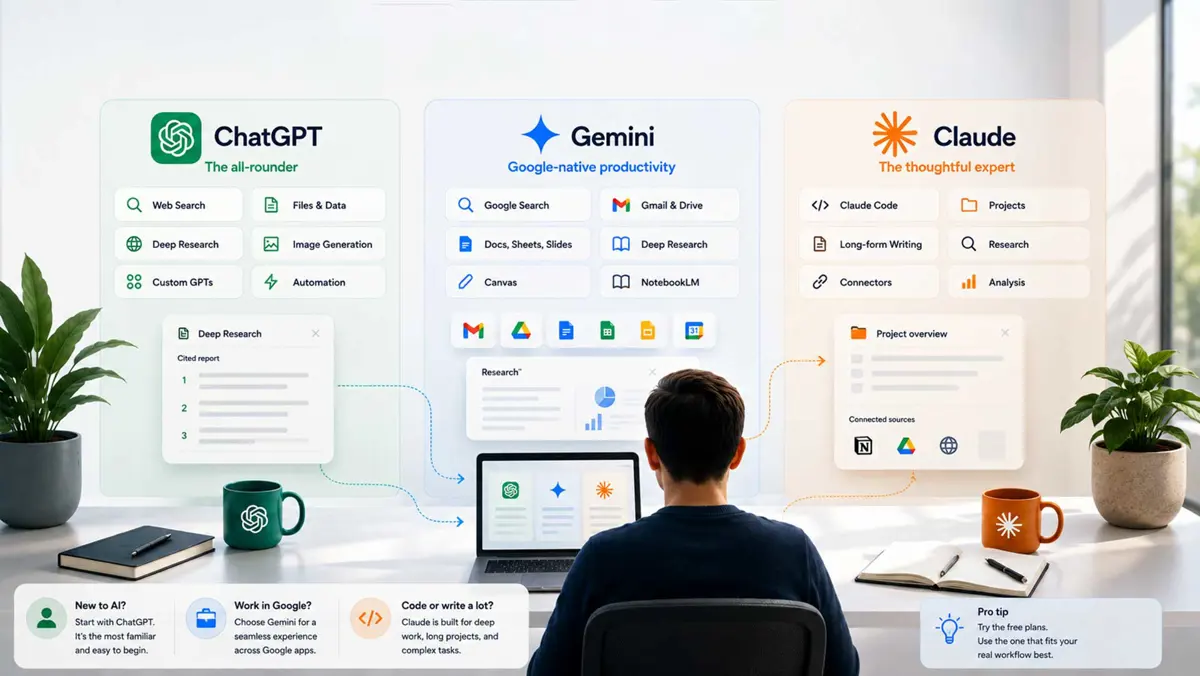
If you are comparing ChatGPT vs Gemini vs Claude, the useful question is not which chatbot is smartest in the abstract. It is which one makes your everyday work easier. All three now cover much more than chat: web research, files, coding, projects, and increasingly agentic workflows.
This comparison focuses on practical jobs rather than a single benchmark leaderboard. Features, limits, models, and pricing change often, so the recommendations below are about the current product experience and the workflows each platform is building around it.
ChatGPT vs Gemini vs Claude at a Glance
The shortest answer is simple: start with ChatGPT if you want the broadest general-purpose toolkit, look closely at Gemini if you already depend on Google services, and consider Claude if writing, coding, and focused project work are your priorities.
| What you mainly want | Best starting point | Why |
|---|---|---|
| One AI for many different jobs | ChatGPT | Broad mix of search, research, files, reasoning, images, and other tools |
| Google Workspace workflows | Gemini | Deep integration with Gmail, Drive, Docs, and other Google services |
| Writing and long-form project work | Claude | Projects, files, web research, artifacts, and focused workspaces |
| Coding | Claude or ChatGPT | Strong agentic coding options and developer workflows |
| Web research | ChatGPT, Gemini, or Claude | All three now offer current web research workflows |
| Images | ChatGPT or Gemini | Both provide image generation and editing capabilities |
| Free starting point | Compare current limits | Free access and usage limits change frequently |
| Paid general-purpose plan | Compare your workflow | The $20 class is competitive, but the included ecosystem differs |
This table is a starting point, not a benchmark. A person who spends all day in Google Drive can reasonably prefer Gemini even if another tool performs better on an isolated test. Likewise, a developer may value a coding agent more than a chatbot's general conversation quality.
ChatGPT: The Best All-Round Starting Point
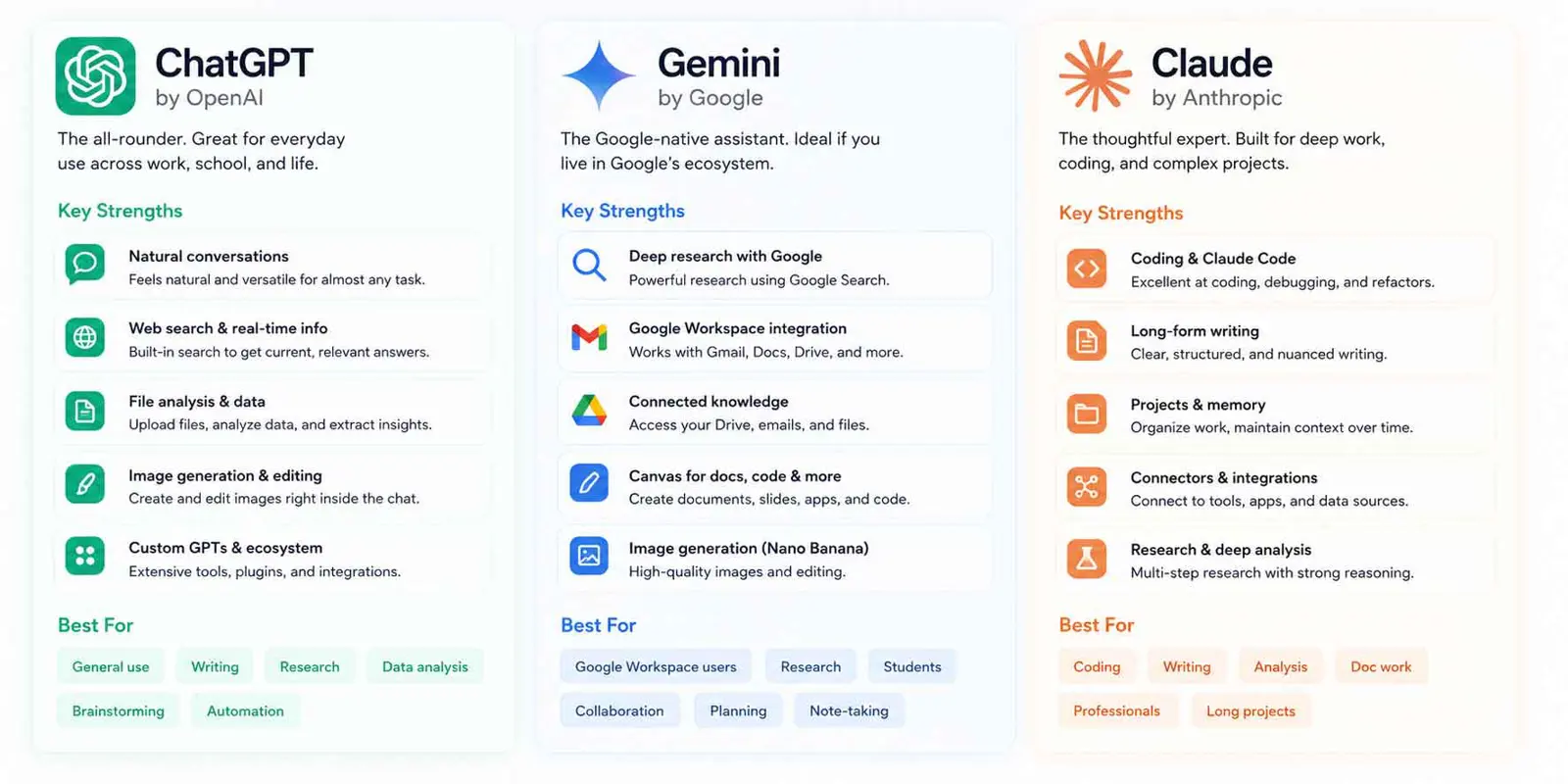
ChatGPT is the easiest choice when you do not want to build your workflow around one company's ecosystem. Its current capabilities include ordinary conversation and reasoning alongside web Search, Deep Research, image input and generation, and file uploads and analysis. Availability varies by plan, but the product is designed to cover a wide range of tasks in one place.
For research, ChatGPT offers both Search for current information and Deep Research for more involved tasks. Deep Research can use the public web, uploaded files, and enabled apps, then produce a structured report with citations. You can read more in OpenAI's Deep Research documentation.
That breadth is the main reason to choose ChatGPT. You can move from a quick question to a research task, then analyze a PDF or generate an image without switching products.
Where ChatGPT fits best
- General-purpose everyday use
- Research that needs current web sources
- Working with uploaded documents
- Mixed text-and-image workflows
- Brainstorming, drafting, and editing
- People who want one AI instead of several specialized tools
ChatGPT is not automatically the best at every individual task. Its advantage is the range of jobs it can handle without requiring you to change your working environment.
Gemini: The Strongest Google-Centric Choice
Gemini becomes more interesting when the files, messages, documents, and calendars you already use are inside Google's ecosystem. Google's current Gemini tools can work across services such as Gmail and Drive, while Deep Research can combine web information with selected personal sources.
That changes the meaning of "best AI." If you are asking Gemini to summarize a set of Drive documents, compare information across files, or research a topic using your own Gmail and Drive material, the integration itself can matter more than small differences in model output.
Google's documentation says Gemini Deep Research can use Google Search by default and can add sources such as Gmail, Drive, uploaded files, and NotebookLM notebooks. In Workspace, Deep Research can also work from Docs, Drive, Gmail, Sheets, and Slides. See Google's Gemini Deep Research documentation for current availability and limits.
Where Gemini fits best
- Google Workspace users
- Research that mixes the public web with Google files
- People who live in Gmail and Drive
- Workflows that already use Google Docs, Sheets, or Slides
- Users who want Google's AI features close to their existing data
Gemini's biggest advantage is therefore less about being a better chatbot in every situation and more about being deeply connected to a large productivity ecosystem.
Claude: A Strong Choice for Focused Professional Work
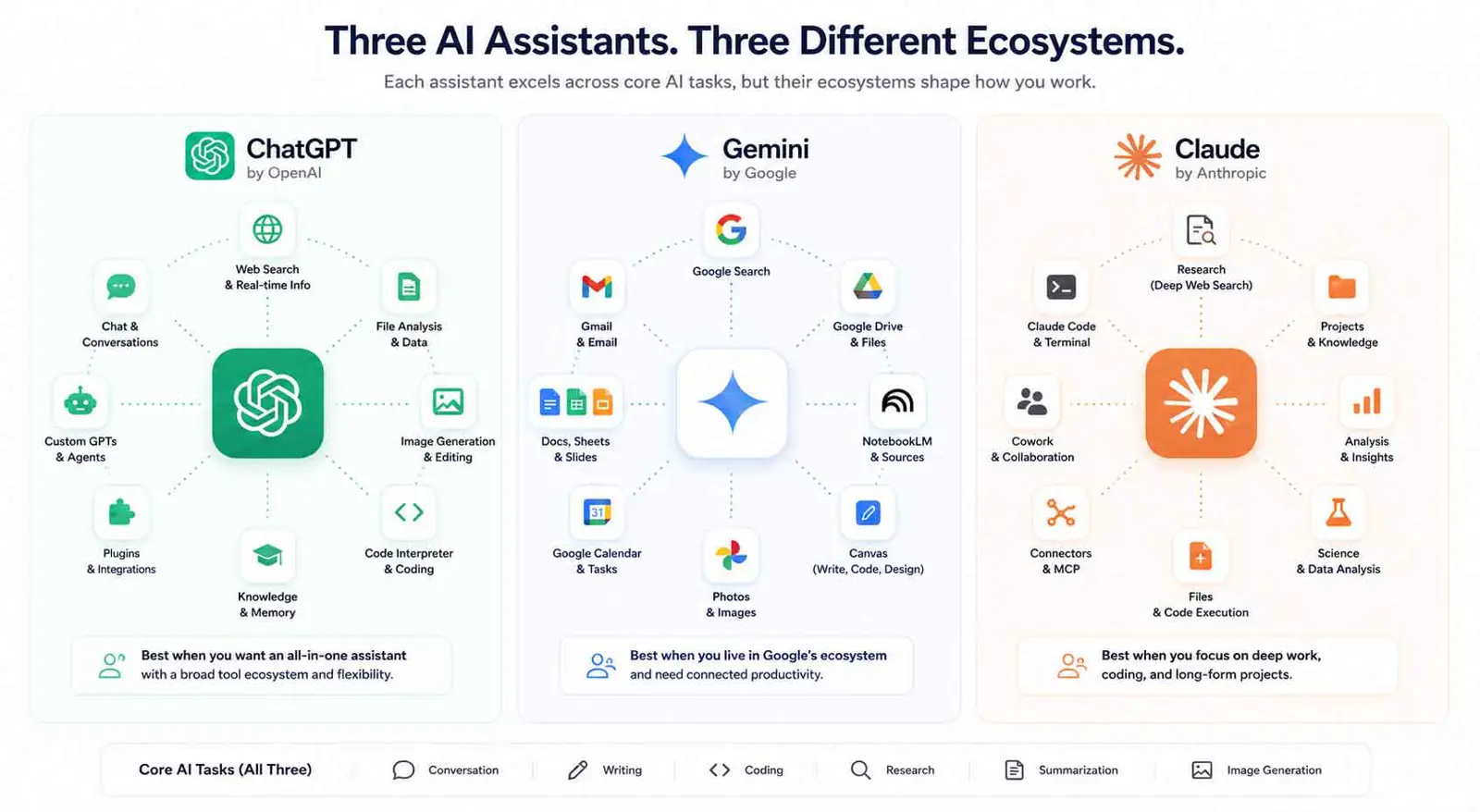
Claude has developed into more than a writing chatbot. Projects give users dedicated workspaces with their own chats and knowledge bases, while web search and Research provide current information and multi-step investigation. Claude also offers Artifacts for creating substantial documents, code, diagrams, and interactive experiences.
Anthropic says Claude Research can conduct multiple searches that build on one another and return answers with citations. Its web search can also retrieve current information and fetch specific web pages. These tools make Claude particularly interesting for people who want a focused workspace around a project rather than a single disposable chat.
Claude also has a strong coding identity. Claude Code is available with Pro and higher individual plans, and Anthropic's published analysis of hundreds of thousands of Claude Code sessions shows how the product is being used for agentic coding workflows. That does not prove Claude is universally the best coding tool, but it does show that coding is a central use case rather than an afterthought.
Where Claude fits best
- Long-form writing and editing
- Focused project work
- Coding and agentic software tasks
- Research with citations
- Document-heavy workflows
- People who want persistent project context
Claude's strongest case is for users who spend substantial time inside a small number of demanding projects. Its Projects and Artifacts features make the surrounding workflow part of the product rather than leaving everything inside a conventional chat thread.
ChatGPT vs Gemini vs Claude for Writing
All three can write well enough for everyday work. The difference is what surrounds the writing.
- Choose ChatGPT when you want writing alongside broad research, file, image, and general-purpose tools.
- Choose Gemini when your drafts and reference material already live in Google Docs or Drive.
- Choose Claude when you care most about focused editing, long-form work, and a persistent project context.
For serious writing, the better test is not "Which AI writes the prettiest paragraph?" Give each tool the same source material, style guide, examples, and revision request. Then compare factual accuracy, unnecessary rewriting, consistency, and how much editing you still need to do.
ChatGPT vs Gemini vs Claude for Coding
Coding is one area where a chatbot comparison can become misleading. The useful question is whether you want an assistant that suggests code or an agent that can work through a larger development task.
Claude has a particularly mature coding workflow around Claude Code. ChatGPT also offers coding-oriented capabilities and agentic workflows, while Google's ecosystem provides its own developer tooling around Gemini. The best choice depends heavily on your editor, repository, terminal workflow, and how much autonomy you want to give the AI.
For a deeper comparison of dedicated coding assistants, Saganote has a separate guide to GitHub Copilot, Cursor, and Tabnine. This article is about the broader AI assistants rather than dedicated coding products.
ChatGPT vs Gemini vs Claude for Research
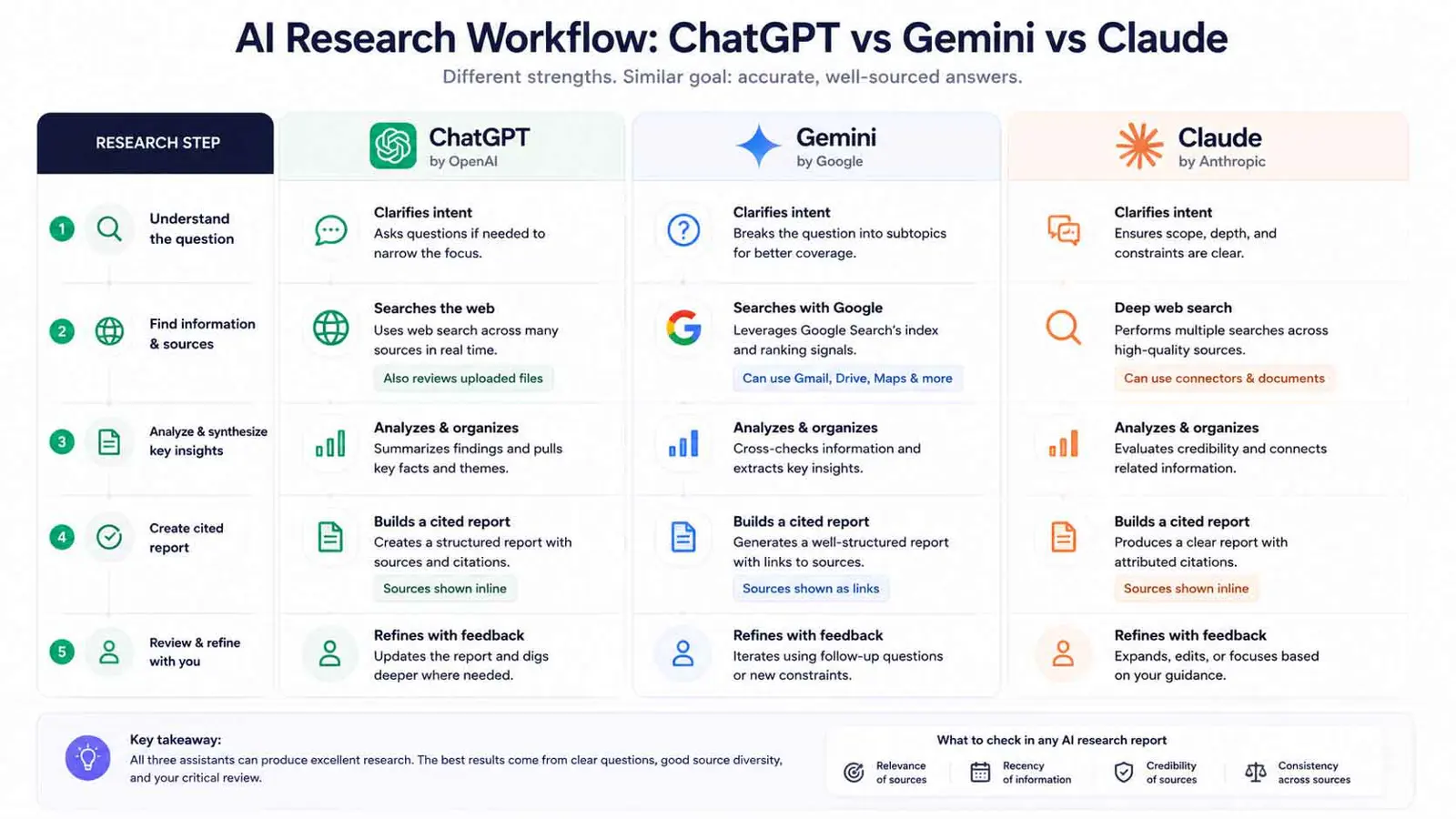
Research is now a three-way race because all three products can search the web and perform more involved research. The practical differences are in source control, connected data, citations, and how much of the research process the product handles for you.
- ChatGPT: Search and Deep Research can combine web sources with uploaded files and enabled apps.
- Gemini: Deep Research can combine Google Search with selected Gmail, Drive, uploaded files, and NotebookLM sources.
- Claude: Web Search provides current sources, while Research performs multiple searches and returns cited findings on paid plans.
If your research starts with a blank web search, any of the three can be a good choice. If the research starts with "read everything in my Drive and compare it with current web information," Gemini's ecosystem becomes a meaningful advantage. If you want a dedicated project workspace with uploaded knowledge, Claude's Projects are worth considering.
Which AI Is Best for PDFs and Documents?
All three can work with documents, so the deciding factor is often where the documents already live.
- ChatGPT is a strong general option for uploading PDFs and other supported files directly into a conversation.
- Gemini is especially useful when the documents are already stored in Drive or used alongside Gmail and other Workspace data.
- Claude is attractive for project-based document work because files can become part of a persistent project knowledge base.
For a one-off PDF, use whichever tool you already have. For a large collection of documents that you will revisit repeatedly, the project's knowledge and retrieval workflow matters more than a one-time upload.
Which AI Is Best for Images?
ChatGPT and Gemini both have image generation and editing capabilities. ChatGPT's current capabilities documentation includes image input, generation, and editing, while Google's Gemini product supports image generation and editing as part of its broader creative tooling.
Claude is different. It can create visual and interactive artifacts such as diagrams, flowcharts, and interactive components, but it should not be treated as a direct replacement for an image-generation product when that is your main goal.
If your priority is generating or editing images, start with ChatGPT or Gemini. If your priority is turning information into an interactive visual artifact or working document, Claude's Artifacts can be a better fit.
Which AI Is Best for Students?
There is no single student winner because the useful features depend on the course. A student researching current topics may care most about citations and Search. Someone working from a large collection of lecture notes may care more about document handling and persistent context.
- Research and source discovery: compare Search and Research workflows.
- Lecture notes and PDFs: compare file handling and project knowledge.
- Writing practice: compare revision and feedback quality.
- Coding courses: compare the development workflow, not just chat answers.
- Google Classroom-style workflows: Gemini's Google ecosystem may be convenient.
For schoolwork, the most important habit is to verify sources and follow your institution's AI rules. A fluent answer is not evidence that the answer is correct.
Which AI Is Best for Free Users?
Free plans are difficult to rank permanently because limits and included features change. ChatGPT offers a Free plan plus paid Go, Plus, and Pro tiers; Claude has Free, Pro, Max, Team, and Enterprise options; Google's Gemini access is tied to its broader Google AI plans and free access.
The sensible approach is to test the free versions against your own three most common tasks. Do not choose based only on a plan page's feature count: a feature you never use has no practical value.
What About the $20 AI Plans?
The mainstream paid tier is now surprisingly competitive. ChatGPT Plus costs $20 per month. Claude Pro also costs $20 per month in the US. Google AI Pro is currently listed at $19.99 per month in Google One's US pricing.
| Plan | Current US monthly price | What stands out |
|---|---|---|
| ChatGPT Plus | $20 | Broader model and tool access, including Search, image generation, file analysis, and Deep Research |
| Claude Pro | $20 | Higher usage, Claude Code, Cowork, Projects, Research, and other Claude capabilities |
| Google AI Pro | $19.99 | Gemini Pro access, Deep Research, higher limits, Google apps, and 5 TB storage |
These are not equivalent bundles. Google AI Pro includes Google storage and access across Google's ecosystem, while ChatGPT Plus and Claude Pro are primarily subscriptions to their respective AI platforms. That makes the raw monthly price less useful than asking what you would otherwise pay for the surrounding services.
For a closer look at the individual plans, see Saganote's ChatGPT pricing guide, Gemini pricing guide, and Claude pricing guide.
How to Choose the Right AI for Your Workflow
Instead of asking which model is "best," score the products against the work you actually do. Five minutes of testing can tell you more than a long benchmark table.
- Pick three real tasks you perform every week.
- Give each AI the same prompt and source material.
- Compare accuracy before comparing writing style.
- Check how easily you can verify important claims.
- Test the tools you actually need: files, Search, coding, images, or connected apps.
- Check the current free or paid limits for your expected usage.
- Choose the platform that creates the least friction in your workflow.
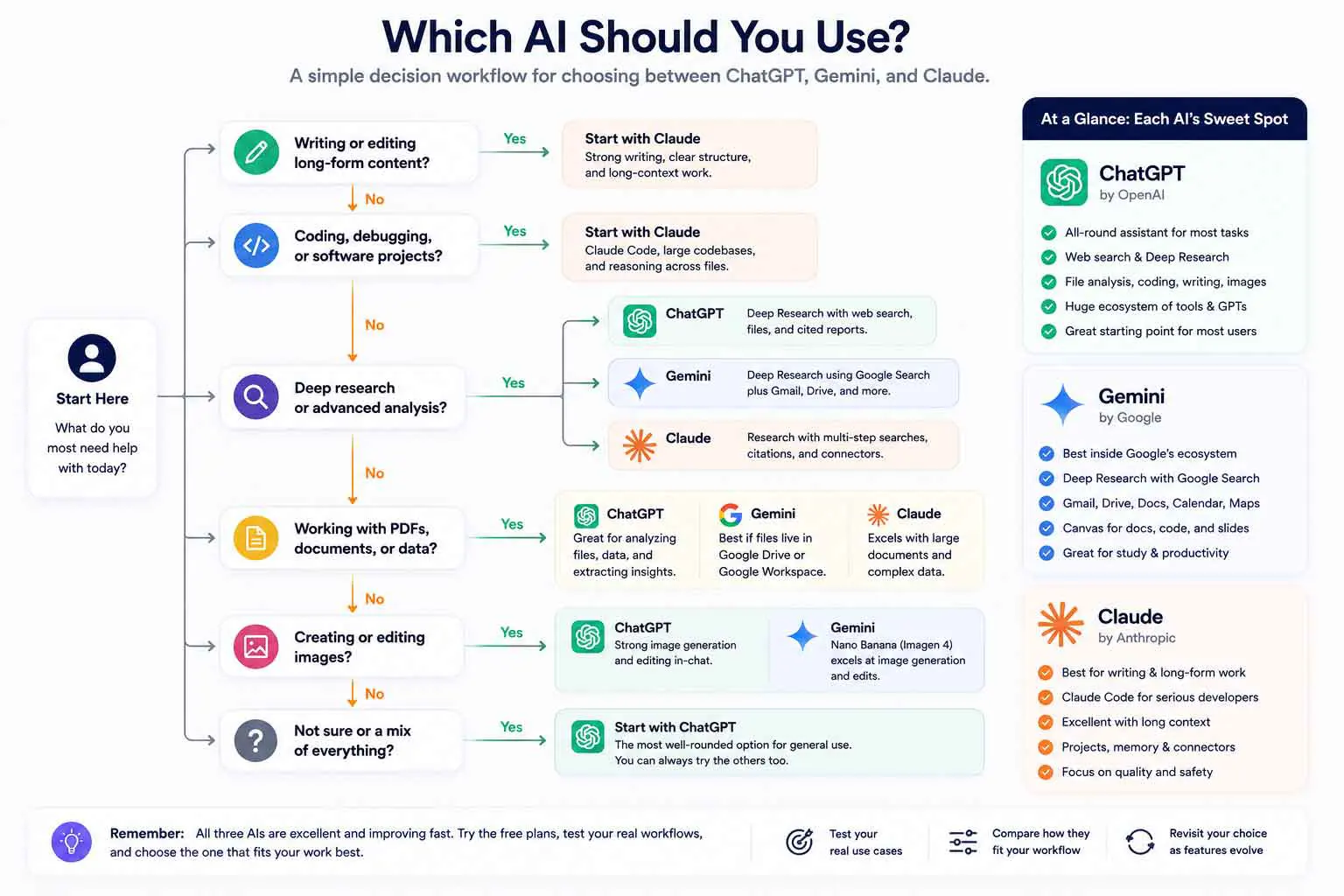
A simple decision tree
- If you want the broadest general-purpose AI toolkit, start with ChatGPT.
- If most of your work is in Gmail, Drive, Docs, Sheets, or other Google services, start with Gemini.
- If you spend most of your time on writing, coding, or persistent project work, test Claude first.
- If images are central to your workflow, compare ChatGPT and Gemini directly.
- If you are unsure, use the free tiers and run the same real tasks through each.
Common Mistakes When Comparing AI Assistants
- Choosing from a benchmark score without testing your own tasks
- Treating a feature list as proof of better output
- Ignoring usage limits
- Comparing a chatbot with a dedicated coding agent as if they were identical products
- Ignoring the value of connected apps and existing files
- Treating current pricing as permanent
- Assuming every feature is available on every plan or in every region
- Picking a winner without checking whether the tool fits your daily workflow
Frequently Asked Questions
Frequently Asked Questions
Is ChatGPT better than Gemini?
Is Claude better than ChatGPT?
Which AI is best for coding?
Which AI is best for research?
Which AI is best for free users?
Should I pay for ChatGPT, Gemini, and Claude?
The Bottom Line
ChatGPT vs Gemini vs Claude is no longer a contest between three simple chatbots. They are becoming different AI work environments, and the surrounding tools can matter as much as the underlying model.
Choose ChatGPT when you want the broadest all-round toolkit. Choose Gemini when Google's ecosystem is central to your work. Choose Claude when focused writing, coding, and persistent projects are the priority. If none of those distinctions decides it, test all three with your own tasks and keep the one that saves you the most work.
Current product details were checked against official OpenAI, Google, and Anthropic documentation during preparation. Product capabilities, limits, and prices can change, so readers should verify plan availability before subscribing.
