What Are Claude Code Mods?
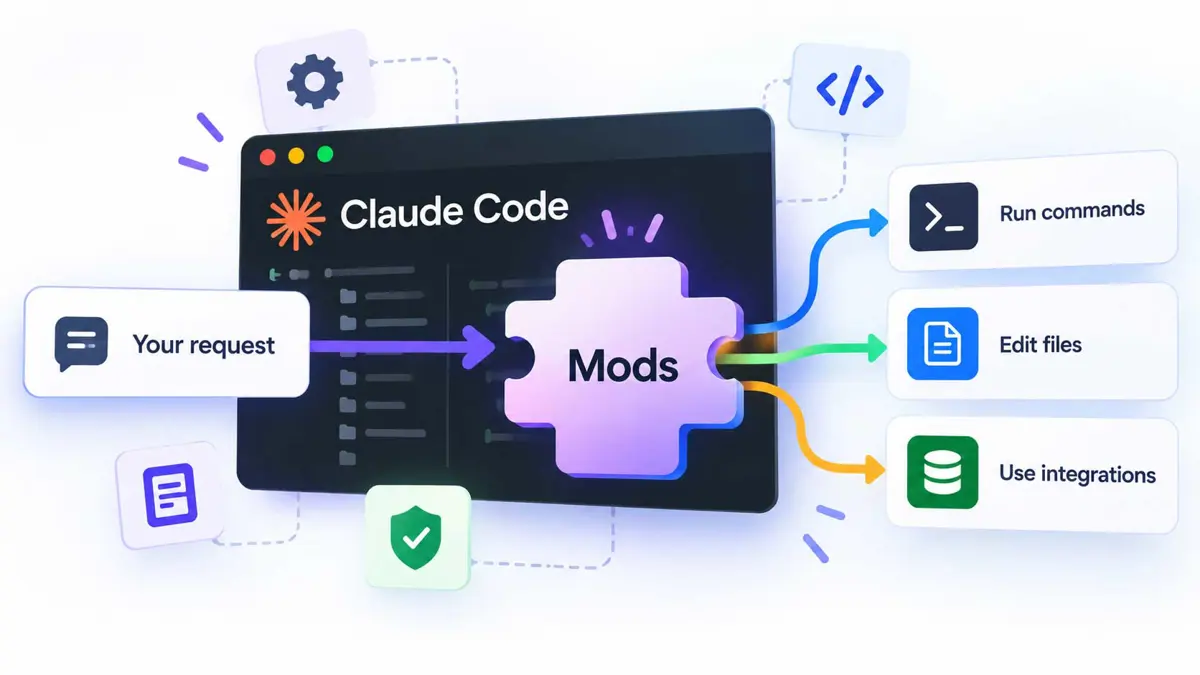
Claude Code Mods are extensions that change how Claude Code behaves. Developers can use them to adjust what happens when Claude Code receives a prompt, calls a tool, asks for permission, or displays information.
The important distinction is that a Mod can do more than add a command or provide extra instructions. It can change how Claude Code handles an action while a session is running.
What Can a Mod Actually Do?
The best way to understand Mods is to look at practical examples. These are possible uses, not guarantees that every Mod will include all of these features.
1. Change prompts before Claude sees them
A Mod can rewrite a prompt before it reaches the model. A team might use this to add project-specific context or apply a consistent instruction format.
For example, a team could add a reminder to follow its coding standards whenever a task involves a particular repository. The Mod can apply that rule automatically instead of relying on every developer to remember it.
2. Block or change tool calls
A Mod can inspect a tool call and block it, rewrite it, or retry it. This can help teams apply workflow rules around commands and other actions.
Imagine a project where commands that affect production settings need extra checks. A Mod could detect those commands and require an additional step before allowing the workflow to continue.
This should not replace a careful permission setup. The behavior depends on how the Mod is written and configured.
3. Redact sensitive output
A Mod can remove secrets from tool output before Claude reads it. For example, it could look for API keys or tokens and replace them with a placeholder.
That can reduce the chance of sensitive values entering the model's context. It is not a complete security guarantee. Detection rules can miss secrets, and the Mod itself must be trustworthy.
4. Customize the interface
Mods can change parts of the interface that Claude Code displays. They can add buttons and input fields, or replace certain interface elements.
A team could create a panel that shows build status beside the coding conversation. Another Mod could provide a custom view for a workflow that developers use often.
5. Replace selected built-in features
Some Claude Code features are themselves implemented as Mods. Anthropic
has said that the /diff feature is one example. Users can disable it
through the plugin interface or replace it with a custom version.
This approach could make Claude Code more modular over time. Developers may be able to keep the parts they need and replace selected features with alternatives.
How Do Claude Code Mods Work?
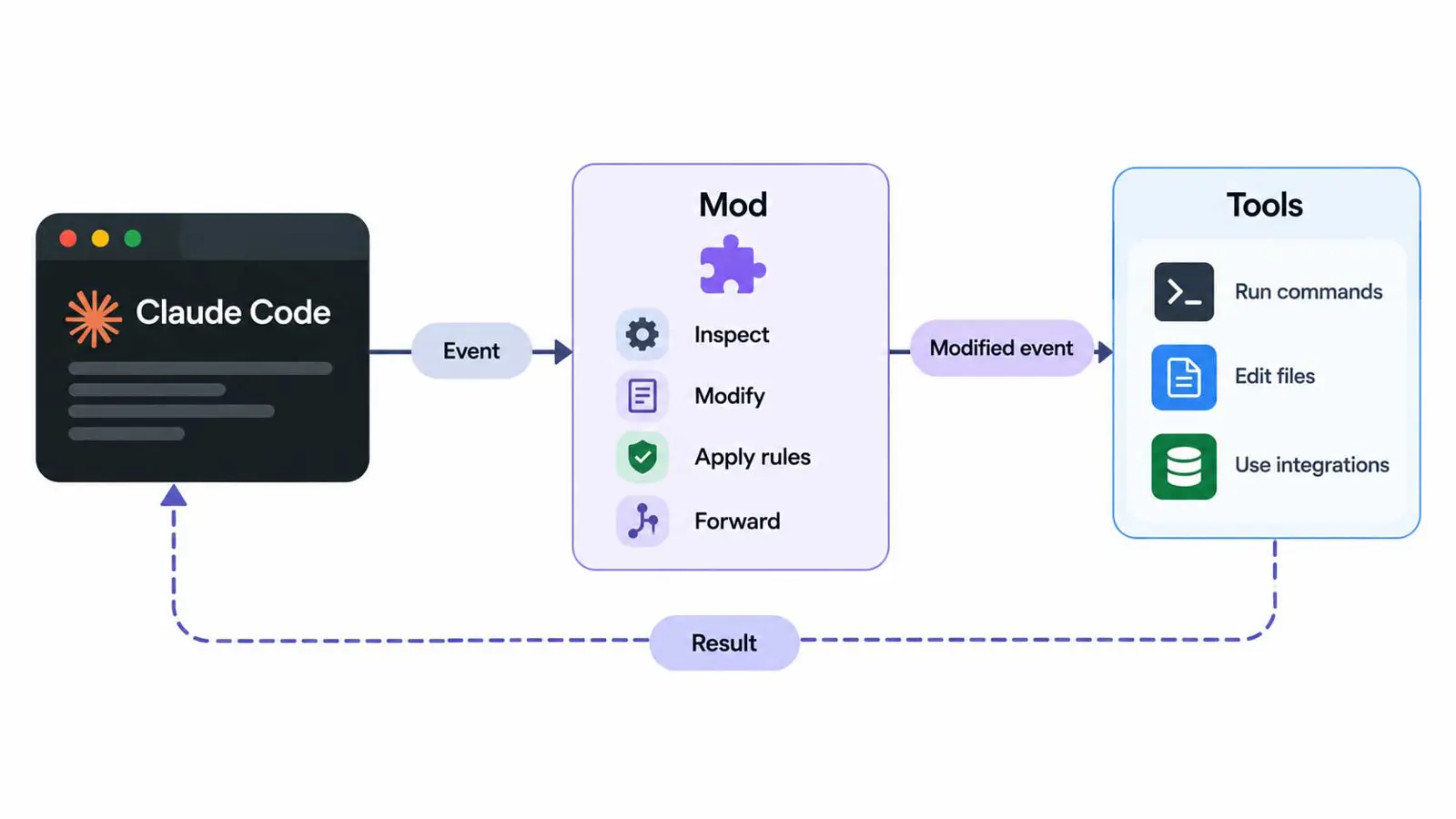
Claude Code emits events as it works. Events can relate to tool calls, permission requests, prompts, or interface rendering.
A Mod registers functions for the events it wants to handle. When a matching event occurs, Claude Code runs the relevant function. Depending on the event and the Mod, that function can pass the original result through, change it, block it, or replace the normal behavior.
Several Mods can respond to the same event. Their order matters because one Mod may receive the event before another. That makes testing important, especially when multiple Mods are installed together.
Mods vs. Plugins, Hooks, and Skills
These terms are related, but they describe different parts of the Claude Code ecosystem.
- Mods: TypeScript functions that can change how Claude Code handles events and interface behavior.
- Plugins: Packages used to distribute extensions. A plugin can include Mods and other capabilities, depending on its contents.
- Hooks: Automation points that run logic at defined stages, such as before or after a tool is used. Traditional hooks are useful for repeatable checks, but they do not offer the same ability to rewrite events or replace interface features.
- Skills: Reusable instructions and workflows that guide Claude Code through a task. A skill can shape how Claude approaches work, but it is not the same as code that intercepts a tool call.
The simplest rule is to choose the least complex option that solves the problem. Use a skill when the main need is reusable instructions. Use a hook for a defined automation step. Consider a Mod when you need deeper control over event handling or the interface. Use a plugin to package and distribute extensions.
For broader context, see our guide to Claude Code's built-in side agent and our comparison of Kimi Code and Claude Code.
Examples of Useful Mods for Developers
Mods make the most sense when they solve a repeated problem. Here are a few examples of where they could help.
- Production safeguards: flag or block commands that target production resources.
- Secret filtering: redact likely credentials from tool output before it enters the model context.
- Build status panel: display CI/CD results beside the coding conversation.
- Team workflow rules: add checks that apply consistently across a project.
- Custom interface controls: add buttons or inputs for a workflow that developers use frequently.
- Alternative feature behavior: replace a built-in feature with a version that better fits a team's process.
A Mod should have a clear purpose. Avoid installing several extensions that change the same event unless you understand how they interact. Overlapping behavior can make a workflow harder to debug.
Are Claude Code Mods Safe?
Mods deserve careful review because they run with the same access to your machine as Claude Code. Anthropic says Mods are not sandboxed. A malicious or poorly written Mod could therefore create risks similar to running other untrusted code.
Treat a Mod like a program you are choosing to run, not like a harmless setting.
Before installing a Mod
- Check the source. Prefer Mods from authors and repositories you trust.
- Read the code when possible. Look for unexpected network activity, file access, or changes to permissions.
- Understand its purpose. Avoid installing a Mod that does more than its description requires.
- Test it in a low-risk project. Do not start with a production repository or sensitive credentials.
- Review how it handles permissions. A Mod should not quietly weaken safeguards you rely on.
- Keep it updated. Recheck the code and behavior when the Mod changes.
Anthropic also documents a built-in Mod called sec-default for Team
and Enterprise plans and for machines using managed settings. It loads
early to restrict certain risky behavior from installed Mods, including
attempts to override permission-deny rules. Administrators can configure
their own Mods to load first, but Anthropic advises keeping
sec-default in the list if those restrictions are needed.
These controls help, but they do not make every third-party Mod safe. Teams should still review extensions and use plugin controls to limit which sources developers can install.
How to Get Started With Claude Code Mods
You do not need to build a Mod to benefit from the feature. You can
install a plugin that includes one through the Claude directory or the
/plugin interface in Claude Code.
- Start with a clear need. Identify a repeated task or behavior you want to change.
- Look for an existing plugin. Check its source, documentation, and permissions before installing it.
- Install through Claude Code. Use the plugin interface or the official instructions for the plugin.
- Test the behavior. Confirm that it works as expected in a non-critical project.
- Review the result. Check that the Mod does not interfere with permissions, other Mods, or your existing workflow.
If you want to build your own Mod, start with Anthropic's official Claude Code Mods announcement and the official Mods source and examples on GitHub. The GitHub repository provides implementation details that are useful when you are ready to inspect the code.
For a related explanation of how AI tools connect to external services, read What Is Model Context Protocol (MCP)?. MCP and Mods solve different problems, but both are part of the wider ecosystem around extending AI-assisted development.
When Should You Use a Mod?
A Mod is worth considering when ordinary settings, instructions, or hooks cannot provide the control you need. It is especially useful when you need to inspect or change an event, alter part of the interface, or replace a built-in feature.
It may be unnecessary if you only need to add project guidance or run a simple check after a file changes. In those cases, a skill or traditional hook may be easier to maintain.
For teams, the decision should include maintenance and security. Someone needs to own the Mod, review updates, test conflicts, and document what it changes. A small extension can become a critical part of the development workflow if everyone depends on it.
Frequently Asked Questions
Are Claude Code Mods the same as plugins?
Do you need to know TypeScript to use Mods?
Can Mods change tool calls?
Are Claude Code Mods sandboxed?
Should I use a Mod instead of a hook?
The Bottom Line
Claude Code Mods give developers a deeper way to customize an AI coding workflow. They can change prompts, control tool calls, redact sensitive output, and reshape parts of the interface. They also provide a way to replace selected built-in features.
That flexibility comes with responsibility. Mods are executable code, not just configuration. Start with a specific need, choose trusted sources, test carefully, and keep security controls in place.