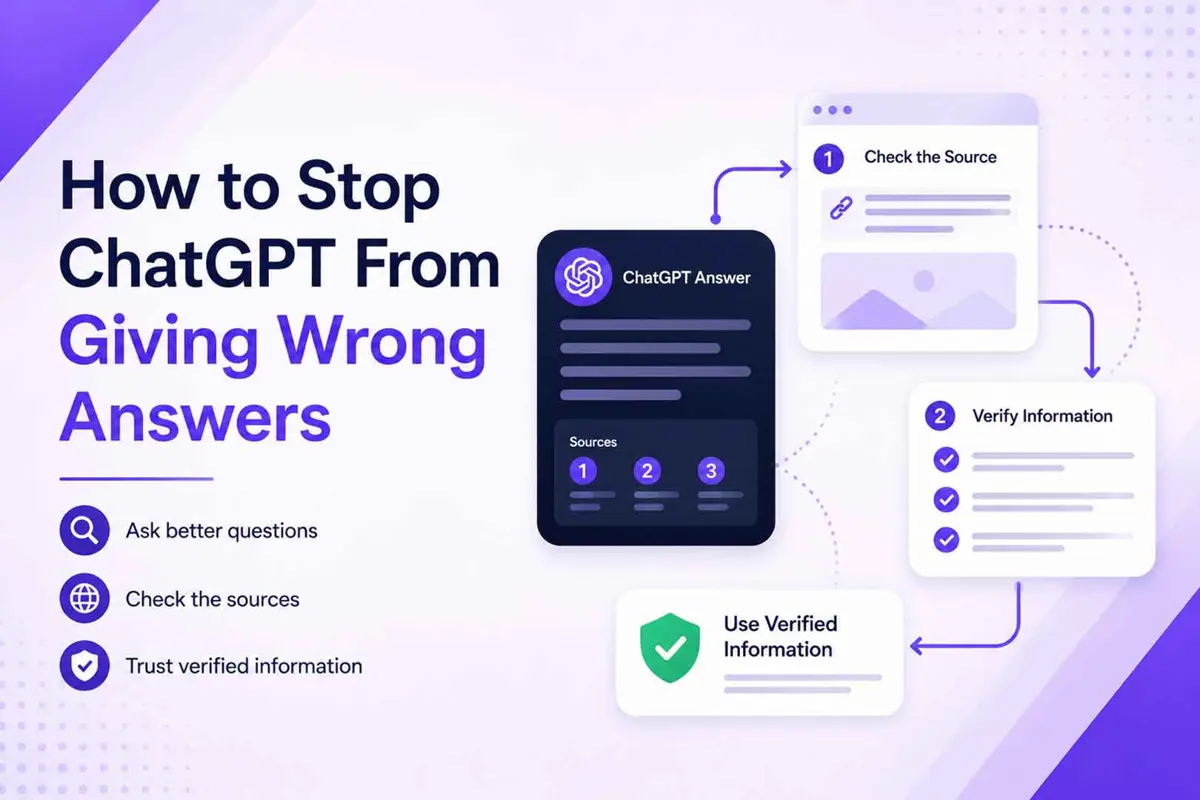
If you want to know how to stop ChatGPT from giving wrong answers, start by treating every response as a useful draft rather than guaranteed fact. Clear prompts can reduce ambiguity, but even a well-written prompt cannot make ChatGPT infallible.
OpenAI says ChatGPT can produce incorrect or misleading answers, including incorrect facts, fabricated citations, and confident answers to ambiguous questions. For important information, OpenAI recommends checking reliable sources rather than relying on the model's confidence.
How to Stop ChatGPT From Giving Wrong Answers
Use this six-part workflow whenever accuracy matters: give ChatGPT enough context, ask it not to guess, use current sources when necessary, inspect the evidence, verify important claims, and only then use the result.
- Give ChatGPT the context it needs.
- Ask it to separate facts from uncertainty.
- Use ChatGPT Search for information that may have changed.
- Open and inspect the cited sources.
- Check important claims against authoritative sources.
- Treat the final answer as verified only after the evidence supports it.
1. Give ChatGPT enough context
Vague questions leave more room for the model to interpret your intent incorrectly. Tell ChatGPT what you are trying to accomplish, which information matters, what date or version applies, and what format you want.
- State the exact question or task.
- Include relevant dates, versions, names, or constraints.
- Provide the source material when you already have it.
- Explain what the answer will be used for.
- Tell ChatGPT what information should not be assumed.
OpenAI's current prompting guidance recommends clear, specific prompts with enough context and says complex requests can be broken into smaller, focused prompts. Iterative refinement can also improve the result.
2. Tell ChatGPT not to guess
A useful instruction is to make uncertainty explicit. Asking for a confident answer is not the same as asking for a reliable answer.
Answer the question using only information you can support.

For each important factual claim:
- Do not invent names, dates, numbers, quotes, or sources.
- If information is uncertain, say so clearly.
- If the information may have changed, tell me that it needs current verification.
- If you cannot establish an answer, say "I don't have enough reliable information to answer that."

Question:
[YOUR QUESTION]
This instruction does not guarantee correctness. It gives the model a clearer failure condition than simply asking it to "be accurate."
3. Break complicated questions into smaller checks
A single question can contain several claims that need different evidence. Breaking the task apart makes it easier to see which parts are factual and which parts are interpretation.
For example, instead of asking, "Is this laptop worth buying?", check its current price, specifications, software support, battery performance, known problems, competing products, and your own requirements separately. You can then combine those verified pieces into a decision.
Use ChatGPT Search When the Answer Can Change
ChatGPT Search is useful when the answer depends on current or niche information. Examples include software features, product prices, company leadership, current events, laws, schedules, and other facts that can change after a model's training data was collected.
OpenAI says ChatGPT can automatically search the web when a question benefits from current information, and users can also start a search directly. Search responses can include citations and a Sources panel.
4. Search for current information
Ask ChatGPT to search when freshness matters. You can also narrow the request by specifying the date, location, organization, or website you want checked.
Search the web for the current answer.

Use authoritative or primary sources where possible.
Tell me which claims depend on information published or updated recently.
Include citations for the important factual claims.

Question:
[YOUR QUESTION]
Search improves access to current information, but it does not turn every result into a verified fact. OpenAI explicitly warns that search results and citations can sometimes be incomplete, outdated, or incorrect.
Check the Source Behind Every Important Citation
A citation is evidence to inspect, not a reason to stop checking. Select the citation, open the source, and confirm that the source actually supports the statement ChatGPT made.
- Open the cited source.
- Check who published it.
- Check when it was published or updated.
- Find the passage that supports the claim.
- Compare the wording of the source with ChatGPT's summary.
- Prefer a primary or authoritative source when one is available.
For example, a company announcement is usually stronger evidence for a product launch than a third-party article summarizing the announcement. Official documentation is generally preferable when you are checking how a software feature works.
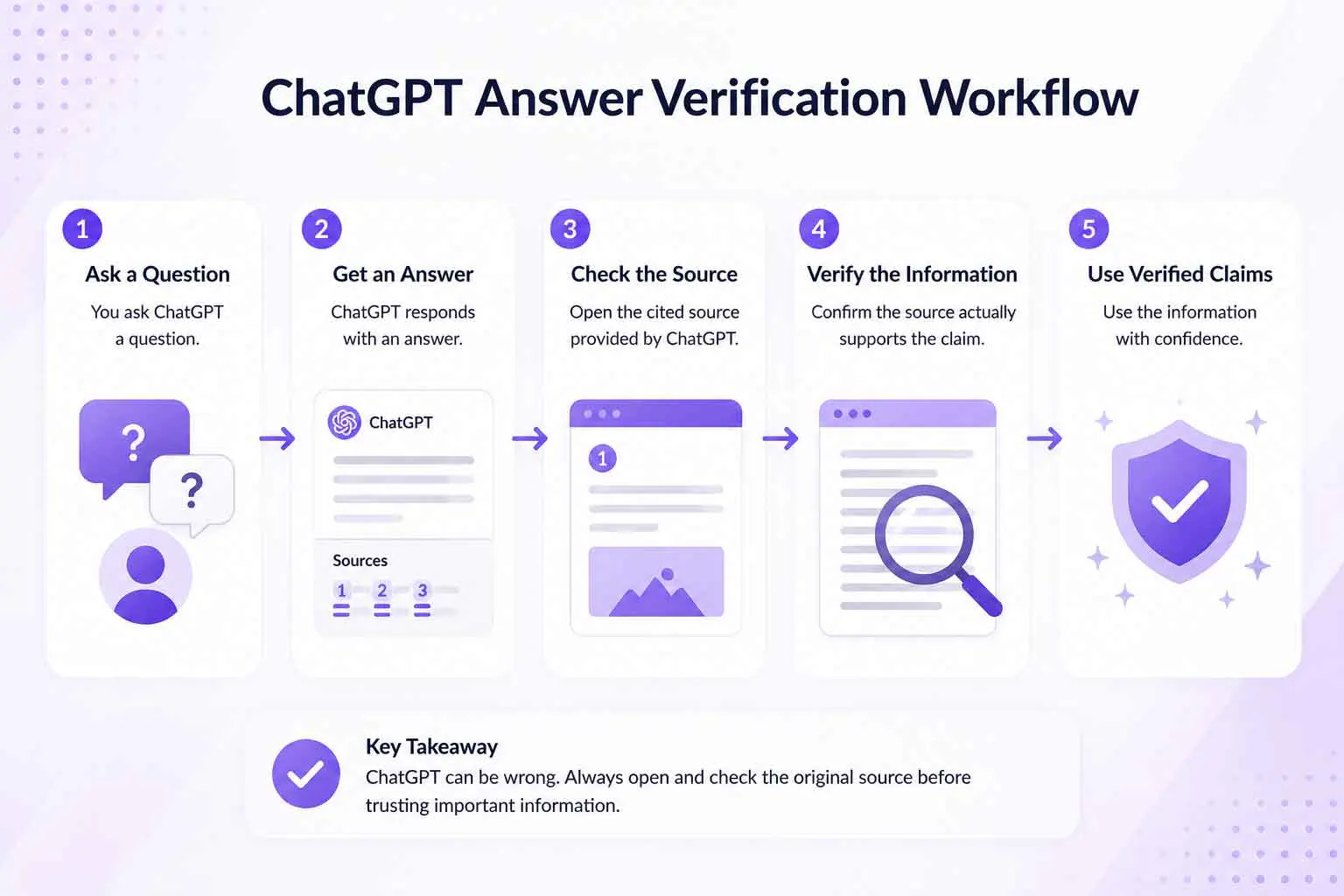
Verify Important Claims Against the Original Source
Use a higher verification standard when a wrong answer could cause real harm or financial loss. ChatGPT can help you find and organize information, but the original evidence should decide whether an important claim is trustworthy.
- Government information for official rules and requirements
- Company documentation for product features and policies
- Original research for scientific claims
- Financial filings or official statements for company financial information
- First-party records for dates, specifications, or other primary facts
When sources disagree, do not ask ChatGPT to simply choose the answer that sounds most convincing. Compare the sources, check their dates and authority, and explain the disagreement if it cannot be resolved.
Run a Second-Pass Fact Check
A second ChatGPT pass can help you find claims that deserve closer inspection. It should be treated as an audit checklist, not independent proof, because the same model can repeat an error from its earlier response.
Review your previous answer as a fact-checking checklist.

1. List every important factual claim.
2. Mark each claim as supported, needs verification, or unsupported.
3. For claims that need verification, tell me what evidence I should check.
4. Do not treat your previous answer as evidence.
5. Do not invent citations or sources.
After the audit, verify the flagged claims yourself. The value of the second pass is that it can expose assumptions, missing evidence, and statements that deserve a closer look.
Use This Fact-Checking Prompt for Important Answers
You can combine the workflow into one reusable prompt when you need a more careful response.
Answer my question using current, verifiable information.

Before answering:
- Identify facts that may have changed.
- Use web search when current information is required.
- Prefer primary or authoritative sources.
- Do not invent citations, quotes, dates, statistics, or names.

In the answer:
- Separate established facts from uncertainty.
- Cite important factual claims when sources are available.
- Say when a claim could not be verified.

After the answer:
- List the claims I should independently verify if the decision is important.

Question:
[YOUR QUESTION]
The prompt improves the workflow by telling ChatGPT what evidence matters and what to do when evidence is missing. It still does not replace checking the cited material yourself.
What to Do When ChatGPT Gives You a Fake Citation
A broken or inaccurate citation is a signal to stop and verify the underlying claim rather than trying to repair the answer from the citation alone.
- The link does not open: Search for the source title or underlying claim yourself.
- The source exists but does not support the claim: Treat the claim as unverified.
- The source appears fabricated: Discard the citation and verify the claim independently.
- Sources disagree: Prefer the strongest current source and explain the disagreement.
- The information is old: Search for a newer primary source.
OpenAI also warns users to review generated links and be cautious about where they lead. Do not assume that a link produced by ChatGPT is trustworthy simply because it appears in the answer.
Know When ChatGPT Needs Extra Verification
Some mistakes are inconvenient; others can have serious consequences. Use stronger verification for medical, legal, financial, security, identity, and other high-stakes information.
For these topics, ChatGPT can help you understand terminology, organize questions, summarize documents, or find sources. The final decision should rely on qualified professionals, official records, or authoritative documentation as appropriate.
Common Mistakes That Make ChatGPT Answers Less Reliable
- Asking a vague question and expecting the model to infer the missing context
- Treating confidence as proof
- Using an old answer for a current question
- Accepting a citation without opening it
- Asking ChatGPT to verify itself and treating that as independent evidence
- Combining several unrelated questions into one large prompt
- Using a secondary source when an authoritative primary source is available
- Ignoring disagreement between credible sources
Frequently Asked Questions
Frequently Asked Questions
Why does ChatGPT give wrong answers?
How can I make ChatGPT more accurate?
Can ChatGPT Search guarantee an accurate answer?
How do I fact-check a ChatGPT answer?
Use ChatGPT as a Starting Point, Not the Final Source
ChatGPT is much more useful when you separate generating an answer from verifying an answer. Clear prompts, current Search results, source inspection, and independent verification can catch many of the mistakes that matter most.
For a deeper explanation of why language models can produce confident but false information, read Why AI Hallucinations Happen - and What You Can Actually Do About It. The practical goal is simple: let ChatGPT speed up the research, while evidence decides what you trust.
