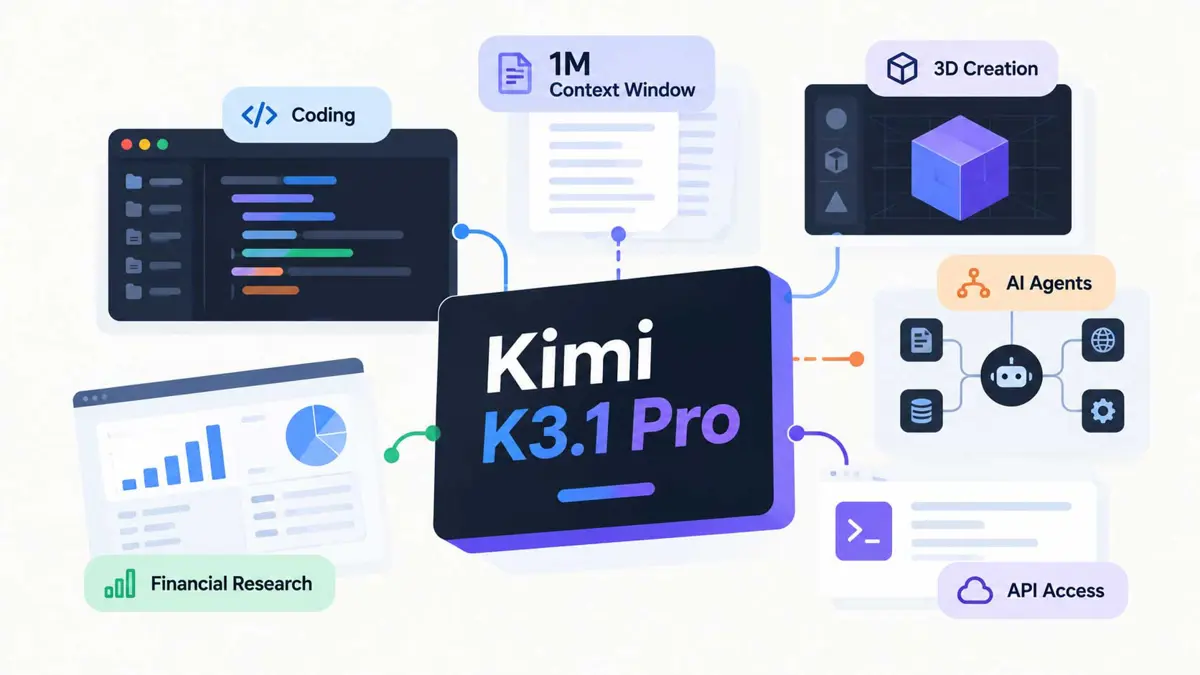
Kimi K3.1 Pro is Moonshot AI’s latest flagship model for coding, visual understanding, research, and other long-running agent tasks. It launched in Kimi Code on October 23, 2026, alongside Kimi K3.1 Pro Highspeed. Both versions support a context window of up to one million tokens, although the maximum available context depends on the access route and plan. The model can be used in Kimi’s coding tools or through its API, so the right option depends on whether the goal is interactive work or integrating the model into an application.
The most useful way to evaluate Kimi K3.1 Pro is to look beyond the launch claims. Context size, model access, output speed, API cost, and performance on the tasks you need will matter more than a headline benchmark alone.
What Is Kimi K3.1 Pro?
Kimi K3.1 Pro is a model from Moonshot AI and the first model in its K3.1 series. Moonshot describes it as a 3T-class model with improvements in coding, 3D creation, financial research, and long-horizon agent work. It supports text and visual input, including images and video in supported Kimi Code configurations, and uses a reasoning or “thinking” mode before answering.
Kimi K3.1 Pro is the newer series, while K3 is the earlier 2.8T-parameter flagship. The two models have similar headline context capacity on eligible plans, but their pricing, model IDs, and reported capabilities differ. Saganote’s guide to Kimi K3 and its open 3T-class model approach provides background on the previous generation.
“3T-class” describes the model’s scale as presented by Moonshot. It does not mean every parameter is active for every token, and it does not by itself tell you how well the model will perform on a particular task.
Kimi K3.1 Pro Features That Matter in Practice
A context window of up to one million tokens
A context window determines how much input a model can consider in one request or conversation, including text, code, and other supported content. Kimi K3.1 Pro supports up to 1,048,576 tokens on eligible plans. That can help with reviewing large repositories, comparing long documents, or keeping more project context available during an agent workflow.
A large context window is not a guarantee that every detail will be retrieved perfectly. Results still depend on how relevant information is organized, how the task is phrased, and the model’s ability to reason over the supplied material. A large request can also affect usage or latency. For a deeper explanation, see how the Kimi K3 context window works.
Coding and long-running agent tasks
Moonshot positions Kimi K3.1 Pro for software engineering and workflows that require multiple steps, such as investigating a bug, making coordinated edits across files, or working through an implementation plan. In an agent workflow, the model may inspect files, use tools, review results, and continue based on what those tools return. The final result still depends on the surrounding tools, permissions, and verification process.
For coding, evaluate the model on a real task from the target repository rather than relying only on general benchmark rankings. Check whether it understands project conventions, makes a minimal and correct change, runs appropriate tests, and explains what remains uncertain.
Visual input and research tasks
Kimi Code documentation lists image and video input for K3.1 Pro. That can be useful when a task includes screenshots, visual references, or video material that needs to be interpreted alongside text. Moonshot also highlights 3D creation and financial research as target use cases. These are stated product capabilities, not a guarantee that every specialist task will be completed correctly without review.
Kimi K3.1 Pro vs. Kimi K3.1 Pro Highspeed
The Highspeed version is designed to produce responses faster while keeping the same stated model capabilities. Moonshot’s documentation describes output speed as approximately two to three times that of the regular K3.1 Pro. In Kimi Code, Highspeed uses about twice as much quota as the standard model and is restricted to higher membership tiers.
| Detail | Kimi K3.1 Pro | Kimi K3.1 Pro Highspeed |
|---|---|---|
| Model ID in Kimi Code | k3.1-pro | k3.1-pro-highspeed |
| Context window | Up to 1M on eligible plans | Up to 1M on eligible plans |
| Relative output speed | Standard | About 2-3x, according to Moonshot |
| Kimi Code access | Plus / Moderato and above | Pro / Allegretto and above |
| API input price | $2 per million tokens | $4 per million tokens |
| API output price | $10 per million tokens | $20 per million tokens |
Choose the regular model when cost or subscription quota matters more than response speed. Highspeed may be worth testing for interactive coding sessions or workflows where waiting for output is a bottleneck. Measure actual completion time on your own tasks before deciding whether the higher cost is justified.
How to Access Kimi K3.1 Pro
Use it in Kimi Code
- Open the official Kimi Code model documentation and check which models your membership includes.
- Start a new session rather than switching into K3.1 Pro from an existing K3, K2.8 Preview, or K2.7 Code Highspeed session. Moonshot recommends a fresh session for more stable output and cache behavior.
- Select
k3.1-profor the standard model ork3.1-pro-highspeedif your plan includes Highspeed. - Keep thinking mode enabled. K3.1 Pro requests with thinking disabled are rejected.
- Check your plan’s context limit before sending a large repository or document.
Kimi Code’s current documentation lists K3.1 Pro for Plus / Moderato memberships and above. Access to the full one-million-token context requires Pro / Allegretto or above. Highspeed requires Pro / Allegretto or above. Plan names can differ between newer and legacy membership systems, so check the live model table rather than relying on an older guide.
Use the API
Developers can call Kimi models from an application using the official Kimi API platform. The model IDs listed in Kimi Code documentation are k3.1-pro and k3.1-pro-highspeed; API routes and access requirements can vary by product. Create an API key in the relevant console, store it in an environment variable or secret manager, and avoid putting it in source code or a public repository.
If you are integrating Kimi into an existing app, test the API’s supported request format, context limit, rate limits, and error handling before production. Saganote’s Kimi K3 API setup guide covers the broader integration workflow, while the official Kimi Code documentation provides endpoint and model-ID guidance.
Kimi K3.1 Pro Pricing Explained
Kimi K3.1 Pro has separate pricing depending on whether it is accessed through a subscription product or the API. The following USD token rates are displayed on Moonshot’s official API platform, checked on October 24, 2026. Confirm the live pricing page before deploying an application because rates and billing terms can change.
| API model | Input per 1M tokens | Output per 1M tokens | Cache hit per 1M tokens |
|---|---|---|---|
| Kimi K3.1 Pro | $2.00 | $10.00 | $0.20 |
| Kimi K3.1 Pro Highspeed | $4.00 | $20.00 | $0.20 |
| Kimi K3 | $3.00 | $15.00 | $0.30 |
These are token rates, not a flat price per conversation. Actual cost depends on input and output volume, cache behavior, and any other applicable charges. For example, 100,000 uncached input tokens and 10,000 output tokens at the standard K3.1 Pro rates would cost about $0.20 for input plus $0.10 for output, or $0.30 total before any other charges.
Highspeed costs twice as much per input and output token as the regular API model, while the listed cache-hit rate is the same. A faster response is not automatically cheaper overall. For subscription details and the previous model’s rates, see Saganote’s Kimi K3 pricing guide.
What Should You Use Kimi K3.1 Pro For?
- Large codebase analysis: ask it to map a repository, identify files involved in a feature, and summarize dependencies before editing.
- Multi-file development: ask it to propose a plan, implement a bounded change, and run tests through a coding agent with project access.
- Bug investigation: provide a reproducible error, relevant logs, and constraints, then ask it to identify likely causes and suggest a small fix.
- Long-document review: supply related documents and ask for a sourced comparison, contradictions, or a concise decision brief.
- Visual and 3D workflows: test supported image or video input and 3D-related tasks with explicit output criteria and human review.
- Financial research: use it to organize supplied reports and data, while independently checking calculations, dates, and conclusions that could affect financial decisions.
Define what a successful result looks like before prompting. In software work, that could mean passing tests and a clean diff. In research, it could mean a traceable summary that separates source facts from interpretation. Clear acceptance criteria make it easier to compare Kimi K3.1 Pro with another model fairly.
Limitations and Checks Before Choosing It
- A large context is not perfect recall. State important requirements clearly and check long tasks for missed details.
- Thinking mode is required. Kimi K3.1 Pro does not accept requests with thinking disabled, which may affect existing integrations.
- Plan limits affect access. The model may be available while the full one-million-token context or Highspeed variant remains unavailable to an account.
- Benchmarks do not predict every workflow. Vendor-reported scores use particular settings and tasks. Run a small evaluation using representative prompts and consistent success criteria.
- Agent tools need appropriate permissions. Review commands and file changes, keep secrets out of prompts and repositories, and require approval for destructive or production actions.
- Check privacy and retention terms. Before sending source code, customer records, or confidential documents, review the terms for the exact product or API route.
Is Kimi K3.1 Pro Worth Using?
Kimi K3.1 Pro is worth evaluating if a workflow benefits from long context, coding support, visual input, or multi-step research. Its API rates are lower than the rates currently listed for the previous Kimi K3 model, while Highspeed trades a higher token price and subscription quota use for faster output. Neither the context window nor the price alone proves that it will be the best choice for a project.
Start with the standard model and a representative task. Measure correctness, tool use, completion time, output length, and total cost. Move to Highspeed only if the faster interaction improves the workflow enough to justify the additional usage. Revisit the official model and pricing documentation before making a longer-term decision.
Frequently Asked Questions
Is Kimi K3.1 Pro free?
Does Kimi K3.1 Pro support a one-million-token context window?
What is the difference between Kimi K3.1 Pro and Highspeed?
Can developers use Kimi K3.1 Pro through an API?
Is Kimi K3.1 Pro better than Kimi K3?