Kimi K3 Context Window Explained: What Can It Actually Handle?
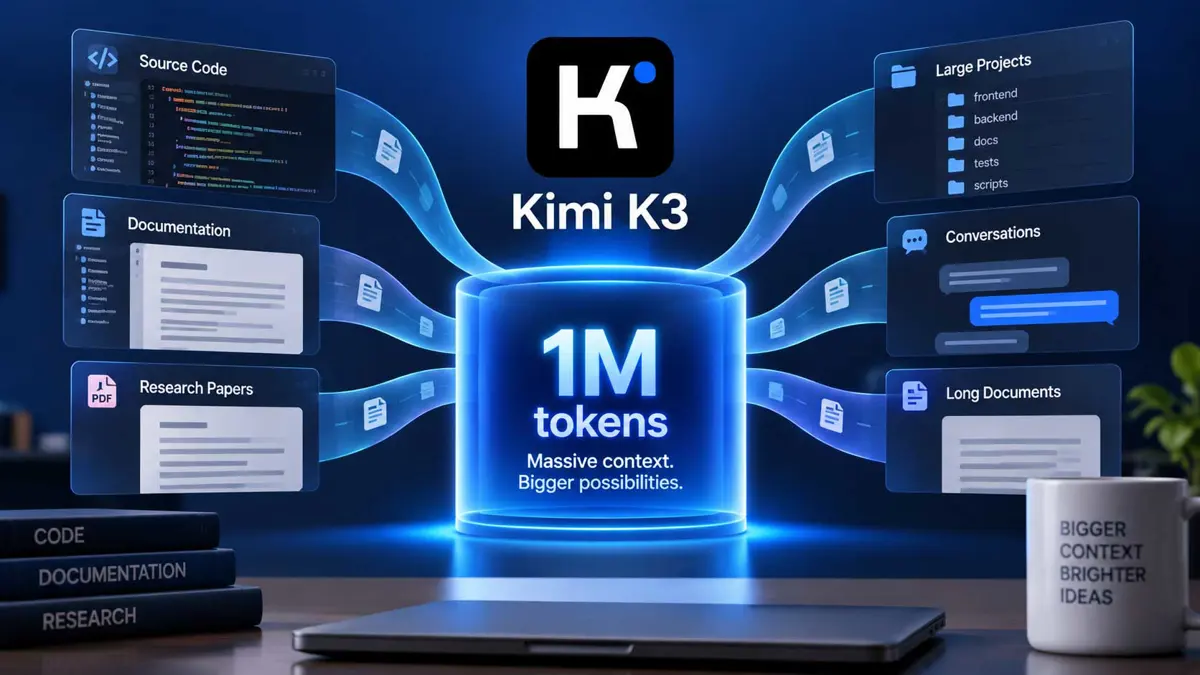
K3 can reach a 1M-token context on eligible plans, while the 256K version targets everyday coding and smaller projects.

Kimi K3 context window size is one of the most important details to understand before using K3 for large codebases or long documents. Kimi's current documentation lists k3 with a maximum context of 1,048,576 tokens on eligible plans, while k3-256k is capped at 262,144 tokens. The same documentation says K3's 1M mode is intended for large codebase analysis, multi-file refactoring, and long-document processing. Kimi's model configuration is the primary reference for the current limits.
Kimi K3 Context Window: What the 1M-Token Limit Means
The Kimi K3 context window is the amount of information a K3 request can keep available for the model to process. In practical terms, a larger context lets a coding task include more source files, documentation, conversation history, or other input without having to remove as much earlier material.
A 1M-token context does not mean every project automatically fits into one request, and it is not a guarantee that an entire repository will be processed without preparation. Actual usage depends on how much text is sent, what the tool includes automatically, and the limits of the client or API configuration. Kimi describes the 1M window as suitable for loading large codebases and cross-module dependencies for broader project understanding.
Kimi's documentation describes `k3` and `k3-256k` as the same K3 model within the 256K range. The main difference discussed here is how much context the configuration can hold, plus the associated quota consumption and plan access.
Kimi K3 1M vs K3-256K
Kimi currently exposes two K3 model IDs for different context sizes: k3 and k3-256k. Kimi says the 1M version consumes about twice as much quota as k3-256k, while k3-256k is designed for everyday Q&A, code completion, routine feature development, and single-file or small-file edits.
| Feature | K3 (`k3`) | K3-256K (`k3-256k`) |
|---|---|---|
| Model | Kimi K3 | Kimi K3 |
| Maximum context | Up to 1,048,576 tokens on eligible plans | 262,144 tokens |
| Typical use | Large codebases, multi-file refactoring, long documents | Everyday Q&A, code completion, routine development, smaller edits |
| Quota note | Kimi says the 1M version uses about twice the quota of `k3-256k` | Lower context size and lower quota use than K3 1M |
| Video input | Supported by K3 | Not supported |
The choice is therefore less about picking a different K3 model and more about matching the context size to the task. A small change in one file may not benefit from a 1M window, while a cross-module refactor can require substantially more context.
Who Gets the 1M Kimi K3 Context Window?
Access depends on the Kimi plan. Kimi's current model documentation says Plus or Moderato users can access K3, but 1M context for k3 is available on Pro or Allegretto and above. On Plus or Moderato, K3 is capped at 256K context. The separate k3-256k model remains fixed at 256K.
| Plan level | K3 access | K3 context limit |
|---|---|---|
| Plus / Moderato | Yes | Up to 256K |
| Pro / Allegretto and above | Yes | Up to 1M |
| K3-256K | Available where K3 is available | 256K |
Kimi also documents different availability for its other coding models. For example, kimi-for-coding is the current K2.8 Preview model and can support up to 1M context on eligible plans. That model should not be confused with K3 simply because both can use a large context.
What Can Kimi K3 Actually Fit in 1M Tokens?
Tokens are not the same thing as lines of code, files, or pages. The number of tokens consumed depends on the text itself, including programming syntax, identifiers, comments, formatting, documentation, and conversation history. That makes a fixed conversion such as “1M tokens equals X lines of code” unreliable.
A better way to think about the 1M window is by task size. Kimi's own documentation positions the larger window for work such as large codebase analysis, multi-file refactoring, and long-document processing. A project with many interconnected files can benefit because the model can retain more related material at once instead of repeatedly narrowing the working set.
- Large repositories where several modules interact
- Refactors that touch many files and shared interfaces
- Long technical documents that need cross-section reasoning
- Extended coding sessions where earlier requirements still matter
- API requests that need to provide substantial source material in one request
That does not remove the need for good context management. Generated files, build output, duplicated dependencies, logs, and irrelevant documentation can consume context without helping the task. A large window gives the model more room, but it does not make irrelevant input useful.
Kimi K3 Context Window for Large Codebases
The strongest practical use case for the larger Kimi K3 context window is project-level coding. Kimi specifically describes k3 as suitable for large codebase analysis and multi-file refactoring. That is different from asking a coding model to edit one isolated function.
For example, a repository-wide change may require the model to inspect an interface definition, several implementations, tests, configuration files, and documentation. Keeping those related pieces available at the same time can reduce the need to repeatedly restate project rules or reopen earlier files.
This is also where Kimi Code becomes relevant. Kimi Code is Kimi's developer service with Desktop, CLI, and VS Code interfaces. Its documentation says K3's 1M context can load an entire large codebase with cross-module dependencies in one pass. The actual amount loaded still depends on the project and the client workflow.
For a practical introduction to that workflow, see Kimi Code: How to Use Kimi K3 for Coding. If Kimi K3 is being used inside another coding environment, How to Use Kimi K3 in GitHub Copilot covers the model-selection workflow there.
Kimi K3 Context Window and the API
The same context distinction matters when calling Kimi through an API. Kimi Code supports OpenAI-compatible and Anthropic-compatible interfaces, and the model ID determines which K3 context configuration is requested. The API request still has to stay within the context capability available to the account and selected model.
If the application sends more than the selected context limit allows, the request cannot simply keep growing. With k3-256k, the documented ceiling is 262,144 tokens. With k3, the ceiling can reach 1,048,576 tokens when the account has 1M access.
For the practical API setup, see Kimi K3 API: How to Get Started and Use It in Your Apps. The API article covers authentication, compatible endpoints, model selection, and application integration.
Does a Larger Context Window Cost More?
Kimi says the 1M k3 configuration consumes about twice as much quota as k3-256k. That makes context size a usage consideration as well as a technical capability. A task that only needs a small working set does not necessarily benefit from requesting the larger window.
Kimi's pricing and membership documentation can change as plans evolve, so the current plan details should be checked before choosing a tier for sustained use. Saganote's Kimi K3 Pricing 2026: Plans, API Costs, and What Each Tier Gets You provides the broader pricing context.
Kimi K3 Context Window vs Kimi Code
These terms describe different parts of the same workflow. K3 is the model, while Kimi Code is the developer service and set of interfaces used to work with coding models. A large context window is a model capability; Kimi Code determines how that capability is exposed through its coding tools.
| Term | What it refers to |
|---|---|
| Kimi K3 | The 2.8T-parameter flagship model documented by Kimi |
| K3 1M | `k3` with up to 1,048,576 tokens on eligible plans |
| K3-256K | `k3-256k`, the fixed 262,144-token K3 configuration |
| Kimi Code | Kimi's developer service with Desktop, CLI, VS Code, and third-party integrations |
| Context window | The amount of input and conversation context a model can process within a request |
That distinction also explains why an article about Kimi Code vs Claude Code: Which AI Coding Tool Is Better? is related but not identical to a context-window comparison. The coding tools determine the workflow; the model configuration determines the context capability available inside that workflow.
What Happens When a Session Gets Too Large?
When a session approaches its context limit, the practical answer is to reduce or compact the working context, start a new session, or move to a model configuration with a larger available window. Kimi's documentation specifically recommends starting a new session when switching model IDs because the previously built context cache no longer applies to the new model.
Kimi also documents a specific switching case: moving from K3 1M to K3-256K when the current context is already above 256K can trigger compaction in some coding tools. Kimi recommends manually compacting before the switch when needed. Moving from K3-256K to K3 1M can be done directly when the larger capability is available.
A larger window is most useful when the additional material is relevant. Before adding an entire repository, remove generated files, duplicated content, old logs, and unrelated documentation when the coding task does not need them.
Kimi K3 Context Window vs Other Kimi K3 Coverage
The context window is only one part of the Kimi K3 story. Saganote's Kimi K3 Is the World's First Open 3T Model article covers the model's launch and technical positioning, while Kimi K3 vs Claude Fable 5 covers a separate model comparison.
For availability and product access, Kimi K3 Pauses New Subscriptions After 48 Hours of Demand Maxed GPU Capacity provides earlier coverage of Kimi's subscription demand. These articles add context, but the current Kimi documentation remains the source to check for today's model limits and plan entitlements.
Frequently Asked Questions
Does Kimi K3 always have a 1M context window?
k3 to eligible higher-tier plans. Plus / Moderato access is capped at 256K, while Pro / Allegretto and above can access up to 1M.Is K3-256K a different model from K3?
k3-256k as the 256K context version of K3. Within 256K, Kimi says it delivers the same results as K3 while using less quota than the 1M configuration.Is 1M tokens the same as 1M words?
Does a 1M context mean an entire repository will always fit?
Does Kimi K3 1M use more quota than K3-256K?
k3 configuration consumes about twice as much quota as k3-256k.The Bottom Line
Kimi K3's context options are best understood as two ways to use the same K3 model at different working scales. k3-256k is fixed at 256K, while eligible higher-tier plans can use k3 with up to 1M tokens. The larger window matters most for large codebases, multi-file changes, long documents, and other tasks where keeping more related information available at once is useful.
The practical choice is therefore driven by the task. Smaller jobs can stay within 256K, while larger project-level work can benefit from the additional headroom when the account and client support it.