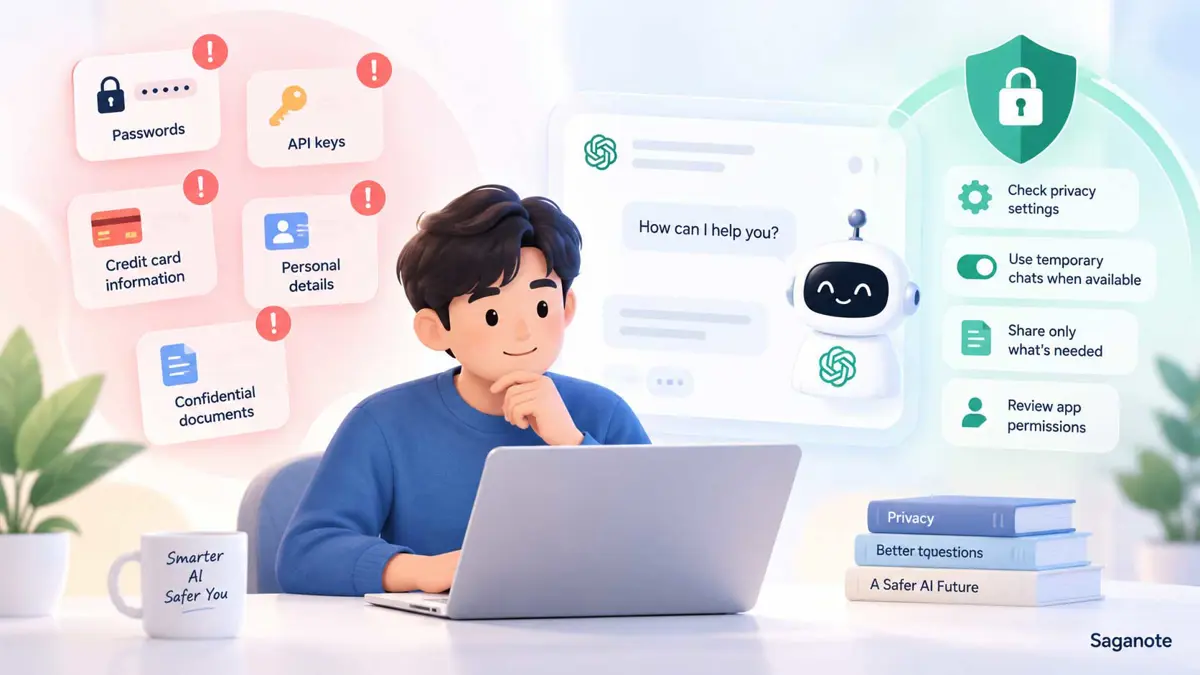
If you use an AI chatbot for writing, research, brainstorming, or everyday questions, it is easy to forget that a conversation can contain information you would normally keep private. The safest approach is not to avoid AI altogether. It is to be deliberate about what you share, how much you share, and what the service can access.
This guide explains how to protect your data when using AI chatbots without making everyday AI use unnecessarily difficult.
What You Should Never Paste Into an AI Chatbot
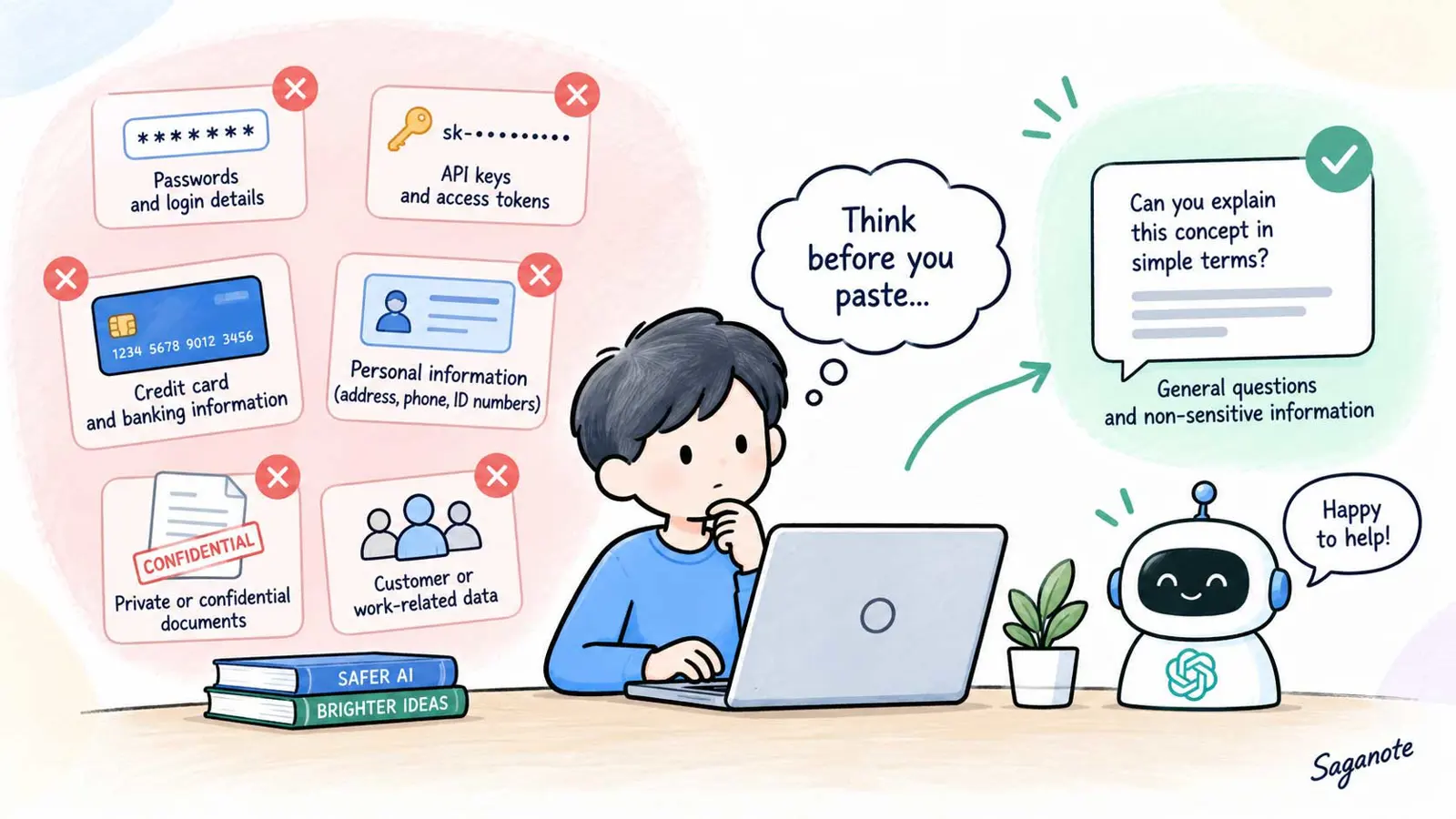
Some information should be treated as off-limits unless you are using a system specifically designed and approved to handle it.
Never paste passwords, API keys, access tokens, private encryption keys, credit-card numbers, banking credentials, authentication codes, or other secrets into a general-purpose chatbot. If someone could use the information to sign in, move money, access a system, or impersonate you, do not put it into a normal chat.
The same caution applies to private information about other people. Customer records, employee details, medical information, government identification numbers, private addresses, and confidential business information can create privacy or compliance problems when copied into an external service.
The exact rules depend on the tool and your organization. The practical rule is simple: if the task does not require the sensitive detail, leave it out.
Remove Sensitive Information Before You Share It
You often do not need the original data to get a useful answer. Replace identifying details with neutral placeholders before sending the prompt.
For example, instead of asking:
Rewrite this email for Sarah Johnson at 14 Green Street.
Her account number is 48291 and her phone number is 555-0198.
you could write:
Rewrite this customer email for [CUSTOMER NAME].
Keep the tone polite and explain that [ACCOUNT ISSUE] needs to be resolved.
The second prompt preserves the writing task without exposing unnecessary personal information.
Look for names, addresses, phone numbers, email addresses, account numbers, customer IDs, credentials, internal project names, and other details that are not needed for the answer. This is data minimization: give the chatbot the smallest amount of information needed to complete the task.
Check the AI Tool's Privacy and Data Controls
Before using a chatbot for anything sensitive, find out what the service says about conversation storage, model improvement, memory, personalization, and deletion.
Do not assume that every AI service handles conversations the same way. Check the provider's current privacy documentation and settings, especially if you are using a consumer account for work-related information.
For example, OpenAI's current ChatGPT Data Controls let users turn off “Improve the model for everyone.” With that setting off, new conversations remain in chat history but are not used to train ChatGPT. OpenAI also offers Temporary Chat; its current documentation says Temporary Chats do not appear in history, do not create memories, and are not used to improve models while they remain temporary. OpenAI says Temporary Chats may be kept for up to 30 days for safety purposes.
These are ChatGPT-specific examples, not universal rules. Other AI tools can have different retention, training, memory, and privacy controls.
Be Careful With File Uploads
Uploading a document can reveal much more than the small section you intended to discuss.
Before uploading a PDF, spreadsheet, screenshot, presentation, contract, or internal document, check what is actually inside it. Look for customer information, names, hidden spreadsheet columns, comments, document metadata, tracked changes, account numbers, and other confidential material.
Ask yourself whether the chatbot needs the whole file. If you only need help with one paragraph, copying that paragraph after removing sensitive details may be safer than uploading the complete document.
The same principle applies to screenshots. A screenshot can contain browser tabs, email addresses, notifications, names, or other information outside the part you want the chatbot to analyze.
Be Careful With Connected Apps and AI Agents
Privacy risks can increase when an AI system can access information outside the current conversation.
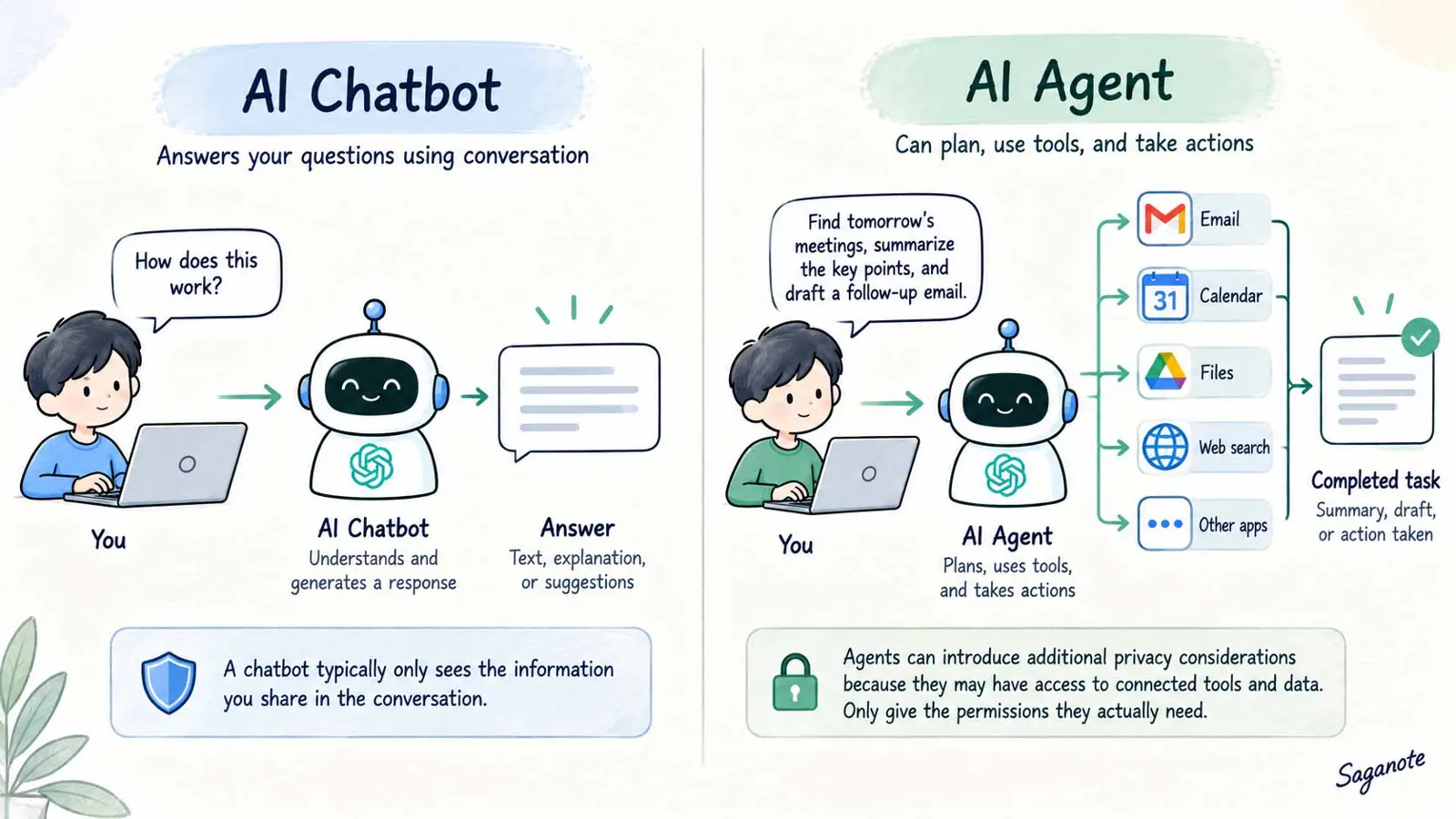
A normal chatbot may mainly respond to what you type. An AI agent or connected app can sometimes read files, search messages, access calendars, or take actions in external services. That makes permissions and connected accounts part of your privacy decision.
Our guide to AI agent vs chatbot explains how tool use, planning, and autonomy change what an AI system can do.
OpenAI's current documentation, for example, says connected apps can let ChatGPT read information and take supported actions, while app permissions control when it asks for approval. Its agent documentation also warns that agents connected to websites or apps can access sensitive information and face risks such as prompt injection.
If you are building your own system, our guide on how to create an AI agent is a useful next step. Start with a narrow task and give the system only the tools and access it actually needs.
Do Not Give an AI Tool More Access Than It Needs
A good privacy rule is least privilege: an AI tool should have only the access required for its job.
A writing assistant does not need your entire email account. A document summarizer may not need access to your whole cloud drive. An agent that drafts calendar events may not need permission to send invitations automatically.
When connecting an app, review the account and permissions being requested. If the tool supports action approvals, use them for meaningful or sensitive actions rather than allowing everything to happen automatically.
For ChatGPT, OpenAI's current app documentation says permission settings control when the system can read information or take actions through a connected app. It also notes that changing an app permission does not remove the underlying account access; disconnecting the app is a separate step.
Understand Prompt Injection and Indirect Risks
Not every privacy risk comes from what you type. An AI system can also encounter instructions hidden inside webpages, documents, emails, or other content it processes.
This matters especially when an AI agent has access to tools or accounts. A malicious instruction in content the agent reads could try to persuade it to reveal information or take an unwanted action.
You do not need to understand every technical detail to reduce the risk. Avoid giving an AI system unnecessary access, review important actions before approving them, and be cautious when a task unexpectedly asks for passwords, authentication codes, or other secrets.
What to Do If You Already Shared Sensitive Information
If you accidentally shared sensitive information with a chatbot, act based on what was exposed.
If you pasted a password, change it. If you exposed an API key or access token, revoke or rotate it. If you shared an authentication code, treat it as compromised and secure the related account. If you uploaded confidential company information, follow your organization's security or privacy reporting process.
You should also review the conversation and service settings, delete the conversation where appropriate, and disconnect integrations that no longer need access.
The right response depends on the type of information. A harmless name in a writing prompt is very different from an active credential.
A Simple AI Privacy Checklist
Before sending a prompt or uploading a file, ask:
- Do I really need to share this information?
- Can I remove names or other identifiers?
- Does the chatbot need the entire document or only part of it?
- Do I understand how this service handles conversations and files?
- Have I checked its privacy, retention, memory, and model-improvement settings?
- Does the chatbot have access to connected apps or accounts?
- Am I accidentally sharing a password, API key, authentication code, or financial information?
- If this information were exposed, what would the consequences be?
If you cannot answer the privacy questions, pause before sending the data and check the provider's documentation.
The goal is not to make AI use complicated. It is to make the default behavior safer: share less, remove unnecessary identifiers, review permissions, and give AI systems only the access they need.
