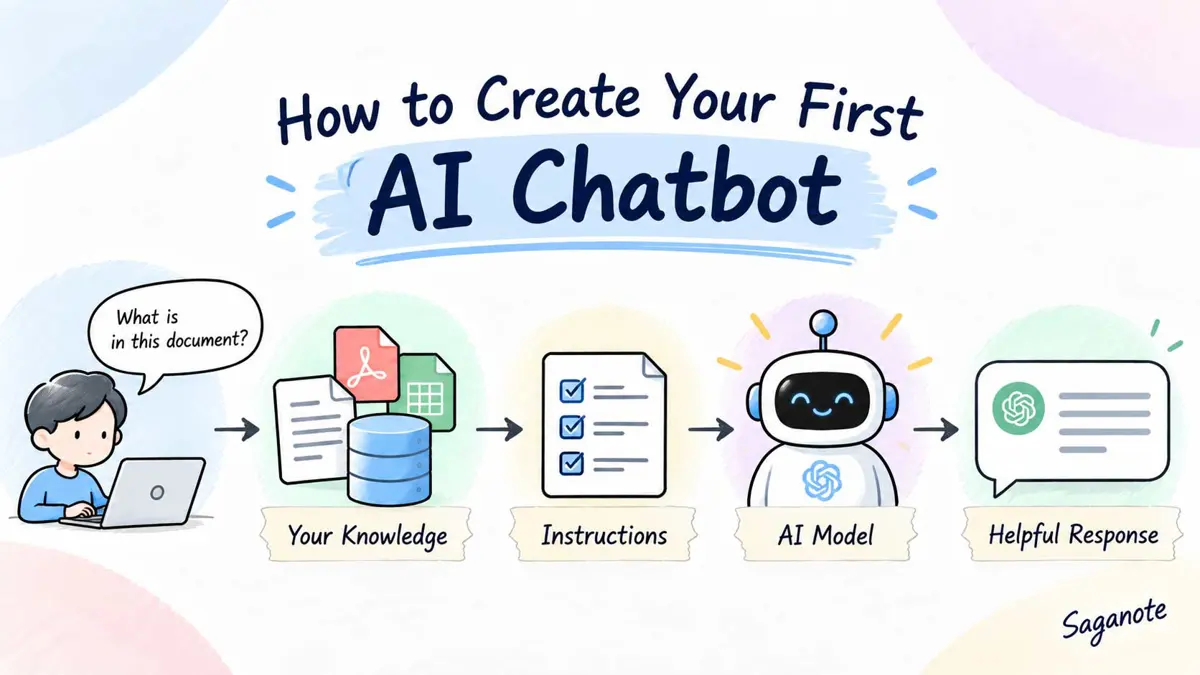
If you want to create an AI chatbot, start smaller than a full customer-support platform. A useful first version can be a command-line chatbot that answers questions about a small set of trusted information, remembers the conversation, and clearly says when the answer is outside its knowledge.
This guide builds that first version with Python and the OpenAI Responses API. OpenAI's current API documentation uses the Responses API for text generation and supports tools such as file search and web search. The older Assistants API has been deprecated, so a new project should not start there. Read OpenAI's API quickstart for the current setup.
What You Need to Create an AI Chatbot
- Python 3 installed on your computer.
- An OpenAI API key with access to a model.
- The official
openaiPython package. - A small knowledge base to answer from.
- A terminal for running the chatbot.
- A clear rule for what the chatbot should do when it does not know an answer.
For this first project, the knowledge base can be a short text block. That keeps the example easy to understand. Later, the same idea can be expanded to a PDF, help center, internal wiki, or larger document collection with retrieval or file search.
Choose One Job for Your First Chatbot
A chatbot becomes easier to build when its job is narrow. Instead of asking it to be a general assistant, give it one useful purpose such as answering questions about a product, explaining a small course syllabus, or helping employees find information in a short policy document.
This is also where the difference between a chatbot and an agent matters. Saganote's guide to what a chatbot is explains the conversational model, while the AI agent vs chatbot comparison shows why a system that plans and takes multi-step actions is a different design.
Prepare a Small Knowledge Base
For the first version, keep the knowledge base short enough to inspect yourself. The example below describes a fictional product so the chatbot has clear facts to work from.
KNOWLEDGE_BASE = """
Saganote Desk is a fictional note-taking app for this example.

Plans:
- Free: up to 100 notes.
- Pro: unlimited notes and shared workspaces.
- Teams: shared workspaces plus admin controls.

Support:
- Email support is available Monday through Friday.
- The app supports Markdown import.
- A user can export notes as Markdown.

Refunds:
- Pro subscriptions can be cancelled at any time.
- Refund eligibility depends on the provider's billing terms.
"""
The important part is not the fictional product. It is the pattern: give the model a defined source of information and tell it not to invent facts outside that source.
Install the OpenAI Python Package
Create a project folder, open a terminal in that folder, and install the official OpenAI Python SDK.
python -m venv .venvActivate the environment using the command for your platform.
# macOS or Linux
source .venv/bin/activate

# Windows PowerShell
.venv\Scripts\Activate.ps1
Then install the SDK.
pip install openaiOpenAI's current quickstart uses the official SDK and an API key loaded from the environment rather than placing the key directly in application code. See the OpenAI developer quickstart.
Add Your API Key Safely
Set the OPENAI_API_KEY environment variable before running the chatbot. Do not paste a real API key into the Python file, commit it to GitHub, or expose it in browser-side JavaScript. OpenAI's API reference specifically recommends keeping API keys secret and loading them from an environment variable or key-management system.
# macOS or Linux
export OPENAI_API_KEY="your_api_key_here"

# Windows PowerShell
$env:OPENAI_API_KEY="your_api_key_here"Treat an API key like a password. For a real web chatbot, keep the key on the server and send user messages to your server rather than calling the API directly from browser code.
Create the Basic AI Chatbot
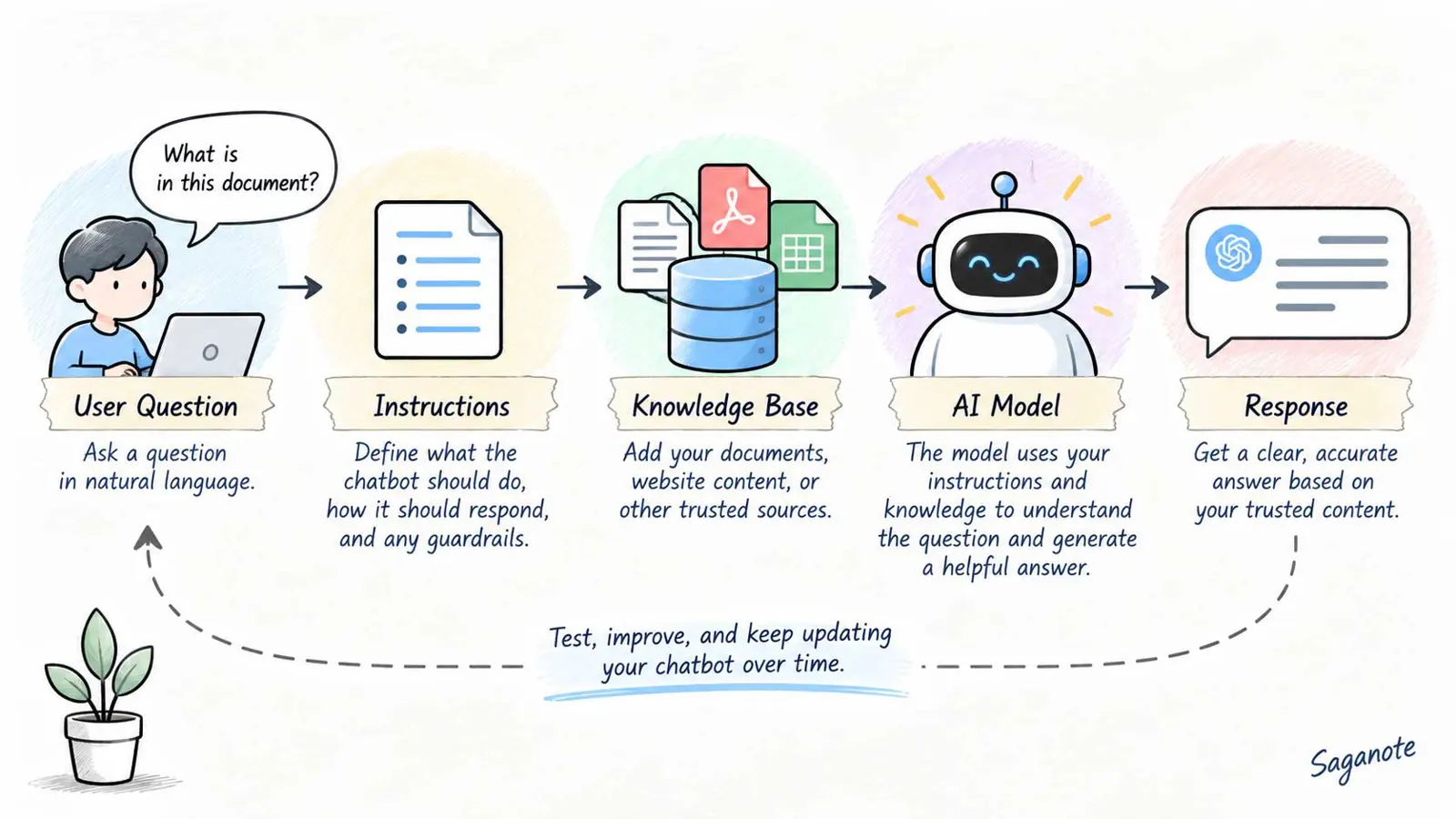
Now combine the knowledge base, instructions, and Responses API into a small conversational program. The example keeps the instructions in one place and sends them on every request. That matters because when previous_response_id is used for multi-turn conversation state, OpenAI notes that instructions from an earlier response are not automatically carried into the next response.
from openai import OpenAI

client = OpenAI()

KNOWLEDGE_BASE = """
Saganote Desk is a fictional note-taking app for this example.

Plans:
- Free: up to 100 notes.
- Pro: unlimited notes and shared workspaces.
- Teams: shared workspaces plus admin controls.

Support:
- Email support is available Monday through Friday.
- The app supports Markdown import.
- A user can export notes as Markdown.

Refunds:
- Pro subscriptions can be cancelled at any time.
- Refund eligibility depends on the provider's billing terms.
"""

INSTRUCTIONS = f"""
You are the Saganote Desk support chatbot.

Answer questions using only the knowledge base below.
If the answer is not in the knowledge base, say:
"I don't have that information in my knowledge base."

Do not invent prices, policies, features, dates, or support rules.
Keep answers short and clear.

Knowledge base:
{KNOWLEDGE_BASE}
"""

previous_response_id = None

print("Saganote Desk chatbot. Type 'quit' to exit.")

while True:
    user_input = input("
You: ").strip()

    if user_input.lower() == "quit":
        break

    response = client.responses.create(
        model="gpt-5.6-luna",
        instructions=INSTRUCTIONS,
        input=user_input,
        previous_response_id=previous_response_id,
    )

    print(f"Bot: {response.output_text}")
    previous_response_id = response.id
The model name in the example is a current OpenAI model identifier, but model availability and recommendations can change. For a production project, use a model currently available to the account and suitable for the workload.
Run the Chatbot
Save the program as chatbot.py, then run it from the activated virtual environment.
python chatbot.pyTry questions such as:
- What is included in the Pro plan?
- Can I export notes?
- When is support available?
- Does the app support Markdown import?
- Does the app have mobile apps?
The last question is useful because the knowledge base does not mention mobile apps. A well-bounded chatbot should say that it does not have that information rather than inventing an answer.
Test What the Chatbot Knows
Do not stop after the first successful answer. Test questions that cover the main facts, wording variations, missing information, and ambiguous requests.
- Ask a direct question whose answer is in the knowledge base.
- Ask the same question with different wording.
- Ask about a fact that is not present.
- Ask a question that mixes a known fact with an unknown one.
- Try a request that could cause the chatbot to invent a policy.
- Start a follow-up question that depends on the previous answer.
For example, ask "How much does Pro cost?" The correct behavior is not to guess. The knowledge base does not contain a price, so the chatbot should say that it does not have that information.
Add Basic Guardrails
The first guardrail is scope. The chatbot should know what information it is allowed to use and what it should do when that information is missing.
The second is permission. A question-answering chatbot does not need access to an email account, payment system, database, or other application just to answer questions. Avoid adding tools until the chatbot has a real reason to use them.
The third is sensitive information. If the chatbot will handle customer or employee data, define what information it can access, where that information is stored, and which actions require human review. A prototype should not be given production credentials simply because the API call works.
These boundaries also help keep the project from quietly turning into an AI agent. An agent can decide what steps to take and use tools to act toward a goal. If the first chatbot only answers questions from a controlled knowledge source, keeping it conversational is often simpler. Saganote's beginner guide to creating an AI agent covers the next level of that architecture.
Use a Document Instead of a Text Block
A hard-coded knowledge base works for a small demonstration, but it becomes awkward when the source is a real handbook, PDF, help center, or growing set of documents.
For larger collections, retrieval is a better pattern. The application searches the source material for relevant passages, then gives those passages to the model as context for the answer. OpenAI's current platform provides a file-search tool that can search files stored in vector stores, which is one way to build this kind of document-grounded chatbot. See the OpenAI API documentation.
You do not need to add retrieval to the first prototype. Get the conversation, scope, testing, and error behavior working first. Then replace the small KNOWLEDGE_BASE string with a retrieval layer when the source collection grows.
Troubleshooting Your First AI Chatbot
`ModuleNotFoundError: No module named 'openai'`
Make sure the virtual environment is activated and install the SDK again with pip install openai. If multiple Python installations exist, use the same Python executable for the environment and the command that runs chatbot.py.
The API key is missing
Check that OPENAI_API_KEY is set in the same terminal session where the program is running. Do not put the key into the source file just to make the error disappear.
The chatbot invents information
Tighten the instructions, make the knowledge base clearer, and add tests for facts that are outside the source. The model should have an explicit fallback for questions it cannot answer from the provided information.
The chatbot forgets the conversation
Check that previous_response_id is updated after every successful response. If you build a web application, store the conversation identifier separately for each user session rather than sharing one ID across users.
Improve the Chatbot After the First Version Works
Once the basic chatbot behaves reliably, improve one layer at a time.
- Replace the sample knowledge base with a real, maintained source.
- Add retrieval when the source becomes too large for a simple prompt.
- Add citations or source references when users need to verify answers.
- Add logging and error handling around API requests.
- Add authentication before exposing the chatbot to private data.
- Add rate limits and usage monitoring.
- Build a simple web interface after the backend behavior is reliable.
- Add tool access only when the chatbot needs to perform an action rather than answer a question.
That order keeps the project understandable. A polished chat interface cannot compensate for a chatbot that has no clear scope or reliable source material.
Frequently Asked Questions
Frequently Asked Questions
Do I need to train my own AI model to create a chatbot?
Can a chatbot answer questions about a PDF?
Is a chatbot the same as an AI agent?
Should I build a chatbot or use an existing chatbot product?
Can I put an API key in a website's JavaScript?
Start With a Small Chatbot
A useful first AI chatbot does not require a large architecture. Start with one job, a small trusted knowledge source, clear instructions, conversation context, and a fallback for information the chatbot does not know.
Once that version works, retrieval, a web interface, authentication, and other integrations can be added one at a time. If the project eventually needs the system to plan and take actions across several tools, that is the point to revisit the difference between a chatbot and an AI agent.
