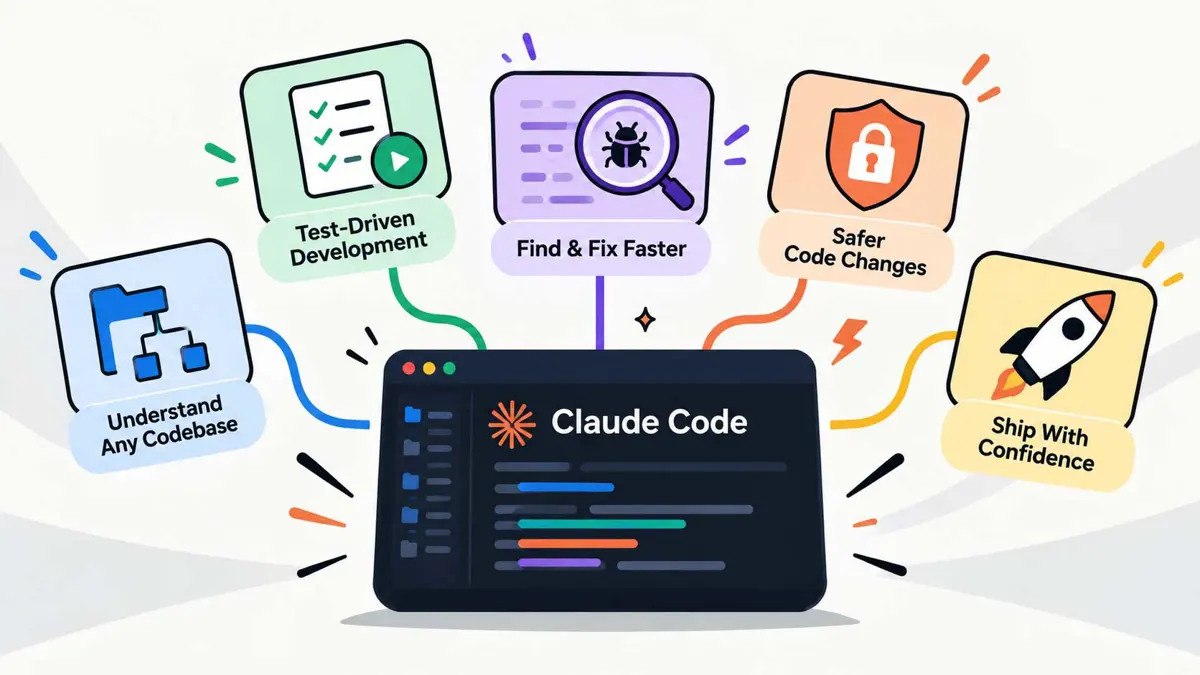
Claude Code skills can turn a one-off instruction into a repeatable development workflow. Instead of asking for the same checks in every session, developers can package their preferred process in a SKILL.md file and reuse it when a task calls for it. This guide builds five original skills for mapping a codebase, tracing change impact, reproducing bugs, finding test gaps, and verifying work before release.
The goal is not to make Claude infallible. A skill gives it a defined procedure and expected output, but the result still depends on the repository, the available tools, and the quality of the evidence. Treat each skill as a workflow to test and improve, not as a guarantee that code is correct.
What Claude Code skills do
A Claude Code skill is a folder of instructions and supporting files that Claude can load when a task matches its purpose. A skill needs a SKILL.md file with YAML frontmatter containing a name and description, followed by the instructions Claude should follow. Skills can be stored in a project under .claude/skills/ or installed for personal use under ~/.claude/skills/.
Anthropic's official Agent Skills documentation explains the format and how Claude Code discovers custom skills. Its public skills repository is useful for studying real examples, but inspect any third-party skill before trusting it. Instructions and scripts can influence how an agent uses tools, so a skill should be treated as code-adjacent material.
Skills are one part of Claude Code customization. Persistent project facts usually belong in CLAUDE.md; repeatable procedures fit skills; event-driven checks may fit hooks; and delegated work may suit subagents. Anthropic explains these differences in its guide to steering Claude Code with skills, hooks, rules, and subagents.
The five Claude Code skills to build first
1. Codebase Cartographer: map an unfamiliar repository
The first skill helps Claude establish where things live before it edits anything. It is useful when joining a project, returning to a repository after a break, or working in a codebase with several apps, packages, and test suites.
Ask it to identify the entry points, major directories, build and test commands, configuration files, and the path a typical request follows through the application. It should distinguish what it verified by reading files from what it inferred. That distinction prevents an architecture summary from turning guesses into project facts.
This skill is especially helpful before making changes to an AI agent or tool-integrated application. If the repository includes external tools, the Model Context Protocol guide can help explain the separate role of MCP servers and clients. For broader context on how an agent's tools, state, and execution fit together, see what an AI agent harness does.
---
name: codebase-cartographer
description: Map a repository's structure, entry points, development commands, and major dependencies before implementation work.
---

# Codebase Cartographer

1. Read the repository's `CLAUDE.md`, README, and package or build manifests.
2. List the main application, library, test, and configuration directories.
3. Identify entry points and trace one representative feature or request.
4. Find the actual test, lint, type-check, and build commands from project files.
5. Separate verified findings from assumptions and unresolved questions.
6. Return a short architecture map with file paths and suggested next files to inspect.
7. Do not modify files during discovery unless explicitly asked.
Expected output: a concise map of the repository, commands that can be run, and the files most relevant to the task. The skill should not produce a giant inventory of every file; it should surface the structure a developer needs for the next decision.
2. Change Impact Mapper: find what a change could break
A code change rarely affects only the file where it lands. A renamed field can affect API clients, a shared component can change several screens, and a configuration change can alter builds or deployment. The Change Impact Mapper asks Claude to trace those connections before implementation.
Give it a concrete feature request, bug fix, or proposed diff. It should identify the likely callers, dependencies, data contracts, tests, and user-facing behavior affected by the change. It should also point out where it cannot establish the relationship from the repository alone. The output is a change plan, not permission to edit everything it finds.
This is a useful companion to the Claude Code mods guide, which covers ways to customize coding workflows. If a task needs independent investigation, the Claude Code side-agent article provides related context on using a separate agent to catch overlooked details.
---
name: change-impact-mapper
description: Trace the likely files, callers, contracts, and tests affected by a proposed code change before implementation.
---

# Change Impact Mapper

1. Restate the requested behavior and list its acceptance criteria.
2. Inspect the relevant code and identify callers, consumers, shared components, and data contracts.
3. Find related tests, configuration, documentation, and generated files.
4. Build a change map grouped by required, likely, and uncertain changes.
5. Note compatibility risks and edge cases that need a decision.
6. Recommend a minimal implementation sequence and the tests that should cover it.
7. Do not edit files until the user approves the plan or asks for implementation.
Expected output: a short impact map with file paths, risks, and a proposed sequence. This is particularly useful for changes that cross package boundaries or touch integrations. It can also help when comparing an AI coding workflow with alternatives covered in Kimi Code vs Claude Code or the Copilot vs Cursor vs Tabnine comparison.
3. Bug Reproduction Lab: turn a symptom into evidence
When a bug report says “the page sometimes freezes” or “this endpoint returns the wrong value,” jumping directly to a patch is risky. The Bug Reproduction Lab makes Claude first establish what fails, where it fails, and what evidence would distinguish one cause from another.
The skill should gather the exact error, relevant logs, reproduction steps, environment details, and existing tests. It should form a small set of hypotheses, rank them by available evidence, and propose the cheapest experiment that can rule each one in or out. Only after finding a plausible cause should it recommend a fix. If the problem cannot be reproduced, the output should say so and explain what information is missing.
This approach also helps when working with long-running or tool-using agents, where a failure can come from the model, a tool, a state transition, or the surrounding runtime. The article on DeepSeek Harness and its plugin model offers related context on agent runtimes, while the AI agent creation guide covers the broader building blocks of an agent.
---
name: bug-reproduction-lab
description: Investigate a reported bug by collecting evidence, testing hypotheses, and establishing a reproducible failure before proposing a fix.
---

# Bug Reproduction Lab

1. Read the report and restate the observable failure.
2. Inspect relevant logs, code paths, environment details, and existing tests.
3. Try to reproduce the issue using the smallest safe test or command.
4. List plausible causes and the evidence supporting or contradicting each.
5. Choose the next experiment that best separates the remaining hypotheses.
6. Once evidence supports a root cause, recommend the smallest targeted fix.
7. After a fix is approved, add or update a regression test and rerun it.
8. Never claim reproduction or root cause is confirmed without evidence.
Expected output: a reproduction status, evidence summary, ranked hypotheses, and next experiment. The skill should not invent logs or claim a test passed when no command was run.
4. Test Gap Hunter: test behavior, not just lines of code
A green test suite can still miss important behavior. The Test Gap Hunter reviews a feature or diff against its acceptance criteria and searches for untested branches, boundary values, failure modes, and interactions between components.
It should inspect existing tests before proposing new ones, so it does not duplicate coverage unnecessarily. For each gap, it should describe the behavior at risk and suggest a test that would fail if the defect were present. Examples include empty input, invalid permissions, network timeouts, duplicate submissions, stale data, and compatibility with an existing API contract. Which cases matter depends on the application; the skill should not blindly apply every example.
If Claude is working inside a browser-based development workflow, test planning can include the behavior that needs manual confirmation in the interface. The Claude Code built-in browser guide explains that related workflow, while the cross-platform desktop application roadmap is useful context when tests must account for different application frameworks and operating systems.
---
name: test-gap-hunter
description: Compare a change's acceptance criteria and implementation with existing tests to identify important uncovered behavior.
---

# Test Gap Hunter

1. Read the acceptance criteria, implementation, and existing tests.
2. Map each requirement to one or more tests that exercise it.
3. Identify uncovered branches, boundaries, error paths, and integration points.
4. Prioritize gaps by user impact and likelihood, not by quantity.
5. Suggest focused tests using the repository's existing test framework and conventions.
6. Avoid duplicating equivalent tests or asserting implementation details unnecessarily.
7. If asked to add tests, run them and report the actual results.
Expected output: a prioritized test-gap list tied to requirements and code paths. The goal is not to maximize the number of tests; it is to improve confidence in the behavior that matters.
5. Release Gatekeeper: verify before calling a task done
The Release Gatekeeper is the final check. It inspects the current diff, finds the project's real verification commands, runs the relevant checks when authorized, and reports exactly what passed, failed, or could not run. It should distinguish tests that were executed from checks that were merely recommended.
The skill can also check whether documentation, configuration examples, and migration notes need updates. For a task that uses external tools, it should flag missing credentials or unavailable services rather than treating an incomplete integration test as a pass. The same discipline matters when comparing agent tools and automation features, such as Claude Code Auto Mode.
---
name: release-gatekeeper
description: Verify a code change with relevant project checks and report evidence, failures, and untested areas before completion.
---

# Release Gatekeeper

1. Inspect the current diff and the task's acceptance criteria.
2. Read project instructions to find the correct test, lint, type-check, and build commands.
3. Run relevant checks that are available and authorized.
4. Report each command with its actual result; include useful error details for failures.
5. Identify skipped checks and explain why they could not run.
6. Check for unrelated edits and documentation or configuration updates the change may require.
7. Do not deploy, publish, or push changes unless explicitly authorized.
8. Never claim the task is complete solely because code was generated.
Expected output: a verification report that a reviewer can act on. A useful report names the commands run, summarizes the results, and lists remaining risks. “Looks good” is not a verification result.
How to install a custom Claude Code skill
Project-level skills are useful when a team wants to version-control its workflows alongside the code. Personal skills are better for preferences that should follow one developer across repositories. Anthropic's Claude Code skills documentation explains the supported layout and invocation behavior.
- Open the repository and create a directory for the skill, such as
.claude/skills/codebase-cartographer/. - Create a file named
SKILL.mdinside that directory. - Add YAML frontmatter with a lowercase, hyphenated
nameand a cleardescription. - Add the workflow as numbered instructions. Specify what evidence to gather, what output to return, and what the skill must not do.
- Save the file and start or continue a Claude Code session. Ask Claude to use the skill explicitly if you want to test it immediately.
- Run a representative task, inspect the output, and revise vague or overly broad instructions.
The minimum structure looks like this:
---
name: example-workflow
description: Explain what the workflow does and when Claude should use it.
---

# Example Workflow

1. Inspect the relevant files and project instructions.
2. Follow the steps for the task.
3. Report evidence, limitations, and the next action.
4. Do not claim checks passed unless they were run.
Use the project-level path when the skill should be shared through version control. Use ~/.claude/skills/ for a personal skill. Check the official documentation before relying on behavior that may depend on the installed Claude Code version.
Make the five skills work as a single workflow
These skills work best when each one has a clear job and handoff. For a new feature, the Codebase Cartographer establishes the repository context. The Change Impact Mapper identifies the likely files and contracts. After implementation begins, the Bug Reproduction Lab investigates unexpected failures and the Test Gap Hunter identifies missing behavioral coverage. The Release Gatekeeper checks the final diff and records the verification evidence.
The workflow does not have to be fully automatic. A developer can invoke one skill at each decision point, review the output, and approve the next step. This keeps the process understandable and avoids giving a single broad skill permission to plan, edit, test, and ship without checkpoints.
Skills also do not replace integrations. MCP connects compatible AI clients to external tools and data sources; it is different from a skill that tells Claude how to use a workflow. The MCP explainer covers that distinction. For a broader comparison of coding agents and their surrounding tools, see Kimi Code vs Claude Code.
Mistakes that make custom skills less useful
- Making one skill do everything. A focused workflow is easier to test, understand, and maintain.
- Writing vague steps. “Review the code carefully” gives Claude little guidance. Specify which files to inspect, which risks to check, and what evidence to return.
- Skipping project conventions. A skill should read
CLAUDE.mdand the project's own scripts rather than assume every repository uses the same commands. - Trusting a skill because its output sounds confident. Inspect the diff and verify the reported commands and results.
- Installing untrusted skills. Review their instructions and any scripts before allowing them to access a repository or run commands.
- Giving broad permissions by default. Keep edits, destructive commands, pushes, deployments, and external actions behind explicit approval when appropriate.
For more ways to customize the coding environment, the Claude Code mods guide covers adjacent customization options. Avoid turning every repeated prompt into a skill: reserve skills for procedures that recur often enough to justify maintaining them.
Frequently Asked Questions
Are these five skills built into Claude Code?
SKILL.md file in the appropriate skills directory, then test it in your own repository.Do Claude Code skills edit files automatically?
Should a skill go in .claude/skills/ or ~/.claude/skills/?
.claude/skills/ for a project-specific skill that can be shared with the repository. Use ~/.claude/skills/ for a personal skill intended to be available across projects.Can skills replace tests or code review?
What is the difference between a skill and MCP?
Start with the workflow that costs the most time
A useful first skill targets a task that already repeats: finding the right files in an unfamiliar repository, tracing a risky change, reproducing an intermittent bug, spotting missing tests, or proving a change is ready. Start with one workflow, test it against real work, and refine its instructions before adding more. Five small skills with clear responsibilities are easier to trust and maintain than one oversized prompt that tries to run the whole development process.