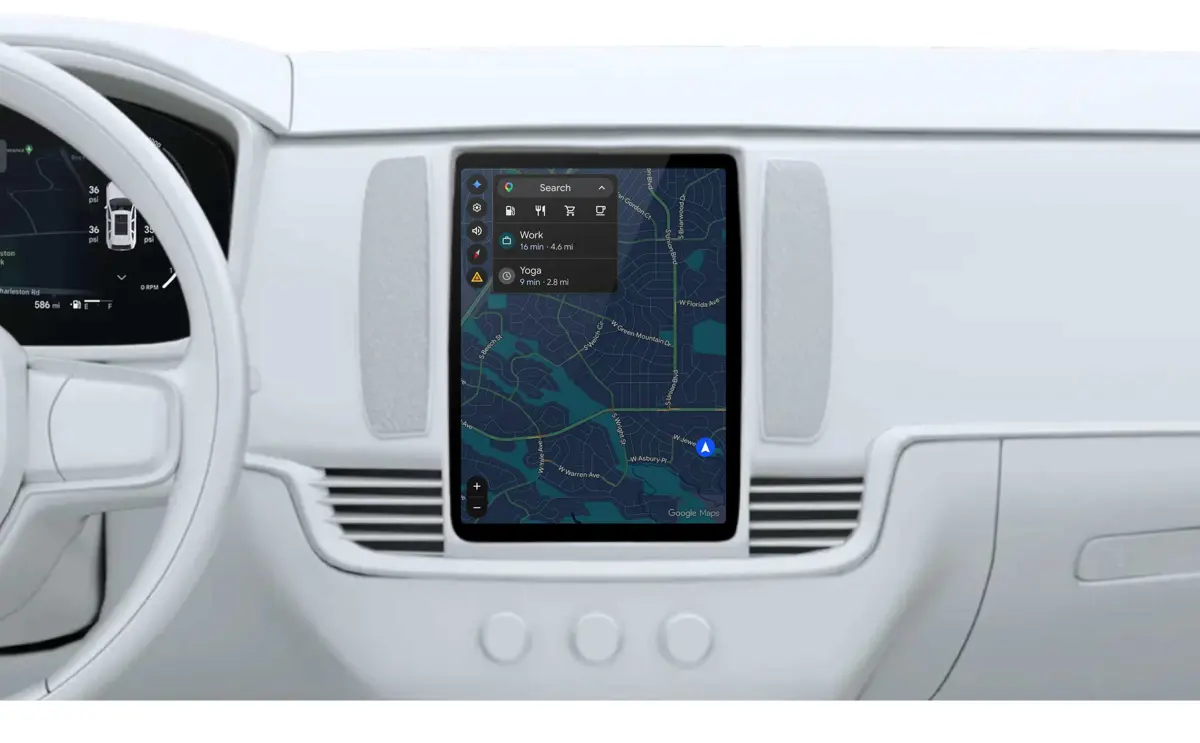
Google is bringing Personal Intelligence to Gemini in cars, giving eligible drivers a way to ask more personal questions and find destinations using information from connected Google services. Announced on October 20, 2026, the feature is rolling out on Android Auto, with support for cars running Google built-in planned for the coming months.
Instead of remembering an address or searching through a photo library before leaving, a driver can ask Gemini to find a place discussed in a conversation or locate a destination shown in a recent photo. The aim is to make voice assistance more useful while keeping the driver's attention on the road.
What Personal Intelligence Changes in Gemini for Cars
Traditional voice assistance is useful for straightforward requests such as playing music, making a call, or navigating to a known address. Personal Intelligence adds context from connected Google services, helping Gemini respond to requests that depend on a user's previous activity or preferences.
Google's examples include asking Gemini to find a coffee shop mentioned the previous day, navigate to an appointment, or locate a car wash seen in a photo. Rather than requiring the driver to remember every detail, the assistant can use permitted personal context to help interpret the request.
- Find places from past conversations: Ask Gemini to locate a business or destination discussed earlier.
- Navigate from a photo: Describe a place captured in a recent picture and ask for directions.
- Get help with appointments: Request directions to an appointment without manually entering its address.
- Make recommendations that fit preferences: Ask for nearby options that match a stated preference, such as vegetarian food.
These examples describe assistance with finding information and navigating. They do not mean Gemini can independently complete every task associated with an email, appointment, or other connected service.
Which Google Apps Can Gemini Use?
Personal Intelligence can use information from eligible connected Google services to make responses more relevant. Depending on the feature and the user's settings, that context can include information from Gmail, Google Photos, Google Search, YouTube, Maps, and other Google services.
The practical difference is that the driver may not need to remember where a detail was stored. A destination might be recognizable from a photo, for example, while an appointment request may depend on information already associated with a user's schedule.
The feature depends on permissions and supported integrations. Users should not assume that Gemini can automatically access every Google account, app, message, or piece of personal information. Connected services and eligibility determine what context is available.
Android Auto and Google Built-In Are Different
Google is bringing the experience to two in-car platforms, but they work differently.
| Platform | How it works | Personal Intelligence rollout |
|---|---|---|
| Android Auto | Connects a compatible Android phone to the car's display and supported controls. | Rolling out starting October 20, 2026. |
| Google built-in | Google services and compatible apps run as part of the vehicle's integrated infotainment system. | Planned for the coming months. |
That distinction matters when checking whether a vehicle will receive the feature. Android Auto compatibility does not mean a car has Google built-in, and a vehicle with Google built-in may have different capabilities depending on its model and software support.
Google's official overview of cars with Google built-in explains the platform's integrated navigation, apps, voice controls, and in-car services.
Personal Intelligence Is Optional, With Privacy Controls
Personal Intelligence relies on personal context, so enabling access to connected services is an important part of how it works. Google says users must choose to connect their apps, and they can turn Personal Intelligence off in Gemini settings.
For cars with Google built-in, Google says personalized responses are available when the user's phone is connected to the car. Without Personal Intelligence, supported core functions such as navigation, music, calls, and general questions remain available, but answers will not be tailored using the same personal context.
The feature's responses depend on eligible accounts, connected services, permissions, and platform support. Users should review their Gemini settings and connected apps before enabling personalized assistance.
Personalization can reduce the need to search manually, but it also makes account settings more important. Drivers who prefer not to use their personal Google app context can leave the feature disabled and continue using supported standard in-car functions.
Who Can Use Gemini Personal Intelligence in Cars?
Google says the rollout is available to eligible personal Google accounts for users aged 18 and older. The initial availability excludes Google Workspace business, enterprise, and education accounts, as well as the European Economic Area, Switzerland, the United Kingdom, and Nigeria.
The rollout begins on Android Auto, while Google built-in support is expected in the coming months. Availability can vary by platform, account eligibility, vehicle, country, language, and software support, so the announcement should not be interpreted as a guarantee that every compatible car will receive every feature immediately.
How This Fits Google's Wider Gemini Strategy
Gemini is increasingly appearing across Google's products, from browser assistance to connected home features and work-oriented tools. For example, Saganote has covered Google's Gemini agents for everyday business workflows, Gemini's role in Google Home commands, and Google Gemini Spark in Chrome.
The in-car update extends that approach into driving. Instead of treating every request as an isolated voice command, Gemini can use permitted context from other services to interpret what a driver means. The value will depend on how reliably it finds the right information and how well users understand the data they have chosen to connect.
Google's announcement establishes the feature's direction and rollout, but it does not guarantee identical behavior across all vehicles or every connected app. Users will need an eligible account, supported platform, and the relevant settings enabled to get personalized responses.