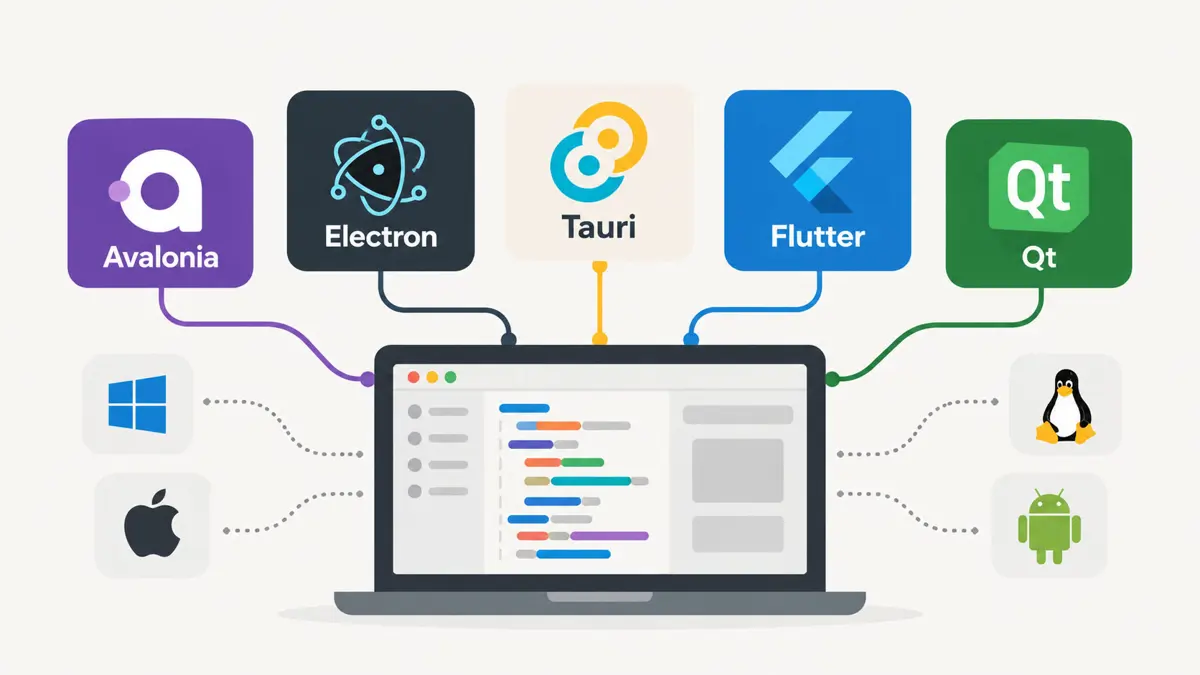
A cross-platform desktop application starts with the project. Feature lists lead teams into comparing rendering engines, when the real questions are what the app does, who builds it, and which operating systems customers use. Six project types and five team language skills map to the stacks below, each backed by the project's official documentation.
Six Project Types Narrow the Shortlist to Two or Three Stacks Each
Profiles matter more than features. Most cross-platform desktop application builds fall into one of six profiles, and each profile has a short list of stacks that the official documentation supports.
Business Apps Such as POS and Inventory Tools Point to Avalonia, Uno, or Qt
Forms, tables, local data, and hardware define this group. Avalonia's documentation describes an open-source UI framework with its own rendering engine that runs on Windows, macOS, Linux, mobile platforms, and WebAssembly (Avalonia documentation), which lets .NET teams keep C# and XAML. Uno Platform targets the same desktop systems from one C# and XAML codebase with a WinUI-oriented model (Uno getting started). Qt serves C++ teams that need similar reach (Qt introduction).
Web Products Gaining a Desktop Version Point to Electron or Tauri
Electron embeds Chromium and Node.js so one HTML, CSS, and JavaScript codebase ships to Windows, macOS, and Linux (Electron documentation), and the project is open source under the MIT license (Why Electron). Tauri keeps the web frontend but moves application logic and deeper system access to Rust, and it uses the operating system's web renderer instead of a bundled browser engine (Tauri documentation). Electron ships a full web runtime with every app. Tauri asks the team to learn Rust.
OpenAI's ChatGPT Linux app is one recent example of a mainstream product adding Linux to its desktop targets, which keeps Linux packaging on the checklist for any web product that ships a desktop client. Plan for it early.
Desktop-Plus-Mobile Products Point to Flutter or Uno
Flutter compiles desktop apps for Windows, macOS, and Linux and supports desktop plugins (Flutter desktop support). One project also reaches Android, iOS, and the web. That matters for retail, field-service, and logistics products where a desktop console, a tablet, and a phone share one workflow and one team. Uno Platform is the .NET route to the same goal (Uno requirements).
Engineering and Long-Lived Professional Software Points to Qt
Qt is one of the longest-established options. Its documentation describes a framework spanning Windows, macOS, Linux, mobile platforms, and embedded systems, with modules for UI, networking, and graphics, and a supported-platforms page lists maintained desktop configurations (Qt supported platforms). C++ sits at its core, with bindings for other languages. Licensing terms deserve a check before any commercial release.
Small, Fast Utilities Point to Tauri, egui/eframe, or Slint
Install size and startup speed drive this group. eframe, the official framework library for egui, compiles to native Linux, macOS, Windows, and Android targets as well as the web, with wgpu handling rendering by default (eframe documentation). Slint targets desktop, mobile, and embedded GUIs with Rust, C++, JavaScript, and Python integrations and compiles to native binaries for Windows, macOS, and Linux (Slint documentation). Rust is not a UI framework by itself, so each choice also commits the team to a toolkit.
Deep OS Integration Points to Native UI Per Platform
Skipping the one-codebase goal is a legitimate option. WinUI or WPF on Windows, SwiftUI or AppKit on macOS, and GTK or Qt on Linux deliver the strongest platform behavior, at the price of more code and more testing. That route fits apps that depend on OS-specific APIs, need a different UX per platform, or can fund dedicated platform teams.
Team Language Skills Break the Tie Between Stacks
Project type narrows the field. Language skills usually pick the winner, because learning a new toolkit and a new language at once can take months away from the product itself. For most teams, that existing skill is a stronger argument than any benchmark.
- C# and XAML: Avalonia or Uno Platform
- JavaScript or TypeScript: Electron, or Tauri when the team accepts a Rust backend
- Dart: Flutter
- C++: Qt
- Rust: Tauri, egui/eframe, or Slint
Nine Stacks Side by Side: Strength, Trade-Off, and Best Fit
| Approach | Main UI technology | Typical strength | Main trade-off | Best fit |
|---|---|---|---|---|
| Avalonia | XAML + C#/.NET | .NET, desktop UI, cross-platform | Platform-specific integrations remain | Business desktop apps |
| Electron | HTML/CSS/JS | Large web toolchain, fast UI development | Larger runtime, memory footprint | Web products with a desktop client |
| Tauri | Web UI + Rust | Web frontend with native Rust layer | JS/Rust boundary, webview differences | Web products, small utilities |
| Flutter | Dart | Desktop and mobile from one UI stack | Desktop-specific integrations | Desktop plus mobile |
| Qt | C++/Qt UI | Mature desktop tooling | Licensing and C++ complexity | Engineering and long-lived pro software |
| Uno Platform | XAML + C#/.NET | .NET across desktop, mobile, and web | More platform choices to evaluate | .NET desktop plus mobile |
| egui/eframe | Rust | Native Rust, simple custom UI | Different UI model | Small Rust-native tools |
| Slint | Slint + Rust/C++/other bindings | Native cross-platform UI | Smaller community than major stacks | Small and embedded UIs |
| Native per OS | Platform-native UI | Maximum platform integration | Multiple codebases | Deep OS integration |
No documentation page ranks these stacks. Pairings above come from what each project says it targets, plus the trade-offs teams meet once hardware, packaging, and mobile plans enter the picture, so a prototype settles more than a feature table does.
Worked Example: A Retail POS Maps to Avalonia, Uno, or Qt on Windows First
Take a retail point-of-sale terminal. Receipt printing, barcode scanning, a local database, and offline selling are the requirements, which rules out a thin web wrapper and points a .NET team to Avalonia or Uno Platform, or a C++ team to Qt. Starting on Windows and adding macOS and Linux later works when printing and scanning sit behind interfaces that each platform implements, so the sale logic never changes.
Cloud sync stays optional. An offline-first design keeps selling, returns, and receipts running against a local database, then synchronizes when the connection returns, so a dropped store link never stops the till.
A Four-Question Path From Idea to Shortlist
Which operating systems must launch on day one?
  Windows only -> start with the stack the team knows, add platforms later
  Windows+macOS+Linux -> continue
Is the UI web-first?
  Yes -> Electron or Tauri
  No -> continue
Is mobile part of the roadmap?
  Yes -> Flutter or Uno Platform
  No -> continue
Does the app control hardware or need deep OS APIs?
  Yes -> Avalonia, Qt, or native per OS
No -> Avalonia, Qt, or Tauri, chosen by team languagePrinting, file dialogs, notifications, hardware access, installers, code signing, and testing on each operating system still need per-platform effort. Keeping business rules out of the UI layer leaves a later framework swap possible.
A First-Release Roadmap Moves From Shortlist to Commitment in Four Steps
- Shortlist two stacks from the project type and team language.
- Build a thin prototype around the riskiest feature, such as printing, file access, or notifications.
- Test the prototype on Windows, macOS, and Linux, using real hardware wherever devices are involved.
- Commit to one stack and keep business rules out of the UI layer.
Operating systems keep moving the target. A cross-platform desktop application inherits every change they ship: Windows 11's Administrator Protection reached Release Preview after a year in testing, and macOS Tahoe 26.6 shipped 130-plus security patches, so installers and permission prompts need retesting on every release. Apple ships a major macOS release every fall, which puts the next retest cycle already on the calendar.
Frequently Asked Questions
Which cross-platform framework is best for a desktop app?
Is Electron or Tauri better for a web product?
Which stack suits a .NET team?
Can one codebase support Windows, macOS, and Linux?
When does native UI per operating system make sense?