To factory reset iPhone hardware safely before a sale, the order matters: back up, sign out of the Apple Account, then erase. Saganote verified the steps on November 21, 2026. Sources were Apple's, Google's, and Samsung's reset pages, and several linked Apple pages for Find My, trusted devices, and iMessage did not load, so those steps follow Apple's main checklist.
Before Wiping: The Checklist
Apple's checklist for selling or trading in an iPhone lists four main jobs: create a backup, transfer information to the new device, check Parts and Service History for a Finish Repair message, and remove personal information. Google's page adds that apps and their data are uninstalled by a reset, while Google Account data can be restored. Order matters.
- Back up the phone. iPhone owners can use iCloud or a computer, and Android owners back up to the Google Account.
- Save two-factor codes and chat backups. Authenticator apps and encrypted WhatsApp backups need attention before the wipe, because WhatsApp cannot reset an encrypted backup password or provide a lost key.
- Sort out the SIM or eSIM. Apple says to choose the option to erase the eSIM profile when asked, and a phone without a SIM needs a call to the carrier to transfer service.
- Unpair an Apple Watch if one is paired, and cancel or transfer any AppleCare plan.
- Sign out of the account. On iOS 26 or later, Settings, tap the name, Sign Out, then choose Erase this iPhone or Sign Out But Don't Erase. On iOS 18 or earlier, Settings, tap the name, Sign Out, enter the password, and tap Turn Off.
- Deregister iMessage if the next phone is not an iPhone.
- Charge the phone to at least 70% and connect to Wi-Fi, since Google says a reset can take up to an hour.
Know the passwords. Google says to confirm the Google Account password by signing in on another device, and to wait 24 hours before a reset if that password changed recently. Samsung asks for the Samsung account password to finish a reset when one is signed in.
Erasing an iPhone
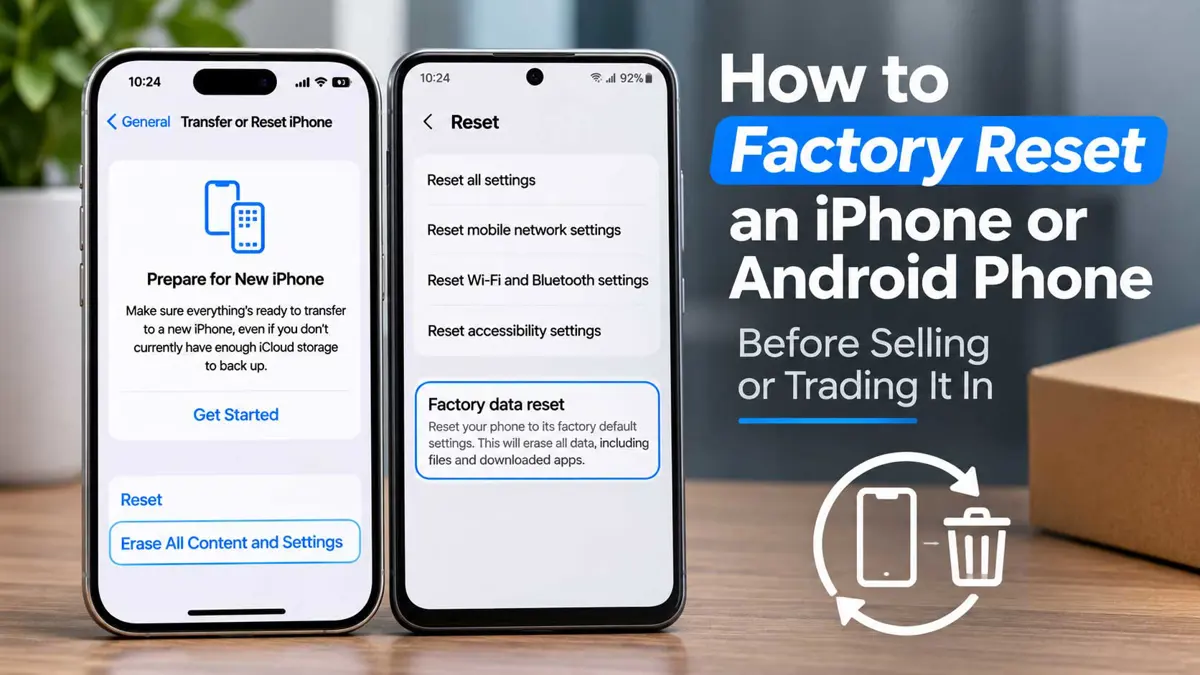
Apple's menu names the device in brackets, so the path reads Settings, General, Transfer or Reset iPhone, then Erase All Content and Settings. Enter the device passcode or Restrictions passcode if asked. Tap Erase iPhone to finish.
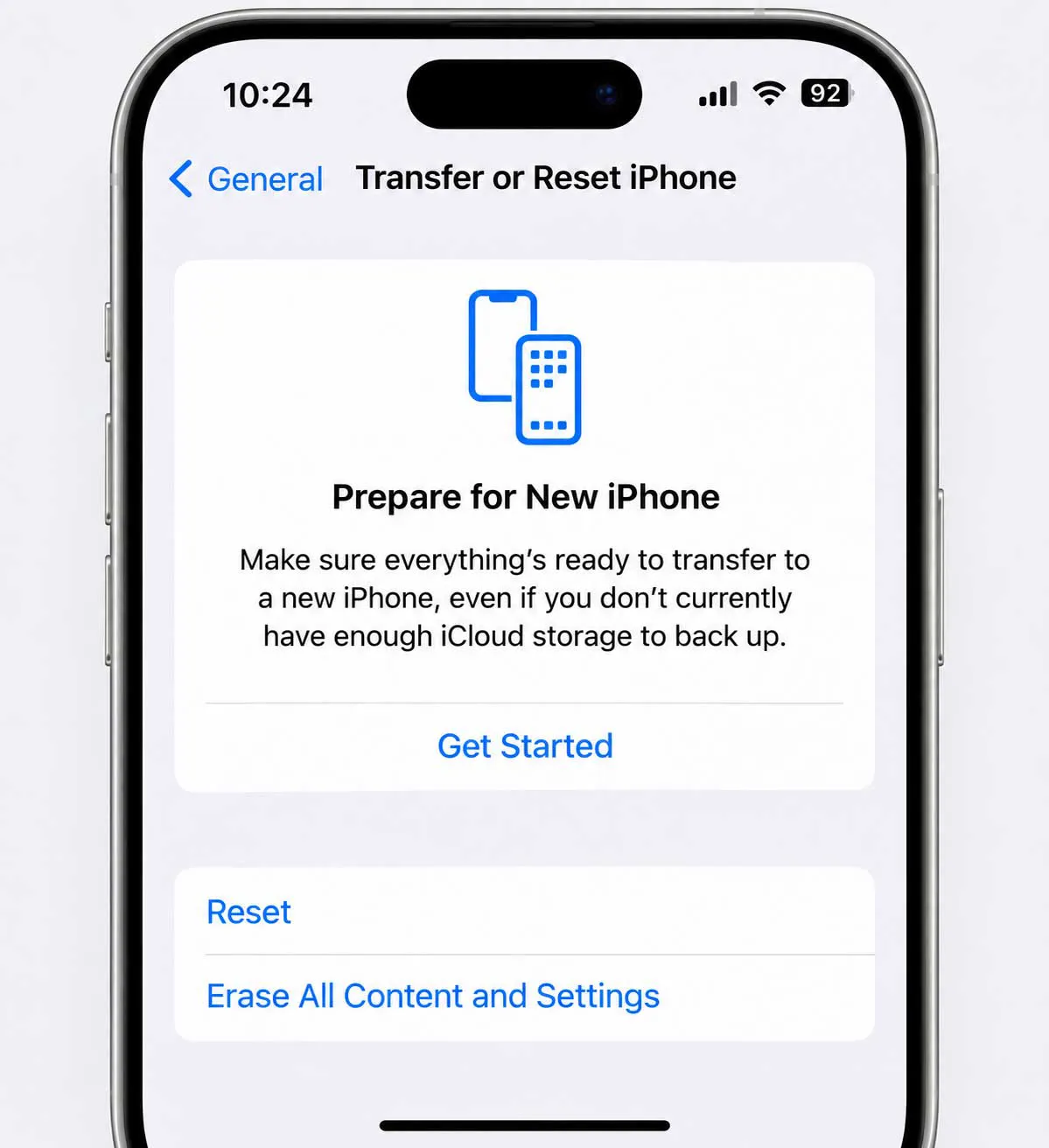
Erasing removes Apple Pay cards, photos, contacts, music, and apps from the phone, and it turns off iCloud, iMessage, FaceTime, and Game Center. Erasing leaves content stored in iCloud untouched. If Find My is on, the phone may ask for the Apple Account and password.
Apple warns that manually deleting items while signed in to iCloud permanently removes them from iCloud and every connected device. Sign out first, and use Erase All Content and Settings instead.
Activation Lock turns on automatically when Find My is set up, and the Apple Account password is needed to turn off Find My, erase the phone, or reactivate it. Erasing turns both off, per Apple. A phone still tied to the seller's account becomes a locked phone for the buyer.
Resetting a Samsung or Pixel
| Phone | Menu path | What the phone asks for | Source date |
|---|---|---|---|
| iPhone | Settings, General, Transfer or Reset iPhone, Erase All Content and Settings | Passcode, and Apple Account details if Find My is on | Apple, May 29 and June 12, 2026 |
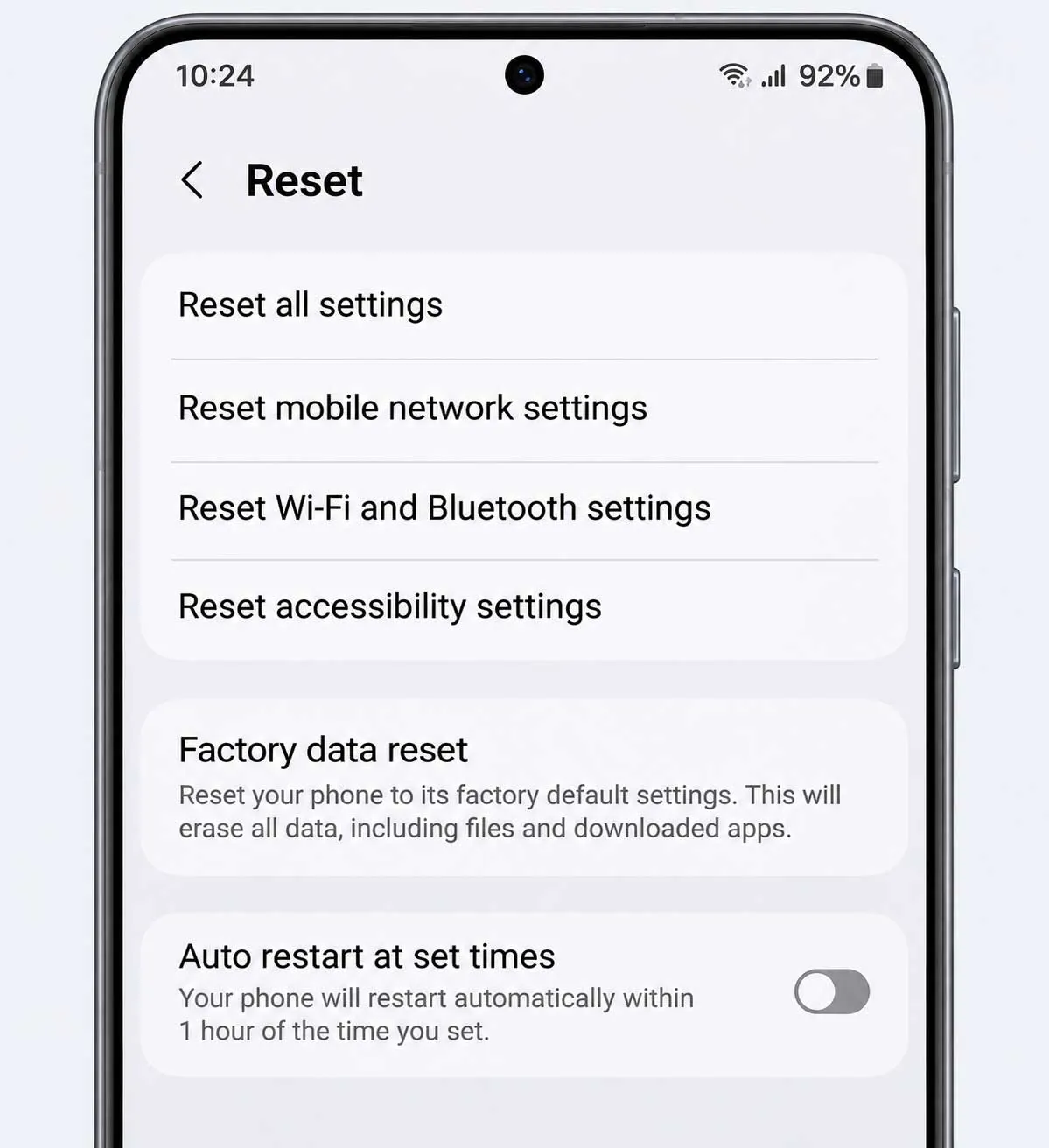
| Samsung Galaxy | Settings, General management, Reset, Factory data reset | Security lock, and the Samsung account password if signed in | Samsung, October 1, 2026 |
| Pixel | Settings, System, Reset options, Erase all data (factory reset) | PIN, and a known Google Account | Google, no date shown |
Samsung's steps run Settings, General management, Reset, Factory data reset, then Reset and Delete all, with the security lock and Samsung account password entered when asked. A network connection is required to log out of the Samsung account. If a microSD card is encrypted, Samsung says to decrypt it first by searching Settings for Decrypt SD card. Order matters here.
Pixel's path is Settings, System, Reset options, Erase all data (factory reset), then Erase all data and the PIN. Google says to use the Settings option for trade-ins. Pixel needs Wi-Fi or mobile data when the reset finishes, so the phone can sign in to the Google Account during setup.
Google's device protection mirrors Activation Lock. Adding a Google Account and screen lock switches it on, and removing the Google Account turns it off. After a reset, Google says a phone asks for the screen lock or the previously added Google account, and a buyer who cannot provide it cannot use the device at all.
Samsung's page says account verification may follow when a reset happens by any route other than Settings, General management, Reset, Factory data reset. Verification can use the previous screen lock on Android 9 and later. A seller who forgot the Google Account password is told to visit a Samsung service center. Plan ahead.
After the Reset: Remove the Phone From Accounts
Apple says to remove the old device from the trusted devices list after the erase. Phones already handed over need other steps. A new owner can erase the device, or the seller can erase it at iCloud.com under Find Devices, then change the Apple Account password and turn on two-factor authentication.
A password change stops the new owner from deleting information from iCloud, though it removes nothing that is already stored on the phone itself. Stolen Device Protection may add a delay. If it is on, a password change at an Apple Store may carry a one-hour security delay.
Google's remote route starts in the Find Hub app: pick the device, tap Settings, then Factory reset. Once reset, the device no longer appears in Find Hub, and the phone must be online with Find Hub on for the erase to work. Removing an account without a reset runs through myaccount.google.com, Security, Your devices, More, Sign out. Online status matters.
WhatsApp lists linked devices under Settings, Linked devices on iPhone, or the three-dot menu on Android, and re-registering the number on the new phone logs other devices out. That page skips deregistering before a wipe.
Trade-In and Resale Tips
Apple says unfinished repairs block trade-in. Finish Repair messages show in Parts and Service History under Settings, General, About, and Apple recommends knowing the Apple Account password before going to an Apple Store. Android phones traded in to Apple need a sign-out from the Android account first, and removal of SIM cards, memory cards, cases, and screen protectors.
Sellers who factory reset iPhone units can show buyers. A used-iPhone buying guide advises erasing the phone while the buyer watches, then stepping through setup, and if setup asks for the previous owner's Apple Account, the seller enters the password or removes the device from the account in a browser.
Android 17 now moves Google Account credentials, saved passwords, Wi-Fi credentials, and eSIM wirelessly when switching from an iPhone, per Google's announcement, which began on select Pixel devices. Earlier migrations left eSIM as a manual step.
Check for a SIM PIN. Apple's page from November 17, 2026 puts it at Settings, Cellular, SIM PIN, and warns that wrong guesses can permanently lock a SIM or eSIM. A seller who set one and forgot it needs the carrier before handing the phone over.
Rules for how to factory reset iPhone and Android phones come down to one habit, which is to sign out of the account first and erase the phone second. Google's switch tool began on select Pixels. No wider rollout timeline has been announced.
Frequently Asked Questions
Does erasing an iPhone turn off Activation Lock?
What if the phone was already handed over?
How long does an Android reset take?
What does a Samsung reset ask for?
Does the Google Account have to come off first?