Buyers who want to check if iPhone is stolen before paying have no single reliable test, but five checks together cover the main risks. Saganote verified the sources below on November 15, 2026. Black Friday falls on November 27, 2026, and no source read gives a trustworthy count of how many used phones are stolen or locked, so the checks matter more than any statistic.
Apple Says Not to Take a Phone Locked to Its Owner
Apple's Activation Lock page, dated April 29, 2026, says the feature turns on automatically when Find My is set up and that the Apple Account password is needed to turn off Find My, erase the phone, or reactivate it. A used phone should arrive erased and unlinked from the previous owner. Apple says a buyer who reaches an iPhone Locked to Owner screen should not take ownership. That rule is firm.
A real Activation Lock check happens on the phone. Ask the seller to erase it while the buyer watches, then power it on and step through the setup screens. If setup asks for the previous owner's Apple Account, the seller must enter the password, or the previous owner can remove the device from their account in a browser, per Apple.
Apple's page does not say whether Apple will remove the lock without proof of purchase. Intego says Apple asks for proof of ownership, such as an invoice showing the serial number, and that an Apple unlock erases the device. Buyers should not count on either route.
Older guides cite icloud.com/activationlock for an IMEI check. Intego said in 2021 that Apple had removed that page, and Apple's current Activation Lock page describes no status checker, so Saganote could not confirm that the page still works.
Match the IMEI on the Phone to the Seller's Number
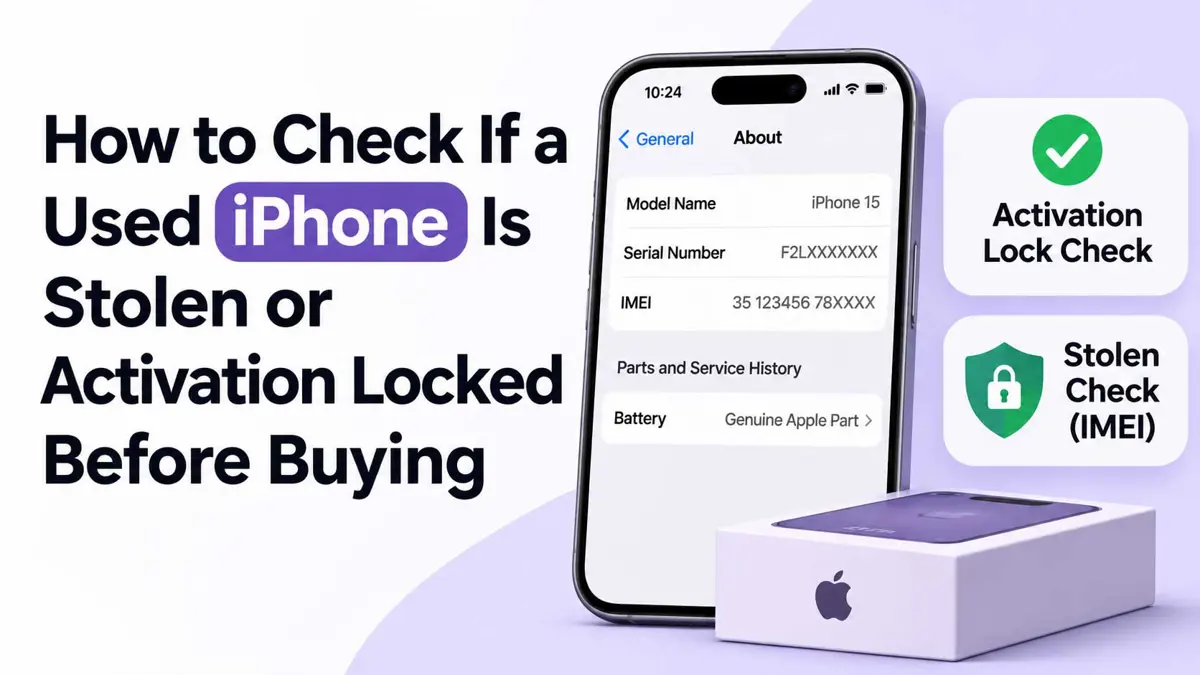
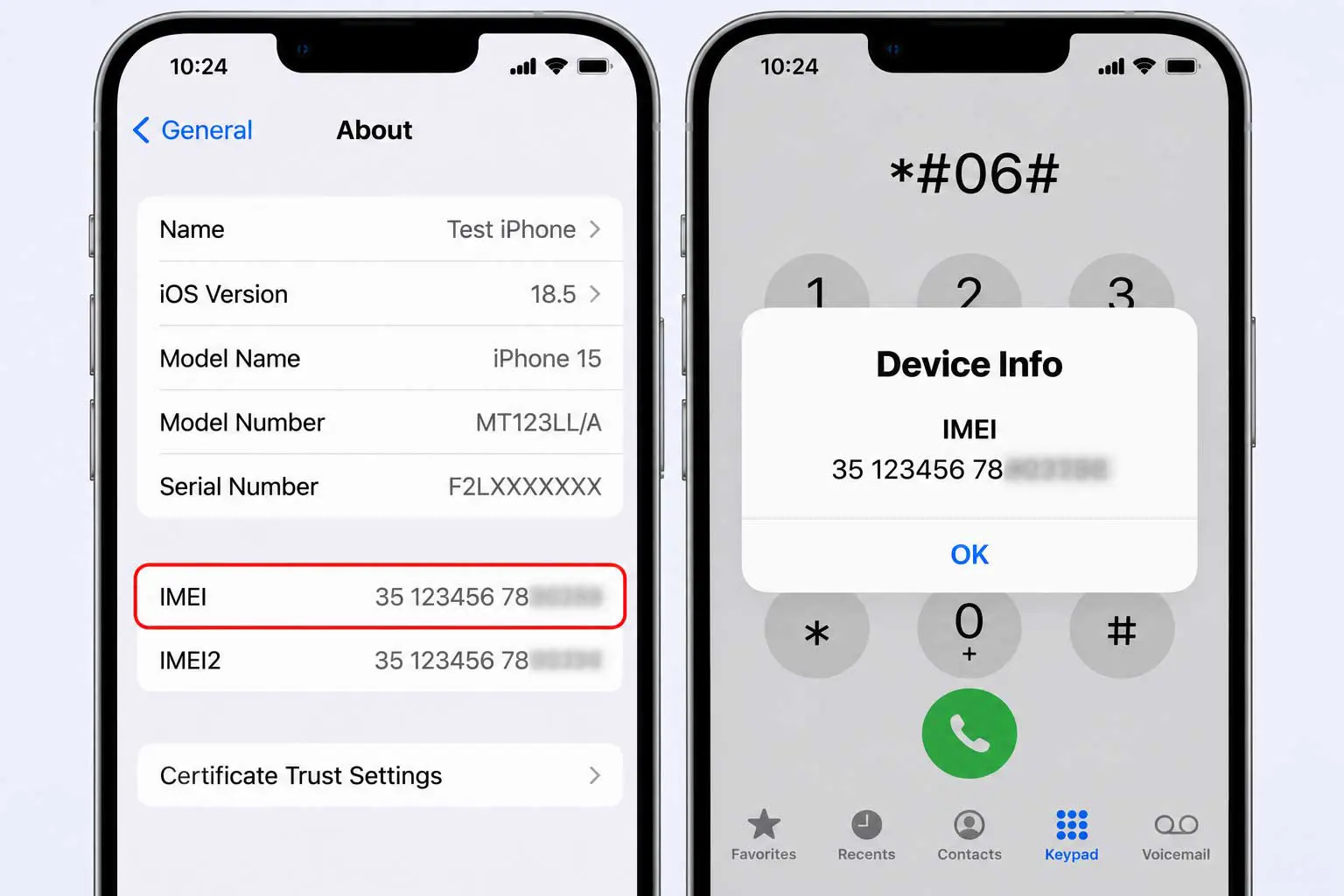
To check if iPhone is stolen, start with IMEI. Settings, General, About lists it, and dialing *#06# shows it as well, a method ecoATM lists. Ask the seller to send the number before the meeting, then compare it with the number on the phone, because ecoATM warns a seller can swap the device at the last moment.
ecoATM names the CTIA Stolen Phone Checker, a free lookup of one shared database, plus carrier tools: Verizon's is open to anyone, and AT&T and T-Mobile have checkers too. CheckMend is a paid option that adds international databases. Its author buys used phones.
A clean result is not proof of anything. Carriers can take days to months to add a stolen IMEI to shared databases, and ecoATM cites law enforcement estimates that only about 30% of stolen phones get reported. A clean IMEI check proves less than most sellers imply.
Test Carrier Lock With a Second SIM
Appuals describes the standard test: power the phone off, remove the SIM, insert a SIM from a different carrier, power on, and place a call. If the call goes through, the phone is unlocked. Appuals last updated that guide on April 5, 2024, before iOS 27, so the carrier's own IMEI check is a second opinion.
Parts and Service History Shows Repairs on iPhone 11 and Later
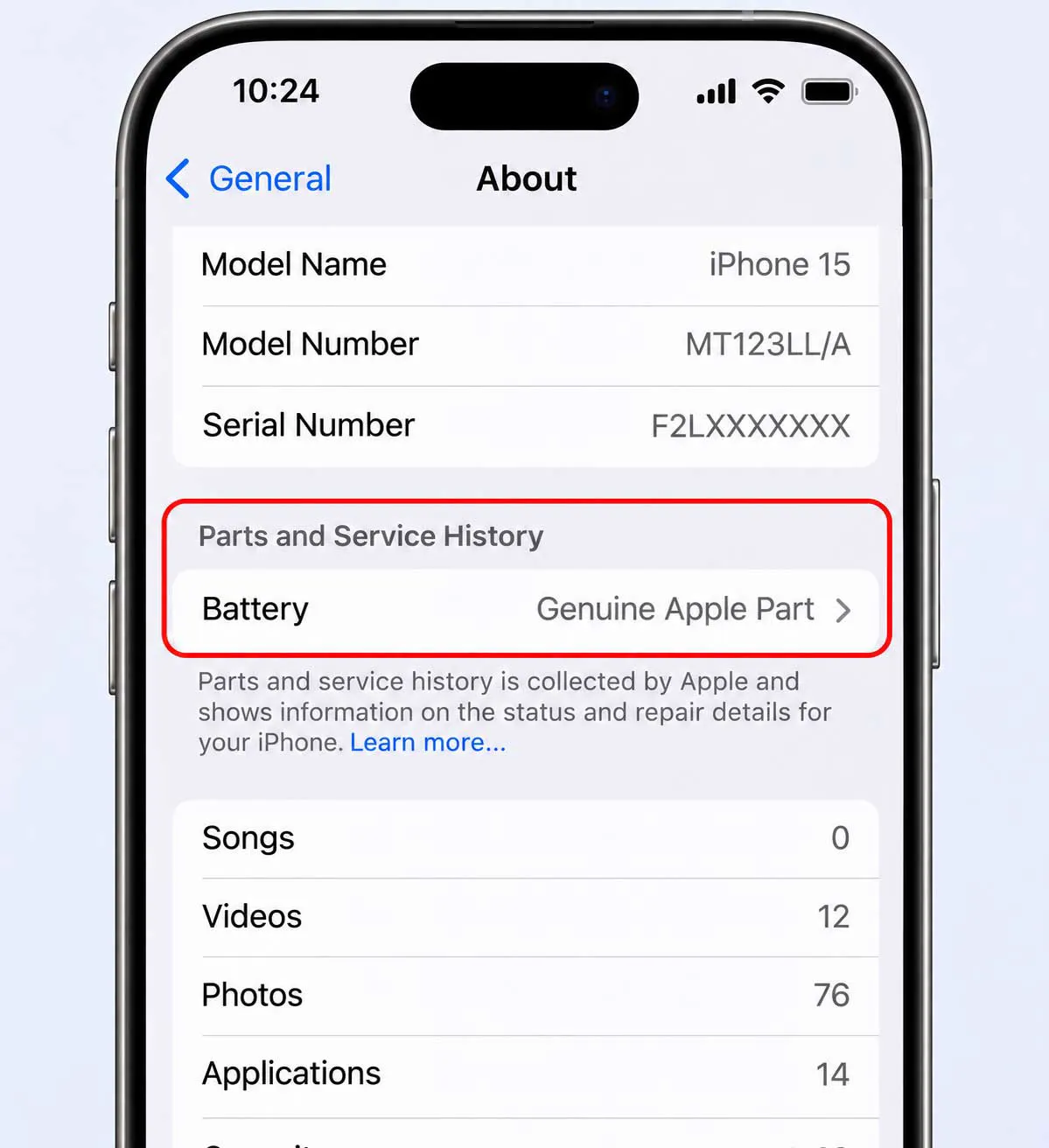
Apple's page, dated October 22, 2026, puts Parts and Service History under Settings, General, About, and says the section appears only if the iPhone has been repaired, on iOS 15.2 or later. Parts are labeled Genuine, Unknown, Unverified, Used, or Finish Repair. Absence is informative, not conclusive.
Model matters. Models from iPhone 12 onward list the battery, display, logic board, and front and rear cameras, iPhone 11 lists the battery and display, and iPhone XR, XS, XS Max, and SE (2nd and 3rd generation) list only the battery. Apple says only the most recent service per part appears, and nothing on that page indicates whether a phone was reported stolen or ever locked.
A part labeled Unknown, Unverified, or Used deserves a question for the seller. Apple says Unverified means the logic board was previously replaced and may affect features such as Apple Pay, according to Apple's description of the label. Ask for repair receipts.
Battery, Software Support, and Storage Decide What the Phone Is Worth
Settings, Battery, Battery Health shows maximum capacity. Apple says iPhone 15 models are designed to keep 80% of original capacity after 1,000 complete charge cycles under ideal conditions, a figure covered in a guide to iOS 27 battery drain and 12 settings that can extend battery life. A used phone far below that mark may need a battery service.
iOS 27 shipped on September 14 and runs on 34 iPhone models, from iPhone 11 through iPhone 18 Pro, plus the iPhone SE (2nd generation) and later. A phone outside that list stays on older software. Settings, General, Software Update shows what a phone can install.
Storage matters more on newer models. Apple lists up to 14GB of on-device storage for Apple Intelligence on iPhone Duo, iPhone 17 Pro and later, and iPhone Air, and up to 8GB on other supported iPhones. A small-storage phone leaves less room for photos, and Settings, General, iPhone Storage shows what is free.
Red Flags in Online Listings
- The seller refuses to share the IMEI before meeting, or will not erase the phone in front of the buyer.
- The seller insists on skipping the setup screens, which is where an Apple Account prompt would appear.
- A price far below other listings, since ConsumerAffairs treats items "40%-70% cheaper than everywhere else" as a warning.
- Requests for wire transfers, Zelle, Venmo, Cash App, or crypto, which the same ConsumerAffairs guidance lists as red flags.
- A different phone at the handover than the one in the listing, the swap ecoATM describes.
Refurbished sellers and online stores need their own scrutiny, and seven checks for judging a shopping website before paying apply to them too. Buyers who would rather skip the used market can compare Apple Upgrade leasing, which launched July 28 with iPhone plans from $17.99 a month. Leasing has its own terms.
Set up the buyer's own accounts first. WhatsApp's two-step verification sits at Account, Two-step verification, and passkeys at Account, Passkeys, two of seven WhatsApp account security settings worth setting on a new phone.
IMEI databases can lag by days to months, sellers can swap phones, and Apple's Activation Lock page gives no removal route without the previous owner. These sources were verified on November 15, 2026. Walk away if any check fails.
Black Friday on November 27 will bring new listings, and each one needs the same routine to check if iPhone is stolen, locked, or repaired before cash changes hands. Apple's rule does not change with the calendar. A phone that shows iPhone Locked to Owner is not the buyer's to keep.
Frequently Asked Questions
Can Apple unlock a used iPhone without the previous owner?
Is there an official Apple tool to check Activation Lock before buying?
Where is the IMEI on an iPhone?
Does a clean IMEI result make a used phone safe to buy?
How can a replaced screen or battery be spotted?