A phone owner who clicked on scam link texts has a short list of steps, and the order depends on what happened after the tap. Saganote verified the guidance on November 19, 2026. Sources are the FTC, CISA, Apple, Google, and Bitdefender, and none of the steps was tested hands-on.
Apple coverage is thinner. Apple's pages on configuration profiles, device sign-out, and Messages reporting did not load the right articles when Saganote checked, so iPhone steps here stick to pages that did.
First Ten Minutes
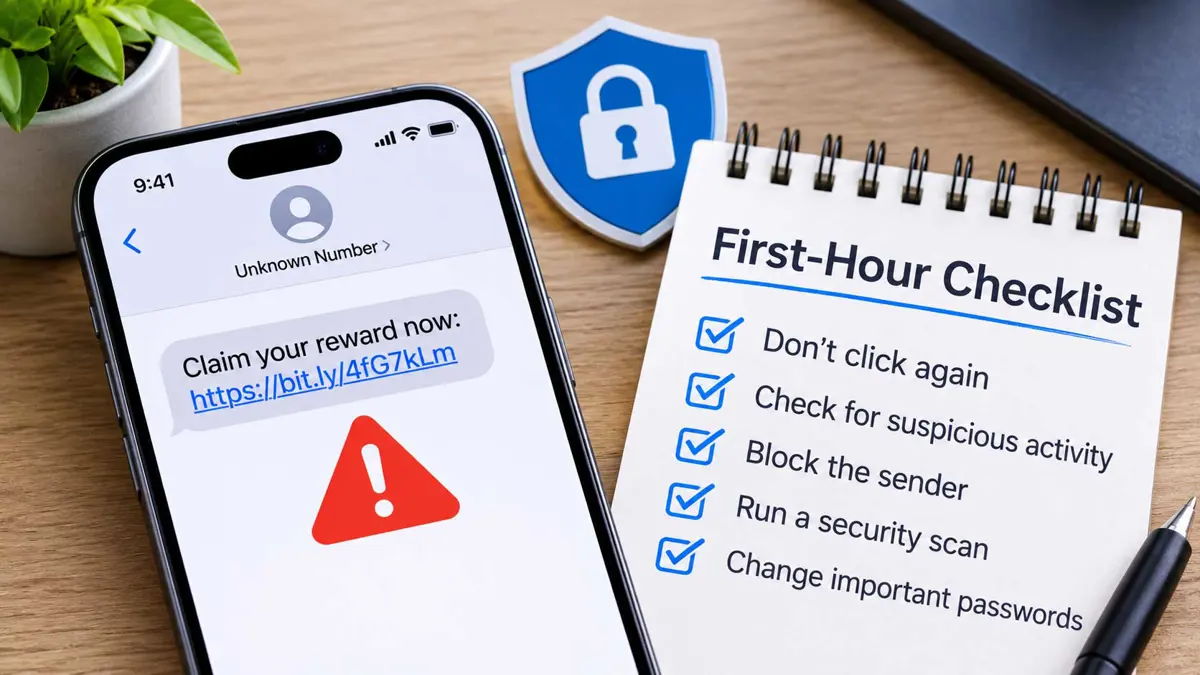
CISA says to delete the message and not reply or click any attachment or link, including an unsubscribe link, per its phishing guidance. Bitdefender's first step is closing the page. Bitdefender adds that any login details or card numbers already typed need action, covered below.
- Close the page and enter nothing further on it.
- Delete the text, and skip any reply or unsubscribe link in it.
- Skip any phone number in the message, and contact the company through its official website or a number already known.
- Block the sender. In Google Messages, touch and hold the conversation, tap Block, then Report spam, then OK.
- Forward the text to 7726 (SPAM), per the FTC.
- Report it at ReportFraud.ftc.gov.
USPS does not text a customer unless the customer started the request, according to a 2024 statement from the Postal Inspection Service, and the same report lists spam@uspis.gov for USPS texts and abuse@fedex.com for FedEx messages. FedEx is a partial exception. Duties and taxes on international shipments can arrive as a secure FedEx text link, and the FedEx Import Tool shows the amount.
Match the Steps to What Was Entered
People who clicked on scam link texts fall into groups: nothing entered, login details entered, card or payment details entered, and an app or access granted. FTC's page on what to do after a scam was modified August 21, 2026, and it organizes steps the same way. Order matters here.
| What happened | What to do |
|---|---|
| Only tapped the link | Close the page, delete and block the text, and report it |
| Card details entered | Contact the card issuer using the number on the back of the card and ask for a refund |
| Paid by bank transfer | Report to the bank or credit union immediately and ask to reverse the payment |
| Paid by payment app | Report to the app immediately and ask for a reversal |
| Login details entered | If still able to sign in, set a new strong password, change reused ones, and turn on two-factor authentication |
| Cannot sign in anymore | Follow the FTC's account recovery steps for that service |
| Social Security number shared | Report at IdentityTheft.gov to get a recovery plan |
| Access to the phone or computer given | Update security software, run a scan, delete what it flags, then change passwords and turn on two-factor authentication |
| Gift card, crypto, or cash by mail | Contact the issuer, the exchange or ATM operator, or the Postal Inspection Service |
If Card or Bank Details Were Entered
FTC guidance depends on how the money moved. A bank or transfer payment goes to the bank or credit union immediately with a request to reverse it, and a payment app such as Venmo, Cash App, or PayPal goes to the app. A card goes to the issuer, using the number on the back of the card, and the FTC says to ask for a refund.
Gift cards, crypto, and cash each have their own contact: the card issuer, the exchange or ATM operator, and the U.S. Postal Inspection Service at 1-877-876-2455 for cash sent by mail. Crypto also goes to ReportFraud.ftc.gov.
Bitdefender's list for details typed into a fake site adds watching statements for unauthorized charges on any payment method entered and disputing fraudulent charges with the card provider. No dispute deadline appears in those pages.
A November 12 shopping-site guide says the first call after paying a fake store goes to the card issuer, followed by changing reused passwords, watching statements, and reporting at complaint.ic3.gov. IC3 says it never contacts victims directly.
If a Password Was Entered
FTC steps split on one question. If the account still opens, set a new strong password, change it anywhere it was reused, and turn on two-factor authentication. If the account no longer opens, the FTC points to its account recovery steps for that service.
Apple Account recovery has several routes. Apple's page from October 5, 2026 lists a trusted phone number, a recovery contact code, the Apple Account email, a recovery key, or a security key, and web recovery starts at iforgot.apple.com.
Reviewing who has access to Gmail covers devices, connected apps, and recovery details, at myaccount.google.com/device-activity, myaccount.google.com/connections, and the recovery section of myaccount.google.com/security. Gmail's gear icon, See all settings, then Forwarding and POP/IMAP shows whether mail is being forwarded elsewhere. Removing access does not erase copied data.
Check the Phone for Unknown Apps and Profiles
Play Protect lives in the Play Store app: profile icon, Play Protect, then Settings, where Scan apps with Play Protect is a toggle. A flagged app triggers a notification, and tapping it leads to Uninstall. That page lists no manual scan button.
Lockdown Mode is optional. Apple's page from September 14, 2026 puts it at Settings, Privacy & Security, Lockdown Mode, then Turn On Lockdown Mode and Turn On & Restart, and notes that configuration profiles cannot be installed while it runs. Apple's guide to checking or removing profiles did not load, so no profile path is given here.
Safari's Settings, Apps, Safari, Clear History and Website Data clears browsing history and website data without touching AutoFill, per Apple's page from September 14, 2026. Submitted data stays submitted.
Report the Text
Forwarding the text to 7726 (SPAM) and filing at ReportFraud.ftc.gov are the FTC's two reporting routes for scam texts, per its phishing page. ReportFraud.ftc.gov showed a government shutdown notice instead of its form when Saganote checked on November 19, with a link to Consumer.ftc.gov. FBI's IC3 takes internet crime complaints at complaint.ic3.gov.
Truecaller's web Scam Checker works without sign-in, labels results Safe or Potential Fraud, and follows shortened links to their final destination, though the Android app is launching in India first. Support for iPhone has no date.
Google Messages Enhanced Protection is an opt-in setting announced October 14, found under profile picture, Messages settings, Protection & Safety, Spam and scam protection, Enhanced protection. Gemini Nano link checks are listed for Pixel 10 and newer, the Galaxy S26 series, Galaxy Z Flip 8, and Galaxy Z Fold 8. Rollout is staged.
FTC pages read here were modified in October 2024 and August 2026, and Apple pages for profiles and Messages reporting did not load. Steps vary by account and app, and none was run on a device.
Black Friday is November 27 and Cyber Monday is November 30, per the November 12 shopping guide, so more people who clicked on scam link texts will need the same order. Close, delete, then report. Google says Messages spam reports send the sender's number, the last 10 incoming messages, and the SIM or IP country code.
Frequently Asked Questions
Is closing the page enough?
Where is a scam text reported?
Should the number in the text be called?
What does Google receive in a spam report?