WhatsApp iPad Sidebar Brings Mac-Style Navigation to the App
WhatsApp is rolling out a Mac-style sidebar on iPad, replacing the bottom tab bar with a navigation panel designed for larger screens.

WhatsApp iPad sidebar navigation is getting a Mac-style redesign. The new layout moves the main navigation from the bottom of the screen to a vertical panel on the left, giving the iPad app a layout that better uses its larger display.
What the new WhatsApp iPad sidebar includes
The sidebar mirrors the navigation introduced in WhatsApp for Mac. It includes Chats, Updates, Communities, Calls, and Meta AI. A new More section also provides direct access to Locked, Archived, Starred, Status, and Favourites. A profile button at the bottom provides quick access to settings.
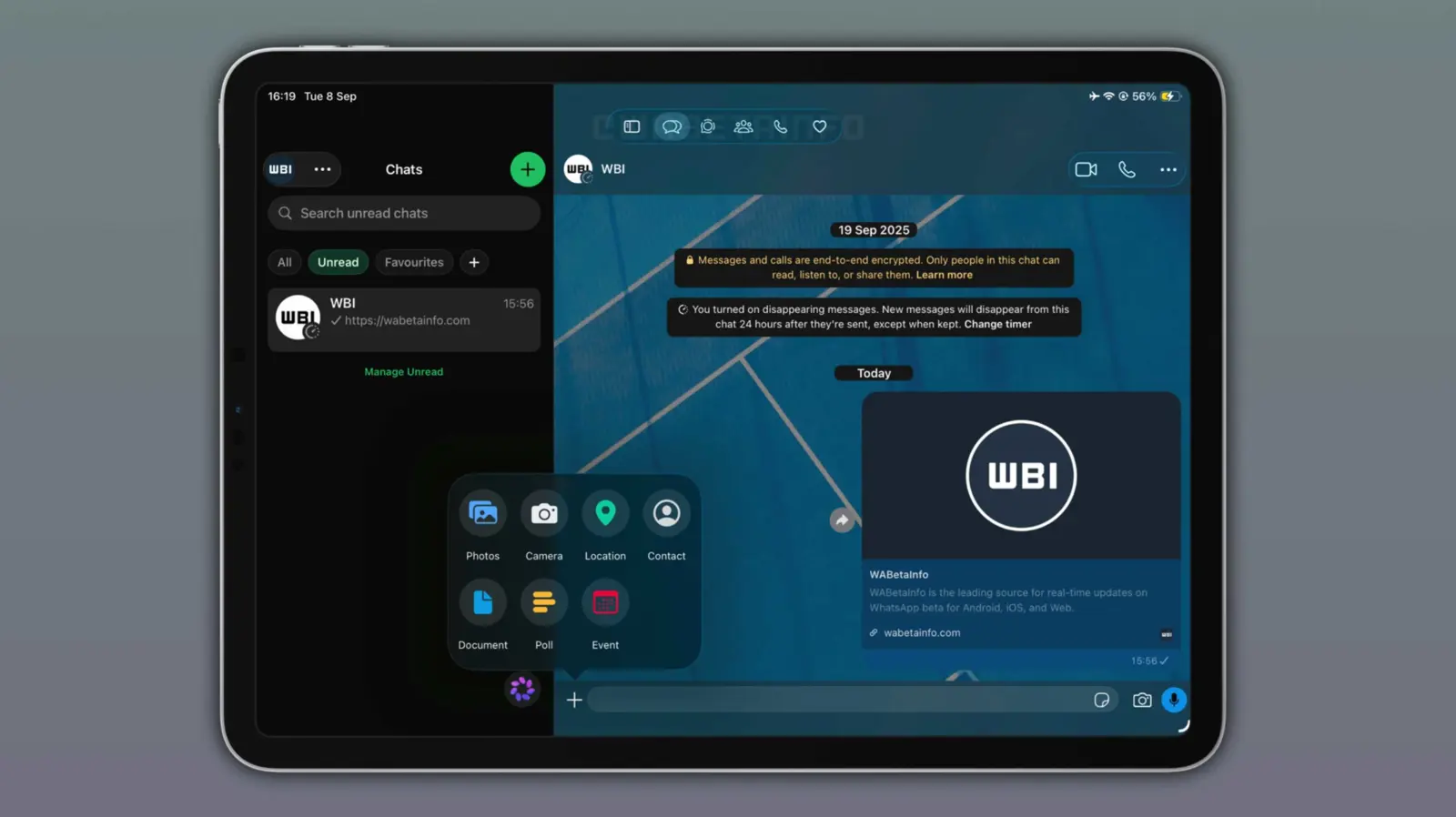
The sidebar is shown by default, but users can hide it with a button at the top right. When hidden, WhatsApp moves the navigation tabs to the top of the screen, giving the conversation more room.
WhatsApp is rolling out the sidebar gradually
WABetaInfo first spotted the redesign in WhatsApp beta for iOS 26.36.10.17. The feature is available to some beta testers and some users on the App Store version, but the rollout is gradual, so it may not appear on every iPad yet.
The sidebar also follows Apple's Liquid Glass design on supported versions of iOS. On iOS 18 and earlier, WABetaInfo says the sidebar is rolling out without the Liquid Glass effect.
A better fit for WhatsApp on iPad
WhatsApp already supports iPad as a larger-screen app, but the previous bottom navigation was closer to the iPhone layout. The new sidebar gives the iPad version a navigation model that is more consistent with the Mac app and leaves more room for the chat interface.
For more on WhatsApp's recent iPad changes, see WhatsApp Now Lets You Sign Up on iPad Without a Phone.
Because the rollout is gradual, users who do not see the new sidebar yet may need to wait for a future update. WhatsApp's Help Center notes that new features can take time to reach everyone and may roll out by device or in stages.