## BODY
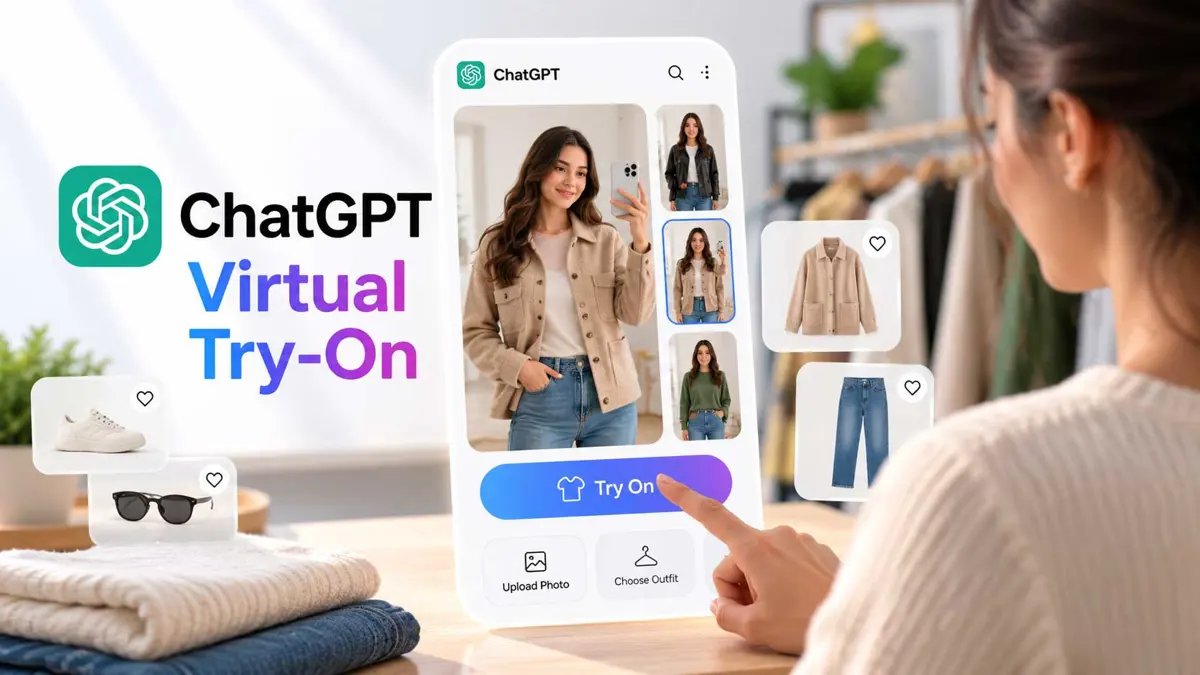
OpenAI is expanding ChatGPT's role in online shopping with a new [ChatGPT virtual try-on] feature for clothing and accessories. A Try on button can appear on eligible product listings, letting shoppers upload a selfie or full-body photo and generate a visual preview of the item on themselves.
The rollout also adds Favorites, so shoppers can save products and organize them in ChatGPT Library. The two features are available on ChatGPT's mobile and web experiences, according to OpenAI.
How ChatGPT Virtual Try-On Works
The basic workflow is built around a product someone is already viewing in ChatGPT. When a clothing or accessory listing supports the feature, the user can select Try on and upload a selfie or full-body image. ChatGPT then uses its image generation system to create the preview.
Users can also start from an image of an item rather than a ChatGPT product listing. OpenAI says shoppers can upload a picture of clothing or an accessory and ask ChatGPT to show how it could look on them. That makes the feature useful for products discovered outside ChatGPT as well.
The image-generation system behind the experience is ChatGPT Images 2.5, which OpenAI recently introduced with improvements aimed at more natural images, better instruction following, and faster generation.
This Is a Shopping Workflow, Not Just a Photo Effect
The bigger change is how the pieces fit together. ChatGPT can already help people describe a style, discover products, compare options, and build an outfit. Virtual try-on adds a visual step between finding an item and deciding whether to keep exploring it.
For example, a shopper can describe the look they want, ask ChatGPT to find pieces that fit that style, and then use virtual try-on on eligible results. They can save interesting products to Favorites and return to them later instead of rebuilding the same search.
That moves ChatGPT closer to the visual discovery role long associated with services such as Google Images and Pinterest. Saganote has covered a similar shift in Google Images' Pinterest-style redesign and AI image generation.
Favorites Keeps the Shopping Search Alive
Favorites gives the shopping experience a persistent place to collect products. Users can bookmark a product and optionally organize saved items into folders in ChatGPT Library. Try-on images are stored alongside those shopping finds.
That matters because shopping research rarely happens in one step. Someone may find a jacket today, compare it with another option later, and return to the first product after checking colors, sizes, or price. Favorites gives ChatGPT a way to preserve that trail.
The broader ChatGPT experience is also moving toward tasks that continue beyond a single answer. Saganote recently covered OpenAI's data agent for turning questions into Power BI and Tableau dashboards, another example of ChatGPT being used as a workspace for multi-step tasks.
The Important Limitation: Try-On Does Not Confirm Fit
OpenAI says generated try-on images may not represent the product or the user's appearance exactly and do not guarantee fit or size. Shoppers should still check the merchant's measurements, product details, available sizes, and return policy before buying.
That distinction is important. The feature answers a visual question - roughly how might this item look on me? It does not answer the physical question of whether the garment will fit a particular body.
The generated image can also differ from the real product or the person's appearance. The result should therefore be treated as a visual reference rather than a measurement-accurate fitting simulation.
ChatGPT Is Expanding Into Visual Shopping
Virtual try-on is one part of a broader push to make AI useful during product discovery. ChatGPT can also work from photos of outfits and help identify pieces that are available to buy, while users can describe a style and ask for products that complete the look.
That puts ChatGPT into territory where visual discovery and commerce overlap. Other AI assistants are making similar moves, including Google's work around visual search and AI-generated experiences. Saganote has also covered Gemini Live's move toward visual, persistent AI experiences.
The competitive picture is broader than fashion. ChatGPT's growing role as a general-purpose assistant also means shopping sits alongside other connected tasks, such as Google Search's calendar-connected actions and broader device experiences such as iOS 27's new AI and camera features. OpenAI, Google, and xAI are all adding image understanding or generation to conversational assistants. For comparison, see Saganote's ChatGPT vs. Gemini vs. Claude guide and our coverage of Grok Imagine Image 2's editing tools.
What the New Shopping Experience Changes
| Feature | What it does |
|---|---|
| Virtual try-on | Generates a visual preview of eligible clothes or accessories using a reference photo |
| Item image upload | Lets users upload an image of an item and ask ChatGPT to visualize it on them |
| Favorites | Saves products for later in ChatGPT Library |
| Folders | Organizes saved shopping finds |
| Mobile and web | Makes the shopping features available across ChatGPT's mobile and web experiences |
| Fit information | Not guaranteed by the generated try-on image |
The practical shift is that ChatGPT can now connect discovery and visualization in the same conversation. Instead of moving from a search result to a separate virtual fitting tool, the user can stay inside the same shopping workflow for product discovery, try-on, and saving.
That does not make ChatGPT a complete replacement for a retailer's product page. Price, stock, measurements, shipping terms, and return policies can change, and the merchant remains the final source for those details.
Where This Fits in OpenAI's Broader ChatGPT Push
OpenAI has been expanding ChatGPT beyond text answers into tools that can create, organize, and act on different kinds of information. The shopping update follows that pattern by combining product data, image generation, personalization, and saved items in one interface.
Saganote has also covered ChatGPT's expanding advertising business and OpenAI's broader AI agent work with ChatGPT. The virtual try-on feature is more consumer-facing, but it follows the same direction: ChatGPT becomes a place where a task can move through several steps instead of ending with a single response.
For shoppers, the immediate use is straightforward. Find an item, visualize it, save it if it is interesting, and continue comparing. For retailers, the more consequential question is how much product discovery eventually happens inside AI interfaces rather than traditional storefronts or search engines.
What ChatGPT Virtual Try-On Does Not Do
- It does not guarantee that a garment will fit.
- It does not replace checking the merchant's size chart.
- It does not guarantee that the generated image exactly matches the real product.
- It does not replace checking price, availability, shipping, or return policies.
- It is a visualization step within ChatGPT's shopping experience.
FAQ
FAQ
How do I use ChatGPT virtual try-on?
Does ChatGPT virtual try-on show the exact fit?
Can I save clothes I find in ChatGPT?
Is virtual try-on available on mobile?
What image model powers the feature?
ChatGPT's virtual try-on feature makes shopping more visual without pretending that an AI-generated image can replace real measurements. The useful change is the workflow: discover a product, see a generated preview, save it, and continue the shopping conversation in one place.
