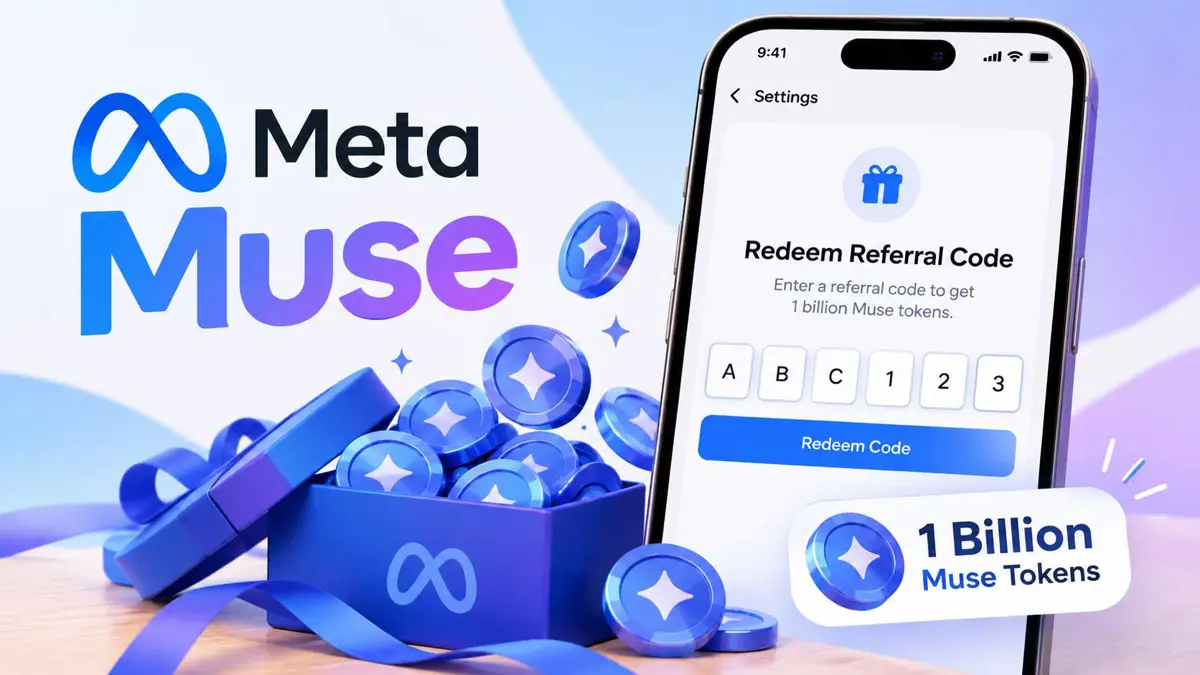
How to Redeem a Meta Muse Referral Code for 1 Billion Tokens
Follow the current Muse signup and redemption flow, then check whether the reported bonus appears on your account.

Meta Muse referral code offers are currently being shared with a reported 1 billion-token bonus for eligible new users. The catch is timing: current redemption reports say the code must be entered in Muse Settings within 48 hours of joining. This guide walks through the process from finding a code to checking the result.
Before starting, remember that Meta's official Muse pages confirm that Muse is available as a free personal AI agent with usage limits, but they do not currently spell out the 1 billion-token referral promotion. The bonus and redemption flow described below come from current community and independent reports, so the offer, eligibility rules, and interface labels can change. Meta's official Muse page is the best place to check the current product availability.
What You Need Before You Start
- A new or otherwise eligible Muse account.
- Muse installed on iPhone or Android, or access to Muse on the web.
- A currently active referral or invite code from an existing Muse user.
- Enough time to redeem the code within 48 hours of joining.
- No payment is required to use a referral code.
If you are new to Muse, Meta provides a Muse download page for the iPhone, Android, and Mac apps. Saganote's earlier coverage of Meta Muse as a personal AI agent explains how the service uses its Secure VM and handles actions across connected apps.
How to Get a Meta Muse Referral Code
A referral code normally comes from someone who already uses Muse. Ask a friend or another existing Muse user for an active invite code, then keep the code ready before you finish signing up. Current community listings also share codes publicly, but those codes can run out or stop working, so an older code is not guaranteed to remain valid.
Current reports say the referral option is available only during the first 48 hours after joining. Get the code before or immediately after creating the account so you do not miss the redemption window.
How to Redeem a Meta Muse Referral Code
- Open Muse on your iPhone, Android phone, or the web.
- Create a Muse account or sign in to the new account that is eligible for the referral offer.
- Open Settings. On current mobile reports, the redemption control may appear as "Redeem Invite Code," "Redeem Referral Code," or "Redeem Token."
- If you are using the web version, current reports place the option under Settings > General > Usage > Redeem invite code.
- Enter the referral code exactly as provided. Referral codes are short letter-and-number codes, and copying them is safer than retyping them.
- Select Redeem or Apply to submit the code.
- Complete the redemption within 48 hours of joining. Waiting until after the window closes can make the option disappear.
- Check the account's usage or token information to confirm that the bonus was added.
The exact wording and location of the redemption control can vary by Muse version or platform. If you do not see the option, check that the account is still inside the 48-hour window and that Muse is available for your account.
What the 1 Billion Muse Tokens Mean
Current referral reports say both sides of the referral receive 1 billion Muse tokens when an eligible code is redeemed in time. The tokens are usage credit inside Muse, not cash and not a gift card.
The size of the bonus matters because Meta's official Muse page says the free service has a usage limit. Muse can browse the web, complete tasks, create documents and images, connect apps, set reminders, and continue working on longer tasks. A larger token balance can therefore provide more room to use the agent before reaching a usage limit, although the exact token-to-task conversion is not published as a simple fixed number.
For a closer look at where Muse can run, Saganote's coverage of Meta Muse on iPhone and Mac explains how the agent is expanding across mobile and desktop.
What to Do If the Referral Code Does Not Work
- Check the 48-hour window. The referral option may disappear after the redemption period.
- Try another active code if the first one has already reached its usage limit.
- Copy the code again and make sure there are no extra spaces or mistyped characters.
- Confirm that Muse is available for the account and region being used.
- Check for a different Settings path if the app version uses a different label.
- If the promotion is no longer shown in Muse, do not assume an old referral page still reflects the current offer.
You Can Use Muse Without a Referral Code
A referral code is not required to use Muse. Meta describes Muse as a free personal AI agent with a usage limit, with paid options available for people who need more usage. The referral program is an additional reported token bonus, not the requirement for opening a Muse account.
Once the account is set up, Muse can work across supported apps and services with permissions controlled by the user. Saganote has also covered Meta's early-access options for Muse features, which can be useful if new capabilities appear in your account before a wider rollout.
The Simple Version
- Get an active Muse referral code.
- Join Muse and finish account setup.
- Open Settings immediately.
- Find the invite or referral-code redemption option.
- Enter the code and select Redeem or Apply.
- Do it within 48 hours of joining.
- Check your usage or token information for the reported bonus.
Because referral codes and promotions can change quickly, treat a current code as temporary rather than a permanent part of the Muse signup process. If the offer changes, the Muse app and Meta's official product pages are the best places to verify what is currently available.