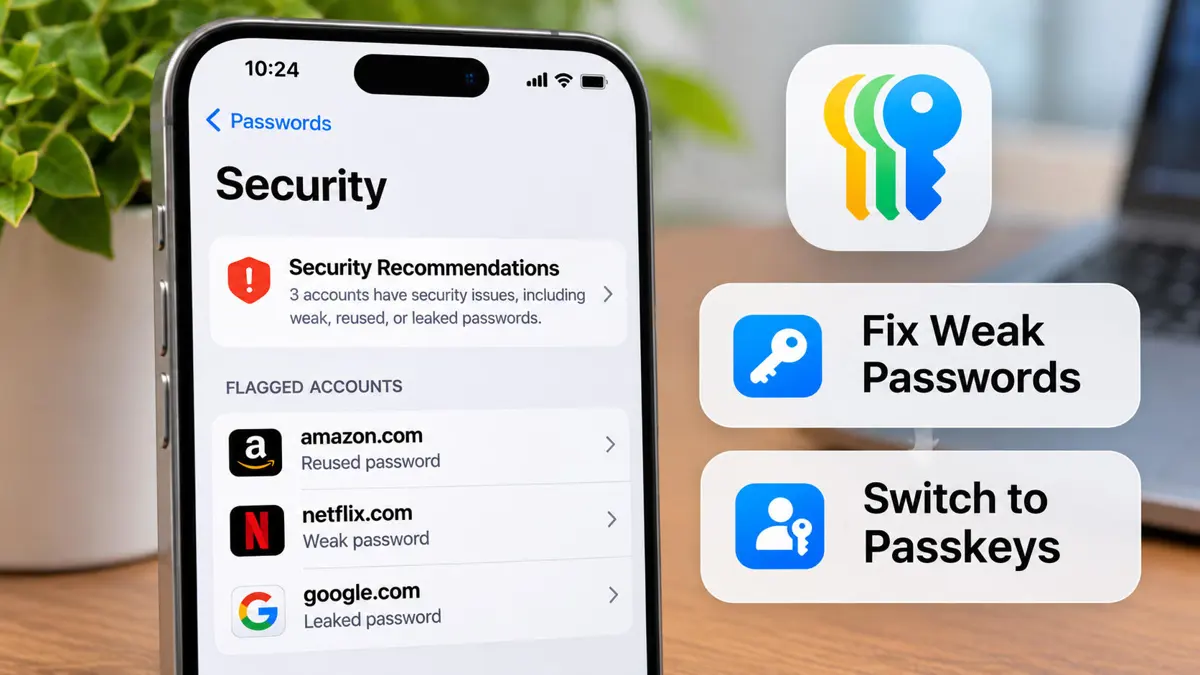
Apple's iOS 27 Passwords app can flag weak, reused, and leaked passwords today, but the automatic fix Apple announced for it is missing from the launch release. Saganote checked Apple's pages and press reports on November 23, 2026. Sources disagree on timing.
Where Automatic Fixing Stands
Apple announced in June that the Passwords app would update weak and compromised passwords using Apple Intelligence and Safari, per MacRumors on June 8, 2026. MacRumors reported on September 11 that the feature would not be in the initial iOS 27 release and would launch in a later version. Apple has not named which one.
Ubergizmo says the feature vanished in iOS 27 beta 5 and that Apple's product pages now use the wording "subsequent iterations." iThinkDifferent wrote on November 2 that it is absent from iOS 27 and from iOS 27.2, which arrived October 26, and that it expected the iOS 27.3 beta on November 4. Apple gave no date.
Apple World Today published a how-to on November 11 that presents the iOS 27 Passwords app fix as usable without a caveat. Its article names no beta or release, and Saganote could not confirm which build the author used or whether a later update added the fix. Treat it as unavailable for now.
Apple's privacy page for Passwords, dated September 14, 2026, still describes an Automatically Fix Passwords option that securely navigates websites to sign in and upgrade password strength, and that may ask for temporary access to verification codes from Messages and Mail. Documentation is not availability.
Saganote's July iCloud report said the fix would land in September, and its September roundup listed automatic password changes among features that did not ship with the launch. That earlier timeline did not hold.
| Feature | Source | Status as of November 23, 2026 |
|---|---|---|
| Security Recommendations for weak, reused, and leaked passwords | Apple security guide, December 19, 2024 | Documented by Apple |
| Safari alert encouraging a strong password | Apple security guide, December 19, 2024 | Documented by Apple |
| Detect Compromised Passwords toggle | Apple privacy page, September 14, 2026 | Documented by Apple |
| Automatically Fix Passwords | MacRumors, Ubergizmo, iThinkDifferent | Delayed, no date |
| Shared groups | Apple support, March 18, 2025 | Documented by Apple |
Find Flagged Passwords in Security
Apple's security documentation, dated December 19, 2024, describes a Security Recommendations interface that lists weak, reused, and leaked passwords. Tom's Guide and Apple World Today describe the path as opening Passwords, authenticating with Face ID, Touch ID, or the passcode, and tapping Security. Apple's own iPhone article for this step did not load for Saganote. Labels can shift between versions.
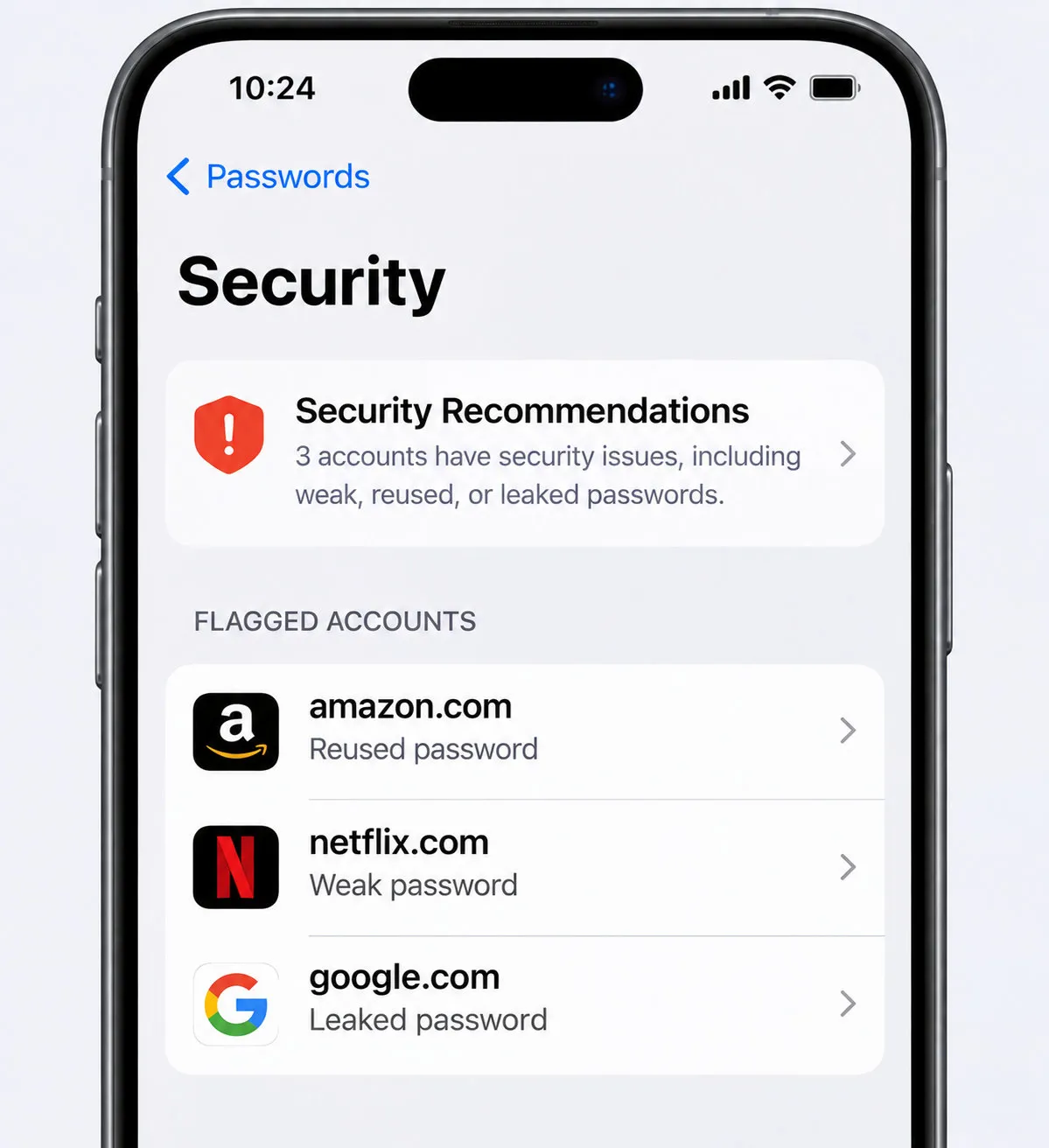
Weak and reuse suggestions come from processing that happens on the device, per Apple's Passwords privacy page dated September 14, 2026. Detect Compromised Passwords checks derivations of passwords against leaked lists without revealing accounts or passwords to Apple, and Apple says it does not store what is calculated. Turn it off under Settings, Apps, Passwords.
Change a Weak Password Today
Apple's security guide says that when a person signs in to a site in Safari with a very weak or leaked saved password, an alert strongly encourages an upgrade to an automatic strong password. Apps built with Apple's account modification extension can also offer one-tap upgrades to Sign in with Apple or a strong password, both from Security Recommendations and at sign-in. Apps supply the password rules.
Apple's step-by-step iPhone article did not load. Its title is Change weak or compromised passwords on iPhone, and its version selector lists iOS 14 through 27, which shows only that the page exists for those versions and states no requirement for any feature.
Switch an Account to a Passkey
Apple's passkey page, dated October 21, 2026, describes saving a passkey during sign-up or sign-in: when the option appears, tap Continue. Passkeys live in the Passwords app, sync through iCloud Keychain, and need two-factor authentication on the Apple Account. Face ID or Touch ID approves the sign-in.
Apple's privacy page says Passwords may notify a person when a website with a saved password supports passkeys, and that lookup runs through two separate relays. No page describes the notice's wording. Apple's security guide, from 2024, lists only Sign in with Apple and automatic strong passwords as one-tap upgrades.
Apple says a passkey and a password can exist for the same website or app. Saganote's passkey guide covers supported apps and what breaks, including its note that Apple ties recovery to the Apple Account and that ten failed attempts destroy the escrow record, and its Google passkey guide covers setup for a Google Account. Read both first.
Share Passwords With a Group
Apple's shared-group page, dated March 18, 2025, says anyone in a group can add passwords and all shared items stay in sync on everyone's devices. Whoever creates the group can add or remove members or delete it. Leaving takes the member's own passwords and passkeys along.
Apple's Mac guide says recipients must be in the creator's contacts and that each password, passkey, or Sign in with Apple account can sit in only one group. Passwords and passkeys need iOS 17 or later to appear, and Sign in with Apple items need iOS 18 or later. Invitations arrive through Messages.
MacRumors' October 2023 how-to places the iPhone steps under Settings, Passwords, with a card called Family Passwords for iOS 17, and Apple's current label may differ. Apple's privacy page adds that sharing is end-to-end encrypted, that anyone in a group can modify or delete an entry, and that users can recover deleted entries for up to 30 days. Choose members carefully.
Anyone waiting on the iOS 27 Passwords app to fix weak passwords automatically has no date to plan around, and none of the pages Saganote read says the feature appeared in the iOS 27.3 beta that iThinkDifferent expected on November 4. Apple has named no date. Everything else in the release sits in Saganote's iOS 27 guide.
Frequently Asked Questions
Can Passwords change passwords automatically yet?
Does Apple see saved passwords?
Can a passkey replace a password?
Who can remove someone from a shared group?
Can a member keep shared items after leaving?