Pixel battery drain complaints have run since March 2026, when owners began reporting phones that lose charge while sitting idle on a desk, in a pocket, or on a charger overnight. Google says the bug is fixed. Reports from owners say the picture is more mixed.
Idle Drain Reports Started After the March Pixel Drop
Complaints began in March. Tech Advisor and BGR both tie them to the March 2026 Pixel Drop, and owners described phones "dying well before the end of the day for no apparent reason." TechRepublic reported on April 23 that the complaints spanned "everything from the Pixel 6 to the brand-new Pixel 10."
Deep Doze anchors the leading theory. BGR cites a Pixel 9 Pro XL owner's Issue Tracker report, which Android Authority describes as the GNSS location subsystem repeatedly failing to enter its low-power state and triggering constant hardware interrupts that kept the phone from deep sleep. Google never shared an official explanation, according to BGR, and no outlet read for this article confirmed the cause independently.
Pixel is not the only brand affected. Samsung and Apple owners have reported similar complaints after major updates, covered in Saganote's reports on One UI 9 battery drain on the Galaxy S24 and S25 and iOS 27 battery drain and 12 settings for iPhone.
How to Confirm Idle Drain Before Changing Anything
Confirming the pattern first avoids chasing the wrong cause. A phone that loses charge only while the screen is on points to apps or usage habits, not to the idle fault described in Google's tracker.
- Charge the phone to a high level in the evening, leave Wi-Fi on, and leave the phone untouched overnight.
- In the morning, open Settings > Battery > Battery usage and note the percentage lost and how much of it shows as screen-on time.
- Repeat the test a second night, since one night can hide a one-off app problem.
- Restart the phone and test again, because a restart can clear a stuck process.
- Restart in safe mode (hold the power button, then touch and hold Power off) to see whether a third-party app causes the drain.
- If drain continues in safe mode, turn on Developer options (Settings > About phone, then tap Build number seven times) and capture a bug report from Settings > System > Developer options.
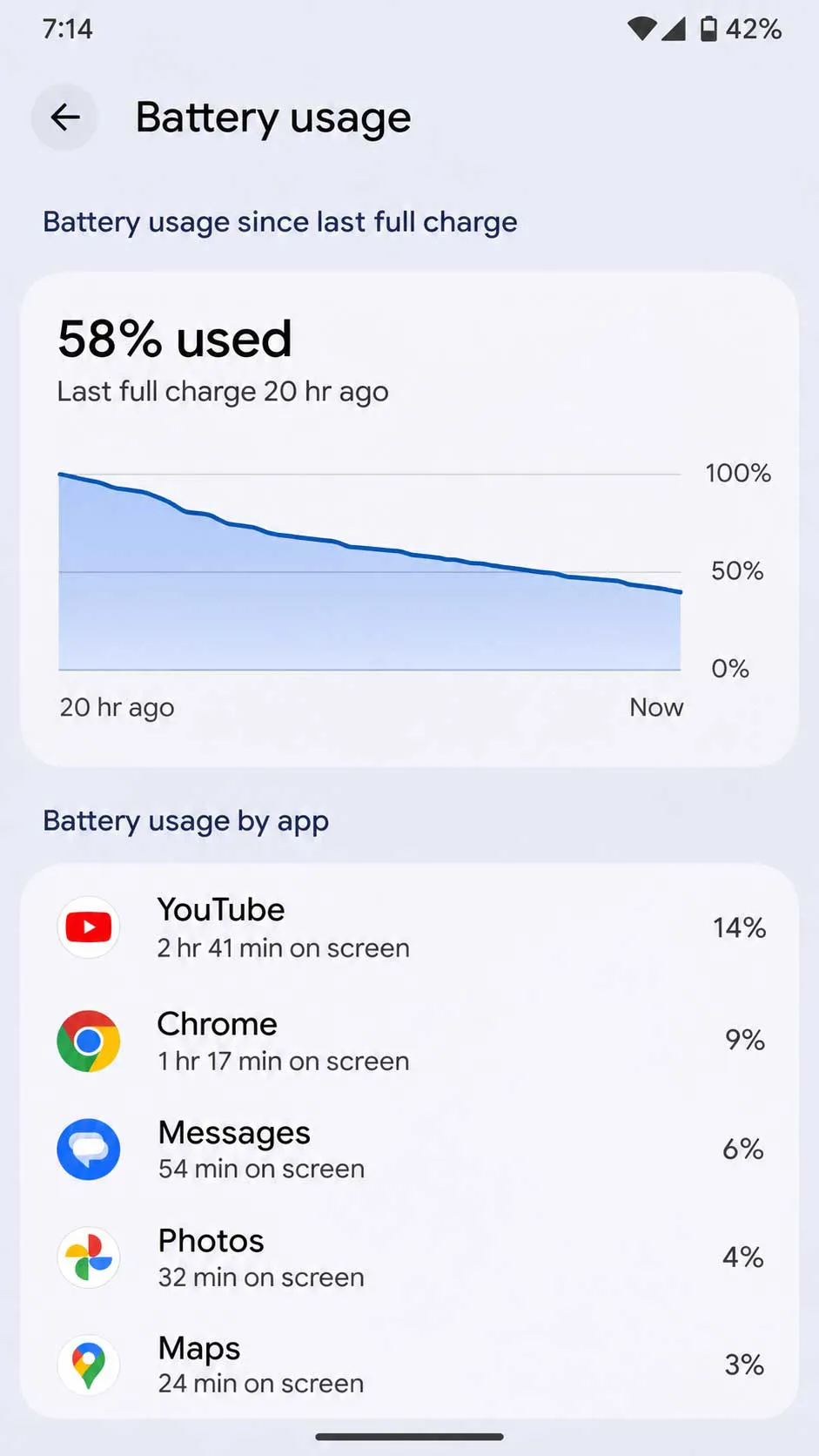
Settings That May Cut Idle Drain
No source verified a user-side fix. TechRepublic said some users found minor relief from disabling 5G or background scanning, but that the drain persisted for most, and Android Authority noted drain continuing even with Airplane Mode on. Treat the steps below as low-risk tests, and expect menu names to differ slightly between builds.
- Flip to Shh: open Settings > System > Gestures > Flip to Shh. Google's Beta 7 note says the feature can block deep sleep on affected builds, so switching it off is a cheap test, though no source tested it on stable builds
- 5G: open Settings > Network & internet > SIMs and set the preferred network type to LTE. Users reported minor relief, and the report is unverified
- Background scanning: open Settings > Location > Location services and turn off Wi-Fi scanning and Bluetooth scanning, the other change users reported
- Battery Saver and Adaptive Battery: both sit under Settings > Battery and limit app activity, though they may not help if the phone cannot reach a low-power state
- Updates: open Settings > System > Software updates and install the latest build before testing anything else
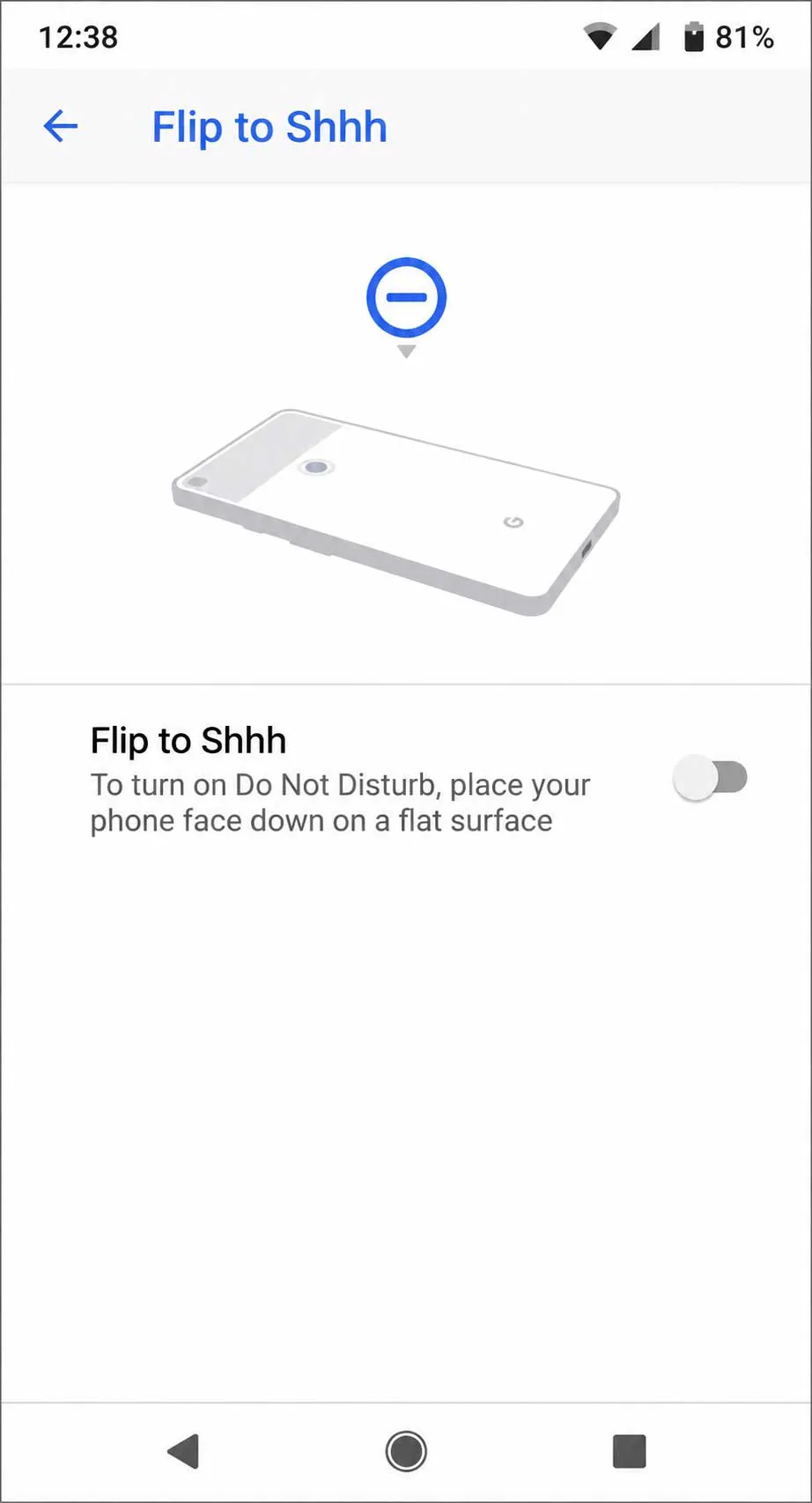
Run the overnight test again after each change and note the result. Changing several settings at once hides which one helped, and a phone that improves after a restart may only have been unstuck temporarily.
Fix Status by Update
Three changes target the problem. Each row below shows what an update covers, which Pixels get it, and what outlets reported, and none of the three is confirmed as a full cure for Pixel battery drain.
| Update | Date | Models | What it covers | Caveat |
|---|---|---|---|---|
| July 2026 Pixel update (build CP2A.260705.006) | July 2026 | Pixel 9, 9 Pro, 9 Pro XL, 10, 10 Pro, 10 Pro XL, 10a | Google marked idle drain Fixed on its Issue Tracker | Changelog did not mention it, and some owners still report drain |
| September 2026 QPR | September 2026 | Pixel 8a, 9a | Scheduled for the same fix | Reported by Android Authority, so check Software updates for the build |
| Android 17 QPR2 Beta 7 (build CP41.260831.016) | October 9, 2026 | Pixel 6a and newer, per Beebom | Idle drain when Flip to Shh blocks deep sleep | Beta software |
| Stable QPR2 | Around December 2026 | Supported Pixels | Expected to carry Beta 7 changes | Outlet estimate, not a Google date |
Beta 7 targets one cause. Google's notes list "Excessive battery drain during idle states when Flip to Shh prevents the device from entering deep sleep," and Saganote's Beta 7 report covers the release. No source read here lists the Pixel 11 in the July fix, so Pixel 11 owners are covered only by the Beta 7 entry.
Other bugs got earlier fixes. Betas fixed issues including the Gemini crash that rebooted Pixels in Beta 1, 16 Pixel fixes in Beta 4, and eight fixes in Beta 5. Beta 7.1 followed on October 16, so the newest beta is the one to test against.
When to Contact Google Support
Owners who still see drain after the latest update and a safe-mode test have a case worth reporting. Google asked for evidence. Google's tracker reply, quoted by TechRepublic, said "Without a bug report, we can't pinpoint the specific application causing the problem." A bug report taken right after a bad night gives engineers the logs they asked for, which makes a vague complaint into something they can act on.
Issue 525509065 is the thread Tech Advisor links. Owners can add to it on the Issue Tracker, and beta testers can use the Android Beta Feedback app. Stable QPR2 is the next checkpoint, with outlets expecting it around December and Google yet to confirm a date for the release. If Pixel battery drain persists after that update, a fresh bug report will show whether the fault moved.
Frequently Asked Questions
Did Google fix idle battery drain on Pixel phones?
What does Android 17 QPR2 Beta 7 fix?
Is there a verified workaround?
When do the Pixel 8a and Pixel 9a get the fix?
Should owners join the beta to get the fix sooner?