Anyone who wants to opt out AI training for chat history can do it in a few taps for ChatGPT, Claude, Gemini, and Grok, though Meta AI works differently. Each vendor's help pages were read for this guide on November 12, 2026. Menus change. Every path below carries that checked-on date, and Saganote plans to refresh this guide every six months.
Every Major Assistant Now Has a Training Setting
Defaults are the hard part. OpenAI's FAQ says ChatGPT improves by training on conversations unless a user chooses to disable it, which implies the setting starts on, but none of the vendor pages read states a default outright. Anthropic's announcement says new users pick a preference at signup. Check each toggle instead of assuming.
| Assistant | Setting name | Where to find it | Main limit |
|---|---|---|---|
| ChatGPT | Improve the model for everyone | Profile icon, Settings, Data Controls | Applies to new conversations only |
| Claude | Model Improvement | claude.ai/settings/data-privacy-controls | Flagged chats are an exception |
| Gemini | Keep Activity | myactivity.google.com/product/gemini | Chats kept 72 hours when off |
| Grok | Improve the model | App: Settings, Data Controls; web: Settings, Data | Feedback can still be used |
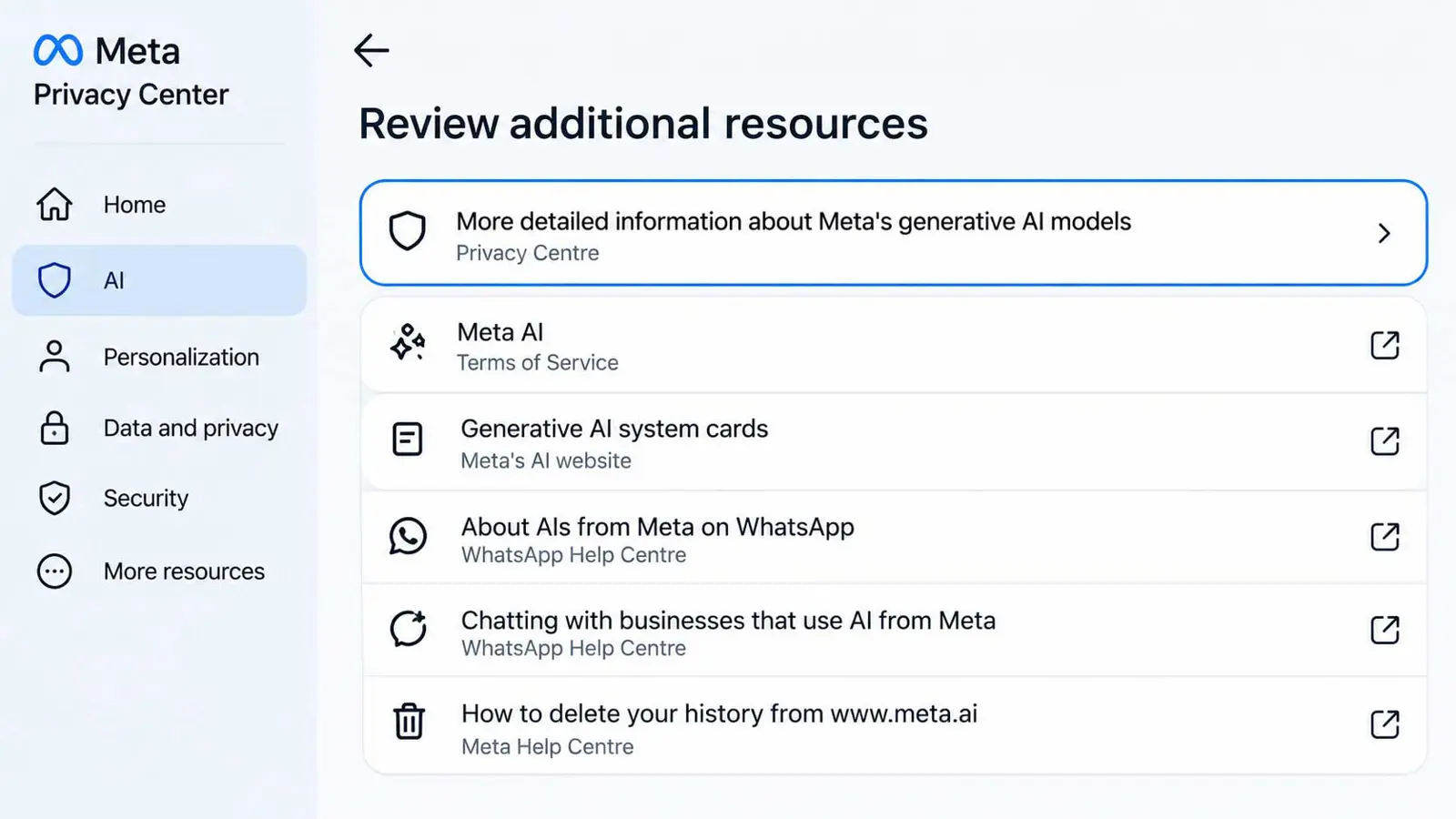
| Meta AI | No toggle found in the U.S. | Meta Privacy Center, AI at Meta (one guide) | Approval not guaranteed in the U.S. |
ChatGPT
OpenAI's help page names the control Improve the model for everyone and says it replaced the older Chat history and model training setting. That switch covers the whole account, not one device. Once it is off, new chats stay in history but are not used for training, which is one of several habits for protecting data in AI chatbots.
- On the web, click the profile icon at the bottom left and open Settings.
- Choose Data Controls.
- Turn off Improve the model for everyone.
- On iOS, tap the three dots at the top right, then Settings, then Data Controls.
- On Android, tap the three-line menu at the top left, then Settings, then Data Controls.
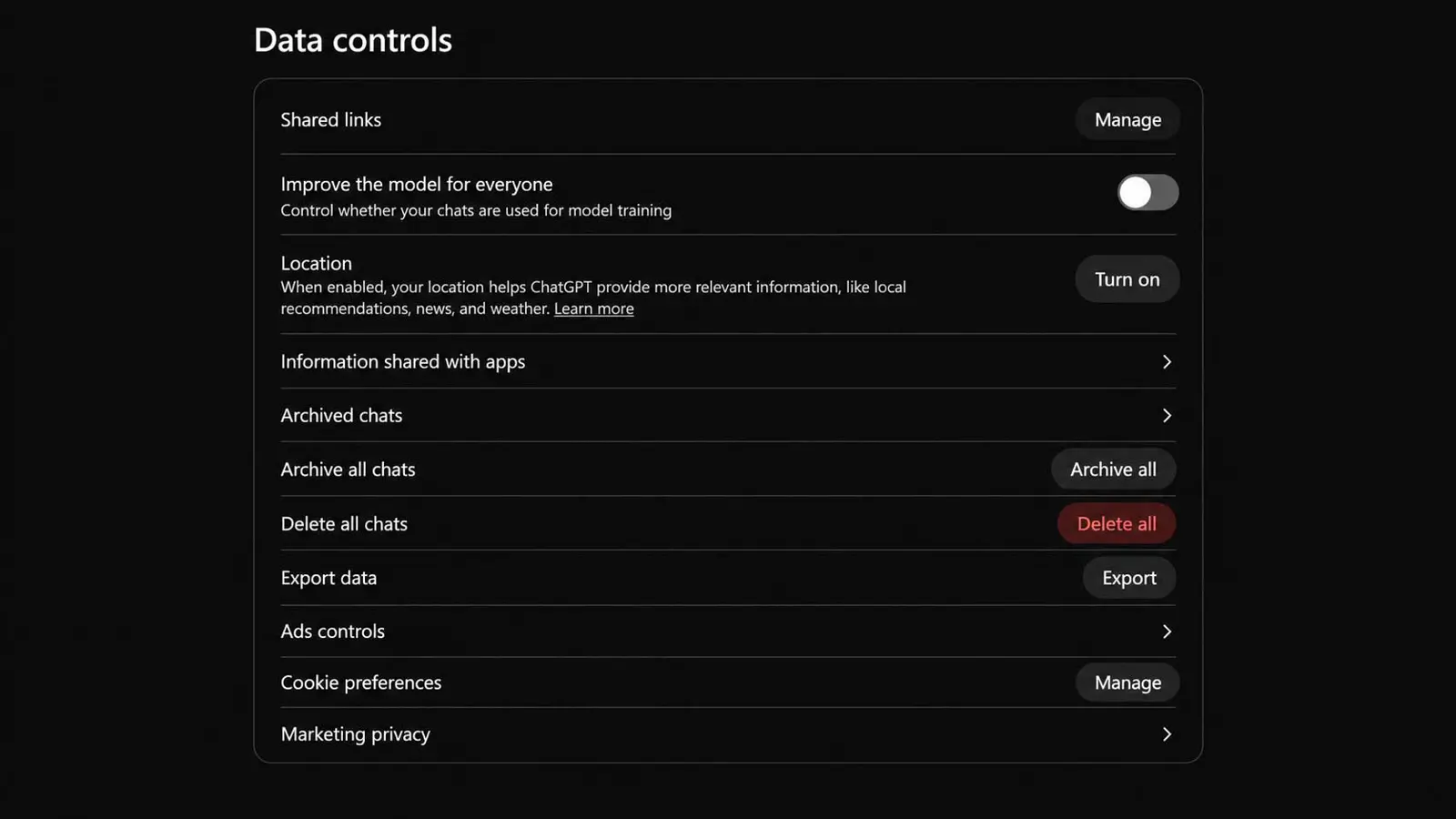
Scope matters. OpenAI says new conversations will not be used once training is off, while existing conversations may have been used if the setting was on. Temporary Chats are deleted from OpenAI's systems within 30 days and reviewed only when needed to monitor for abuse. OpenAI also says it does not use content from ChatGPT Team, ChatGPT Enterprise, or the API Platform to train its models, products that sit apart from the consumer app in OpenAI's wider lineup of models, APIs, and agents.
Claude
Anthropic's privacy article, dated March 16, 2026, calls the control Model Improvement and places it in Privacy Settings, while a secondary guide calls it Help improve Claude, so wording may differ on screen. Anthropic's pages give no step-by-step menu path at all. Claude Free, Pro, and Max accounts are covered, including Claude Code used with those accounts.
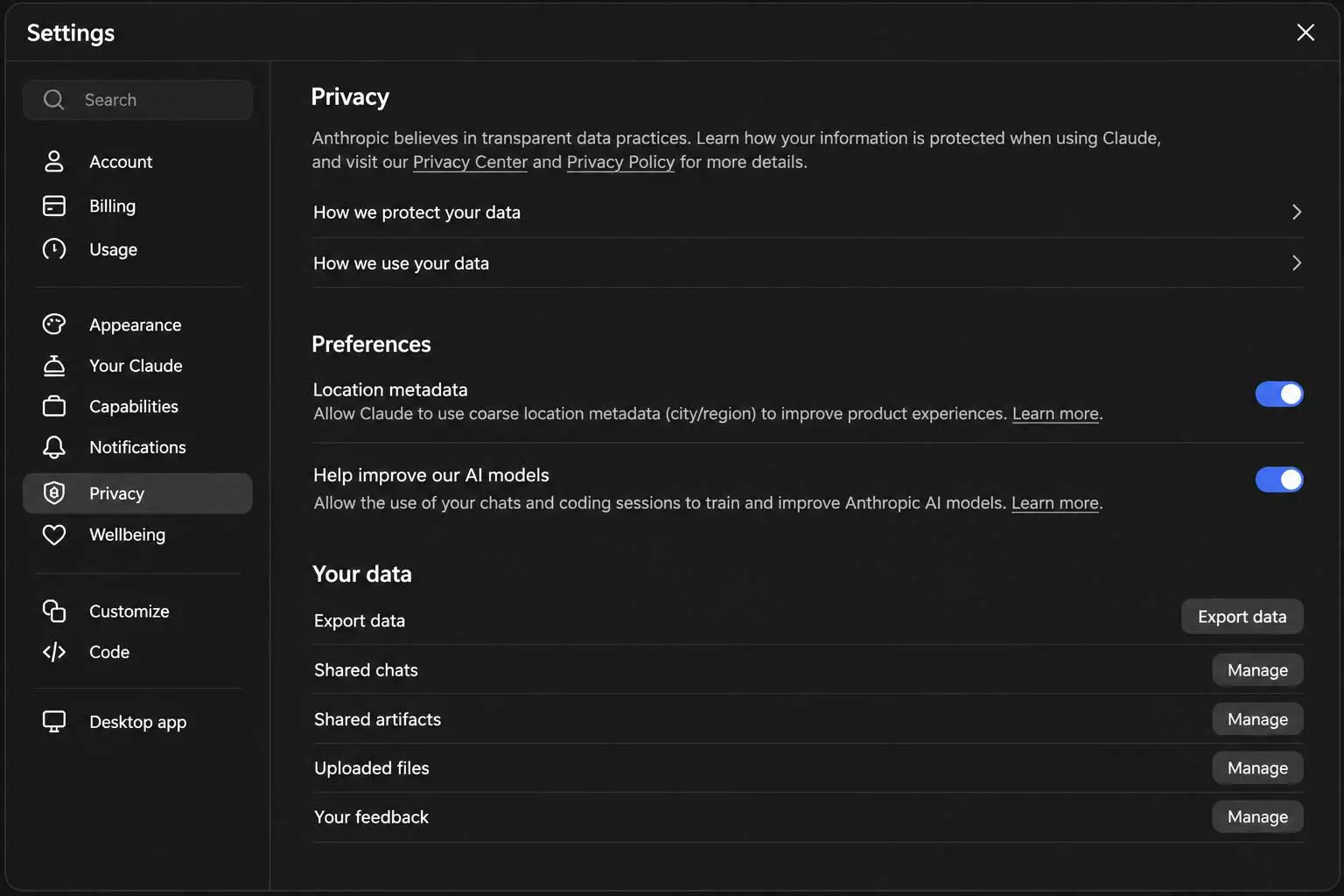
Retention changes with the choice. Anthropic says data is kept five years if training use is allowed and 30 days otherwise, while thumbs up and down feedback can be stored for up to five years either way. Defaults are disputed, since BGR said Anthropic would not turn collection on automatically while Cloaked's April 2026 guide implies it applies unless a user opts out. Existing users were asked to choose by autumn 2025, with BGR giving September 28 and Anthropic's page giving October 8.
Some chats stay outside the toggle. Anthropic says incognito chats are not used for training even with the setting on, and that chats flagged for safety review can be used for its safeguards team. Turning the setting off does not remove data from training that has already started or from models already trained, and deleting a conversation keeps it out of future training. Team, Enterprise, API, Claude Gov, and Claude for Education are not covered by the consumer setting.
Features with their own rules deserve a separate look. Chats inside Claude's Personal Finance hub are excluded from training, while chats outside the hub follow the user's normal privacy settings. Claude Reflect keeps incognito chats out of its usage summaries entirely.
Gemini
Google's route to opt out AI training for Gemini is a control named Keep Activity, inside Gemini Apps Activity at myactivity.google.com/product/gemini. Google updated that page on October 26, 2026. Google gives no menu path. Cloaked describes a longer route through Data and Privacy, then History settings, which could not be confirmed.
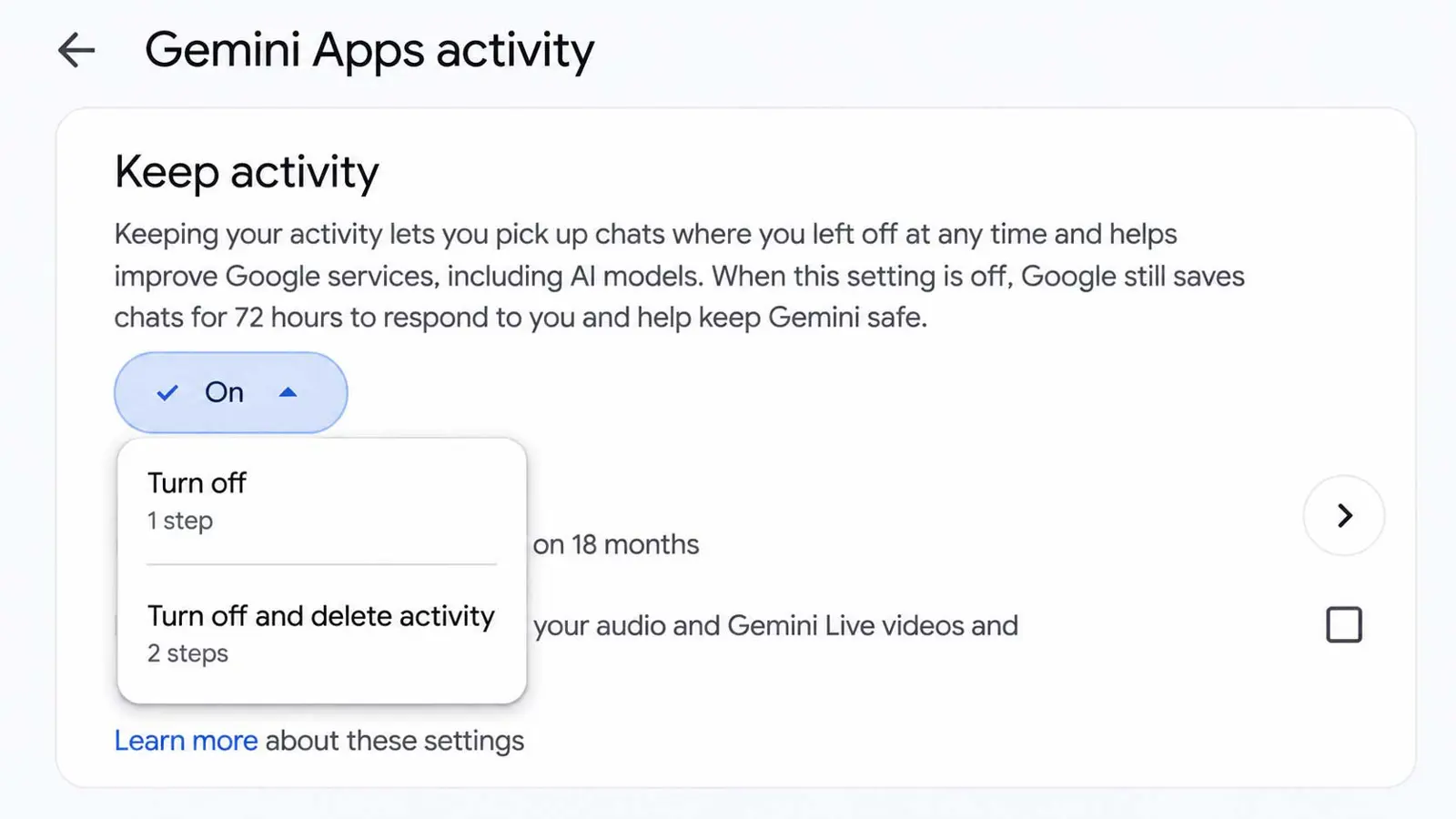
Google's retention terms are the most detailed. Activity is auto-deleted after 18 months with Keep Activity on, with options for 3 months, 36 months, or none, and retained for 72 hours when it is off or in temporary chats. A subset of chats are reviewed by human reviewers and kept up to three years, disconnected from the account, and deleting activity does not remove them. Google adds that even with Keep Activity off it still uses chats to respond and protect users, including with human reviewers, and feedback is kept for up to three years.
Work and school accounts follow different terms, per Google. A personal toggle may not apply there, which matters most at work, where Gemini agents are moving into everyday business workflows. Which assistant to use at all is a separate question, and a side-by-side comparison of ChatGPT, Gemini, and Claude helps there.
Grok and Meta AI
xAI's FAQ names the control Improve the model. In the mobile app, go to Settings, then Data Controls. On grok.com, go to Settings, then Data. For Grok inside X, the FAQ points to X's Help Center, and an older Tom's Guide article from April 2025 describes X settings under Privacy and safety, then Data sharing and personalization.
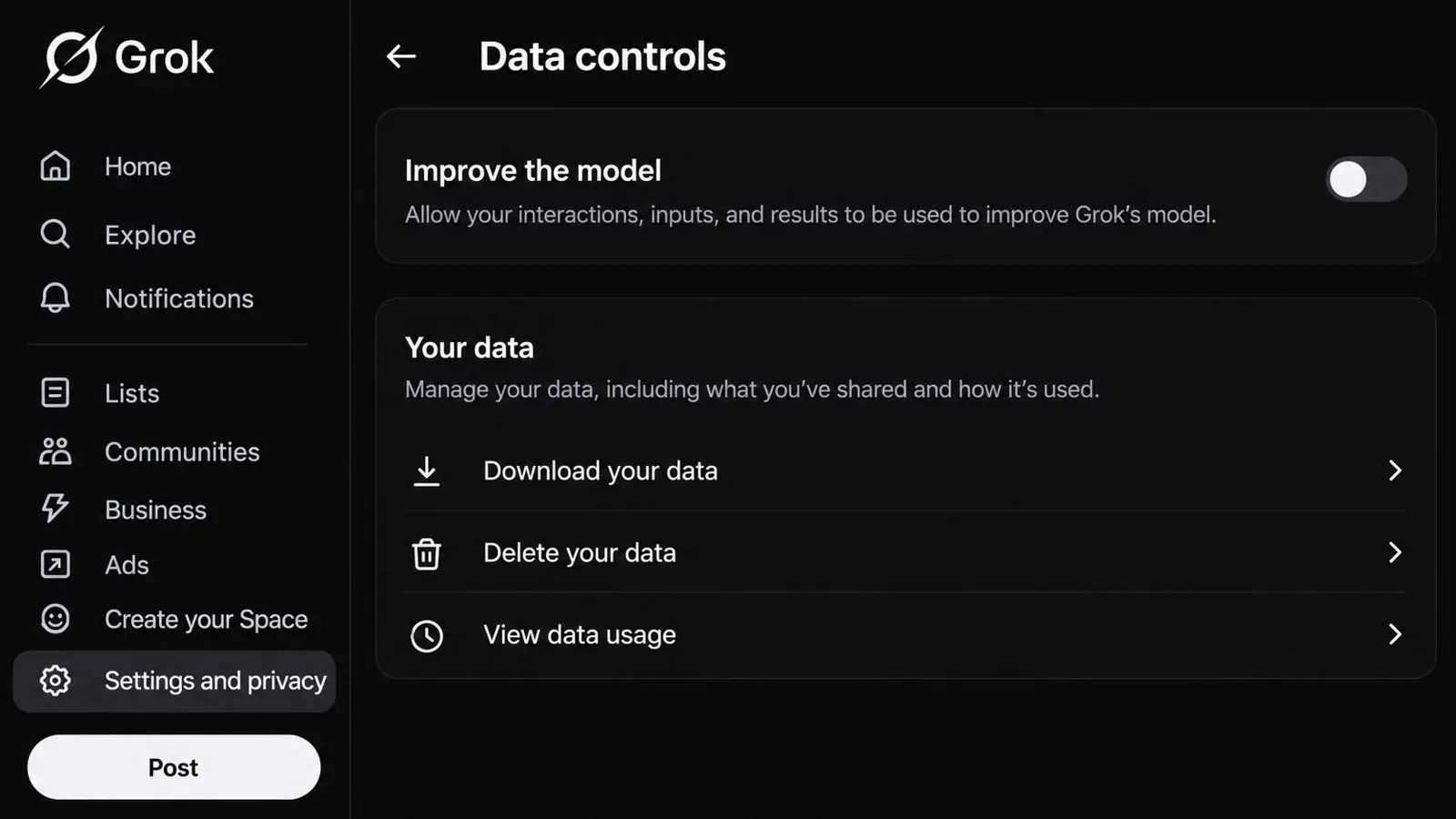
Limits stand out. Feedback may be used for training, according to xAI, and a limited number of authorized personnel may review conversations. Logged-out users in some regions outside the EU and UK cannot opt out at all, and Private Chat conversations are deleted from xAI systems within 30 days. Its page is dated May 12, 2025, so details may be out of date.
Meta AI is the hardest case. Meta's own pages could not be read because the site blocks automated access, so the only source is Cloaked, a privacy-product vendor. Cloaked says the U.S. has no simple toggle, an objection request goes through Meta Privacy Center under AI at Meta, and approval is not guaranteed outside places with a formal right to object, such as the EU and UK.
Instagram has its own toggle. Meta pulled Muse Image's Instagram photo feature after 72 hours, and public accounts had been enrolled by default and the opt-out sat under Sharing and Reuse, though it is unclear whether that control still exists. People trying personal AI agents such as Muse, Grok Bot, and OpenAI Dots face a separate set of controls.
What Opting Out Does Not Cover
- Past data: OpenAI says existing conversations may have been used, and Anthropic says models already trained keep what they learned
- Safety review: Anthropic's flagged chats and Google's 72-hour retention both exist regardless of the toggle
- Human review: Google and xAI both describe reviewers, and neither ties it to the training switch
- Feedback: thumbs up and down ratings can be kept and used, per Anthropic, Google, and xAI
- Logged-out use: Cloaked says ChatGPT collects it regardless, and xAI says it may lack an opt-out in some regions
- Special modes: connected medical records in Health in ChatGPT are not used to train foundation models whatever the training setting
Turning training off changes what happens next, not what already happened. Review the account's chat history and delete sensitive conversations, and remember that Team, Enterprise, and API products follow separate terms. Settings were checked November 12, 2026.
Locking a chat does not opt out AI training. Locked chats leave Improve the model for everyone and retention unchanged. Once ChatGPT starts controlling Chrome tabs, it prompts before interacting with a new website by default, which matters for data that leaves the chat window.
Free tiers carry the most exposure. Most consumer plans among the free AI tools train on conversations by default, with opt-outs sitting in settings menus that few people ever open. Teen accounts differ, since ChatGPT for teens lets a parent link an account without being able to read the chats.
Local models avoid the question. Running a model on a personal machine keeps prompts on that device, and a step-by-step Ollama setup plus a list of the best local LLMs by VRAM show where to start. Expect more regional rules, since vendors such as Google already distinguish EEA terms.
Frequently Asked Questions
Does turning off training delete my chats?
Do business accounts need the same setting?
Is deleting a chat enough?
Can a human still read my chats?
How often do these menus change?