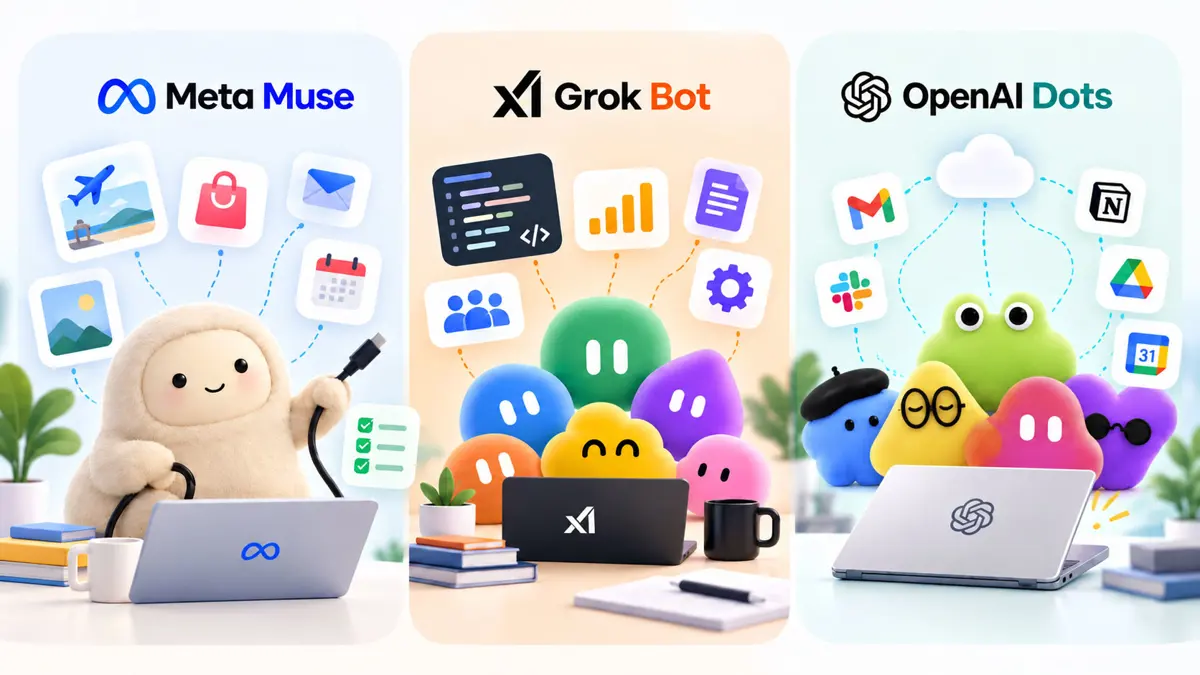
Meta Muse vs Grok Bot vs OpenAI Dots: Which Personal AI Agent Fits Your Workflow?
A practical comparison of three always-on agents, from personal tasks and browser work to team workflows, app access, memory, and approvals.

Meta Muse vs Grok Bot vs OpenAI Dots is less about finding one universal winner and more about deciding what kind of agent should handle work in the background. All three can keep working after the initial request, use software on a user's behalf, and return when they need a decision. The important differences are where the agent operates, what it is designed to manage, how it remembers context, and how much control the user keeps over actions.
This comparison reflects the products and access information available on September 30, 2026. Agent features, regional availability, plans, and permissions are changing quickly, so the current product pages should be checked before making a subscription decision.
If the term AI agent is new, start with what an AI agent is and how it works. The short version is that an agent can plan and take actions through tools instead of stopping at a generated answer. That is also why these products belong to the broader agentic AI category.
Meta Muse vs Grok Bot vs OpenAI Dots at a Glance
| Area | Meta Muse | Grok Bot | OpenAI Dots |
|---|---|---|---|
| Core idea | Personal agent for goals, everyday tasks, web work, and connected apps | Persistent AI teammates that take on jobs and can work in parallel | Always-on agents for ongoing work inside ChatGPT and connected apps |
| Own computer | Persistent Muse Secure VM with browser | Each Bot gets its own cloud computer | Each dot has its own cloud computer |
| Background work | Yes, including goals, monitoring, and scheduled work | Yes, including routines and work that starts without a new prompt | Yes, including ongoing work, scheduled tasks, and background research |
| App access | Connected apps plus browser-based web work | Apps, websites, connectors, and computer use | Connected apps plus ChatGPT channels such as Slack |
| Personal tasks | Strong product focus | Possible, but the product is framed around teammates and jobs | Possible, with a stronger work and productivity framing |
| Team workflows | Business integrations are expanding | Team Bots and enterprise controls are available | Business and Enterprise support is built into the rollout |
| Human control | Permissions, approvals, and activity audit trail | Approval points plus account and environment controls | Custom rules, approvals, and review of completed work |
Muse, Grok Bot, and Dots are being rolled out in stages and their plan and regional support can change. Treat the access details in this article as a September 30, 2026 snapshot rather than permanent product specifications.
The Three Products Solve the Same Problem in Different Ways
The common problem is simple: a chatbot waits for the next prompt, while an agent can continue a task. The difference is the unit of work each product puts at the center.
Meta Muse starts with the person. Meta describes Muse as a personal AI agent that can work toward goals, browse the web, connect to apps, complete tasks, and keep working in the background. Its product experience is built around messaging the agent and giving it permission to act.
Grok Bot starts with the job. xAI describes Bots as AI teammates with their own computers that can work across tools and apps, finish jobs end to end, and come back when they need approval. The company has since expanded the product into enterprise and Team Bots, which makes the teammate model even more explicit.
OpenAI Dots start with ongoing responsibility inside ChatGPT. OpenAI describes a dot as an always-on agent that can take on ongoing work, connect the apps it needs, keep making progress between conversations, and return results for review. Dots are powered by GPT-6 Astra and have their own cloud computer.
That distinction matters. A product can have the same browser automation capability as another product and still feel very different because its main object is a personal assistant, a team of workers, or a persistent project agent.
What Meta Muse Is Built to Do
Meta launched Muse in September 2026 as a personal AI agent. Its dedicated Muse Secure VM gives the agent an isolated computer and browser for tasks such as filling forms, handling customer-service flows, booking appointments, and navigating websites. Muse can also connect to email, calendars, Instagram, and other supported apps.
Meta also positions Muse around long-running personal goals. It can build an action plan, track progress, monitor things, and continue working after the app is closed. For actions such as sending email or making purchases, Muse is designed to ask for permission before taking the action.
The product is available through mobile apps and Mac, with WhatsApp as another way to interact. Saganote has already covered Meta Muse arriving on iPhone and Mac, while the earlier Meta Muse personal-agent launch coverage explains the secure VM and shopping workflow in more detail.
For personal workflows, that makes Muse easier to think about as a digital operator for everyday life: travel research, shopping, reminders, email, calendar work, forms, and recurring monitoring. Its current product design is less about building a fleet of specialist agents and more about maintaining one ongoing relationship with a personal agent.
Meta is also extending the same agent direction into work. Its small-business rollout and Muse Code coverage show how the broader Muse family is moving beyond personal tasks, although Muse and Muse Code should not be treated as the same product.
What Grok Bot Is Built to Do
Grok Bot takes a more teammate-like approach. xAI says each Bot has its own computer, can sign into the tools a user already uses, and can work across apps, inboxes, and websites without requiring the user to remain in the session.
The original Grok Bot launch focused on jobs such as sales outreach, marketing operations, office work, and engineering tasks. Users can message a Bot like a coworker, and the Bot can continue working until the job is complete or it reaches a point that requires a decision.
Saganote's Grok Bot launch coverage covers that original model, while Grok Bot's expanded access tracks the move beyond the initial beta plans. xAI has also added enterprise support and Team Bots, which let teams share a Bot's context, tools, and expertise.
That multi-agent structure is one of the clearest differences in this comparison. A user can think in terms of separate workers for different jobs rather than asking one assistant to manage everything. A recruiting Bot, support Bot, engineering Bot, or marketing Bot can have a defined role and work independently.
Grok Bot also has a growing connection to the wider Grok product family. Saganote's Grok pricing guide is useful for understanding the broader subscription structure, while Grok Bot's iPad and Android coverage tracks how access has expanded across devices.
What OpenAI Dots Are Built to Do
OpenAI introduced Dots on September 29, 2026 as always-on agents inside ChatGPT. OpenAI's current documentation describes a dot as an agent that can take on ongoing responsibility, keep working between conversations, connect to the apps needed for a task, and return results for review.
Dots use GPT-6 Astra and have their own cloud computer. OpenAI's current getting-started documentation says Dots can work through complex problems, decide what needs to happen next, and turn to the user for decisions that require human judgment. They can also use connected information proactively and run scheduled work.
The interface is still closely tied to ChatGPT. Users create a dot from desktop web or the desktop app, then can interact with it through supported channels. OpenAI is also using connected apps and work integrations to make Dots useful for ongoing professional tasks.
Saganote's OpenAI Dots launch coverage covers the product in more detail. The key distinction for this comparison is that Dots extend the ChatGPT work model into a persistent agent rather than creating a completely separate assistant ecosystem.
Current access is still rolling out. OpenAI says Dots are gradually rolling out to eligible Pro and Business Premium users in supported markets, while Enterprise access is in beta and initially off by default. Pro access excludes the European Economic Area, Switzerland, and the United Kingdom at launch.
The Biggest Difference Is Where the Agent Lives
All three products use cloud computers, browsers, connected apps, and persistent context. Their practical difference is the environment that the agent is designed to inhabit.
| Agent model | Where the workflow starts | What that encourages |
|---|---|---|
| Muse | Personal goals and connected life services | Handing off everyday tasks and longer personal goals |
| Grok Bot | A job, role, or teammate | Delegating separate jobs to persistent specialist workers |
| Dots | An ongoing responsibility in ChatGPT | Keeping work moving across conversations, apps, and scheduled tasks |
This is also why a simple feature checklist can be misleading. Saying that all three "have a browser" does not tell a reader how they are meant to be used. The better question is what the product considers a normal unit of delegation.
Which Agent Fits Personal Tasks?
For personal tasks, look at the type of work rather than the brand.
Travel, shopping, forms, and household tasks
Muse is explicitly designed around these kinds of personal workflows. Meta's product documentation describes browsing, appointments, shopping, price tracking, returns, forms, email, calendars, and background monitoring. It can keep working after the app is closed and ask for approval before consequential actions.
Dots can also take on ongoing personal work, and OpenAI's broader agent tooling can handle signed-in websites and recurring tasks. But the current Dots rollout and documentation are framed more heavily around ongoing work and connected apps.
Grok Bot can work through websites and tools as well, but its product language is centered on teammates and jobs. That makes it a natural fit when a "personal task" can be expressed as a repeatable job rather than a personal assistant relationship.
Memory and long-running goals
All three products use persistent context, but the product model differs. Muse remembers preferences and goals. Grok Bots retain context about how work should be done and can use routines. Dots can use memories and connected app information to continue work between conversations.
The practical question is what the memory is for. If the goal is "remember how I like my travel and shopping handled," a personal-agent model is intuitive. If the goal is "remember how this job gets done every week," a teammate or persistent work-agent model may be easier to structure.
Which Agent Fits Workflows and Teams?
The gap becomes clearer when the task involves multiple people, business systems, or several parallel workstreams.
Grok Bot has the most explicit teammate architecture of the three. xAI's enterprise product lets organizations create separate Bots for jobs and gives administrators access, network, and audit controls. Team Bots extend that model by letting a shared Bot carry context and expertise across a team.
Dots are also aimed at ongoing professional work. OpenAI positions them inside ChatGPT, with connected apps and business plans, while the underlying GPT-6 Astra model is designed for computer use, browsing, coding, research, and professional work.
Muse is moving into business use as well. Meta has expanded Muse toward small businesses and other work integrations, but its core product remains centered on a personal agent that can operate across a person's daily services.
For a company comparing agent products, this is a more useful distinction than asking which model is smartest. The real questions are whether the system needs one persistent assistant, multiple role-based workers, or an ongoing agent attached to an existing ChatGPT work environment.
What About Coding and Technical Work?
These products overlap with coding agents, but their main agent products should not be confused with dedicated developer tools.
Meta has a separate Muse Code product for large codebases. xAI has Grok Build coverage on Saganote, which covers its app-building workflow. OpenAI connects Dots to the broader ChatGPT Work and Codex environment.
That means a developer choosing among these products should separate two questions: "Which persistent agent should manage work?" and "Which coding environment should execute software tasks?" The answer to those questions does not have to be the same product.
For a broader model-level comparison, Saganote's Grok 4.5 vs Claude Fable 5 vs GPT coding comparison is a better place to look at model benchmarks and coding performance than this agent comparison.
How Much Autonomy Should the Agent Have?
Autonomy is not a single feature. It is a set of permissions.
- Ask: the agent waits for the next instruction.
- Suggest: the agent notices a possible next step and proposes it.
- Plan: the agent turns a goal into a sequence of tasks.
- Execute: the agent performs approved actions through apps or a browser.
- Monitor: the agent keeps checking for changes or scheduled events.
- Escalate: the agent stops and asks for human judgment when a decision crosses a defined boundary.
Muse, Grok Bot, and Dots all move into the last five levels, but they expose the controls differently. Muse emphasizes permissions, approvals, and an activity trail. Grok Bot uses access controls, approvals, isolated environments, and role-based Bot design. Dots provide custom rules that can determine whether an action happens automatically, requires pre-approval, asks first, or is handed back to the user.
A persistent agent can act while the user is away, so permissions should be treated as part of the workflow design. Review connected accounts, approval rules, and the actions that can create external effects before handing over recurring work.
Privacy, Permissions, and the Computer Behind the Agent
The computer behind an agent matters because the agent needs somewhere to browse, store temporary state, interact with websites, and continue work.
Meta says Muse runs in a dedicated Secure VM and keeps logins in a secure credential store. Its shopping flow can use a one-time card number, and users can review an audit trail of actions and planned actions. Meta also says users control connected apps and permissions.
xAI says each Grok Bot runs in its own secure, isolated environment and only reaches accounts the user signs it into. Enterprise customers also get administrative controls around access, network, and auditing.
OpenAI says Dots have their own cloud computer and provides custom rules for actions such as sharing, purchasing, and access. Its documentation also says a dot can be paused or reset, with reset deleting the dot's conversations, saved memories, and scheduled tasks.
None of these controls removes the need to review an agent's work. OpenAI explicitly warns that Dots can make mistakes, while the other providers also build approval and permission systems around consequential actions.
How to Choose Without Looking for a Universal Winner
The useful choice is the one that matches the shape of the work.
- Choose Muse when the main goal is a personal agent for travel, shopping, forms, email, calendars, reminders, and other everyday tasks across connected services.
- Choose Grok Bot when the main goal is to delegate jobs to persistent AI teammates, especially when separate roles or parallel workstreams make sense.
- Choose Dots when the main goal is ongoing work inside the ChatGPT environment, with connected apps, persistent context, scheduled activity, and human review.
- Compare access and regional support before choosing. Availability is still changing for all three.
- Compare permission controls before connecting sensitive accounts. The ability to act is only useful when the boundaries are clear.
- Separate the agent from the underlying model. A strong model does not automatically make every workflow a good fit for that product's agent architecture.
For readers deciding between AI assistants more generally, Saganote's ChatGPT vs Gemini vs Claude comparison covers the broader assistant category. These three products require a different mental model because the main question is no longer only which assistant answers better. It is which system should keep working after the conversation ends.
Meta Muse vs Grok Bot vs OpenAI Dots: The Practical Takeaway
Meta Muse, Grok Bot, and OpenAI Dots are converging on the same larger idea: AI should be able to carry responsibility across multiple steps instead of stopping after a response. Their implementations are different enough that the workflow matters more than a simple feature count.
Muse is organized around a personal agent and long-running personal goals. Grok Bot is organized around persistent AI teammates and jobs. Dots are organized around ongoing responsibilities inside ChatGPT and its connected work environment.
That makes the decision relatively concrete. Start with the work that should disappear from the user's own task list, then ask which agent gives that work the right computer, app access, memory, permissions, and approval path. The product that fits those constraints is the relevant choice for that workflow.
Frequently Asked Questions
Are Meta Muse, Grok Bot, and OpenAI Dots the same kind of AI agent?
Which one is designed most directly for personal tasks?
Can these agents work while the user is away?
Do these agents need access to my accounts?
Should an AI agent replace a normal chatbot?
The main shift is from asking AI for an answer to delegating a bounded piece of work. Muse, Grok Bot, and Dots take that idea in different directions, and those differences are more useful than a single overall ranking.